When adding JavaScript to a WordPress theme, it may seem easier to place a <script> tag directly in header.php or footer.php. While this approach works, it ignores WordPress’s built in system for managing scripts.
The wp_enqueue_script() function is the recommended way to go. By using it, you can maintain your theme more easily and ensure it works well with various plugins and themes.
WordPress Manages Scripts for You
The main advantage of wp_enqueue_script() is that WordPress keeps track of every registered script.
For example, if your theme loads Bootstrap and your custom navigation.js file depends on it. You can declare that dependency like this:
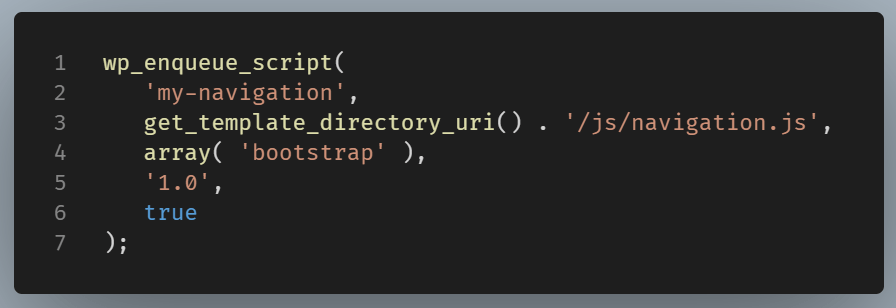
The wp_enqueue_script() function accepts five main parameters

Let’s look at each one.
$handle
'my-navigation'
The handle is simply a unique name for the script. Think of it as WordPress’s internal identifier.
It is not the filename.
For example, naming the handle as my-navigation is perfectly valid even though the file is /js/navigation.js
$src (URL)
get_template_directory_uri() . '/js/navigation.js'
This is the source. It tells WordPress where the file is located.
Suppose your theme is installed here: wp-content/themes/mytheme/
Then get_template_directory_uri() returns:https://example.com/wp-content/themes/mytheme
Appending: /js/navigation.js gives: https://example.com/wp-content/themes/mytheme/js/navigation.js
$deps
This denotes dependancies.
array( 'mytheme-bootstrap' )
This tells WordPress:
“Do not load this script until Bootstrap has been loaded.”
Imagine you enqueue:
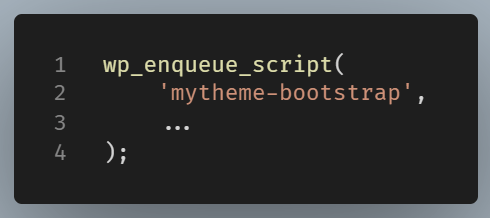
and later:
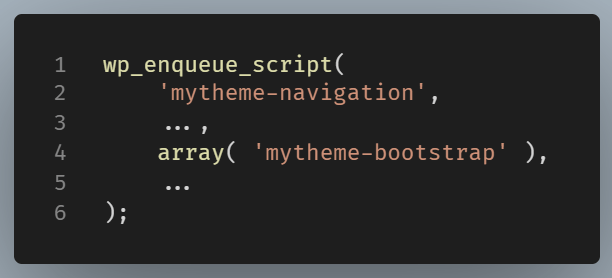
WordPress automatically generates:

even if you registered them in the opposite order.
Without dependencies, you would have to manage the order yourself.
$ver
_S_VERSION
WordPress appends the version as a query string.
Suppose you define: define( '_S_VERSION', '1.0.0' );
Then the HTML becomes: <script src="/js/navigation.js?ver=1.0.0"></script>
Later you release version 1.1.0: define( '_S_VERSION', '1.1.0' );
Now the browser requests:
<script src="/js/navigation.js?ver=1.1.0"></script>
Since the URL changed, browsers download a fresh copy instead of using the cached one.
$in_footer
This tells WordPress where to print the script.
If true the script is printed just before </body>
Example:
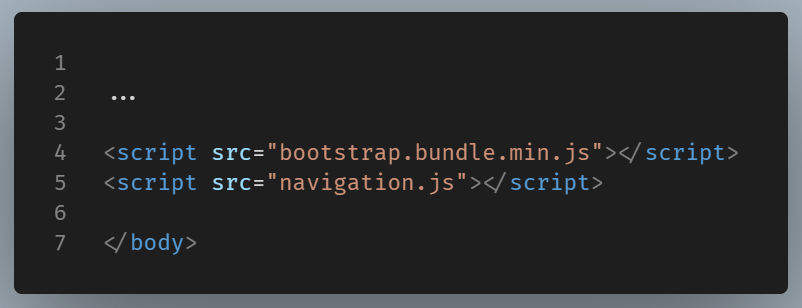
If false the script is printed inside the <head>.
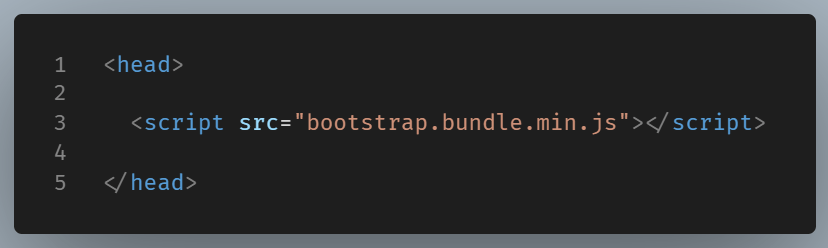
Today, loading JavaScript in the footer is common because the browser can render the page before downloading and executing scripts.
WordPress knows by default that Bootstrap must load before navigation.js. You do not have to worry about the correct order.
It Prevents Duplicate Files
Imagine both your theme and a plugin include the same JavaScript library.
If each one uses a manual <script> tag, the browser may download the library twice. This can increase page size and even cause JavaScript errors.
With wp_enqueue_script(), you don’t have to write these <script> tags yourself. You just describe each script—its location, dependencies, version, and placement—and WordPress assembles the final HTML in the correct order.
This separation of declaration from output is one of the strengths of the enqueue system.
It Gives You More Control
The wp_enqueue_script() function lets you specify where the script should appear.
For example, setting the final argument to true tells WordPress to place the script before the closing </body> tag.
This allows the browser to render the page before loading JavaScript, which often improves the visitor’s experience.
You can also assign version numbers. When a script changes, updating its version helps browsers download the latest copy instead of using an older cached file.
It Works Better with Plugins
One of WordPress’s strengths is its plugin ecosystem. Plugins often register and enqueue their own scripts.
If your theme employs the enqueue system, WordPress can merge everything into one loading process. This helps reduce conflicts and enhances compatibility between plugins and themes.
Final Thoughts
While it may appear simpler to manually insert a <script> tag by hand, doing so skips many of the benefits that WordPress has to offer.
The wp_enqueue_script() function manages dependencies, prevents duplicate files, controls where scripts are loaded, and improves compatibility with plugins.
As a general rule, if you are developing a WordPress theme or plugin, always use wp_enqueue_script() instead of writing <script> tags directly into your template files.