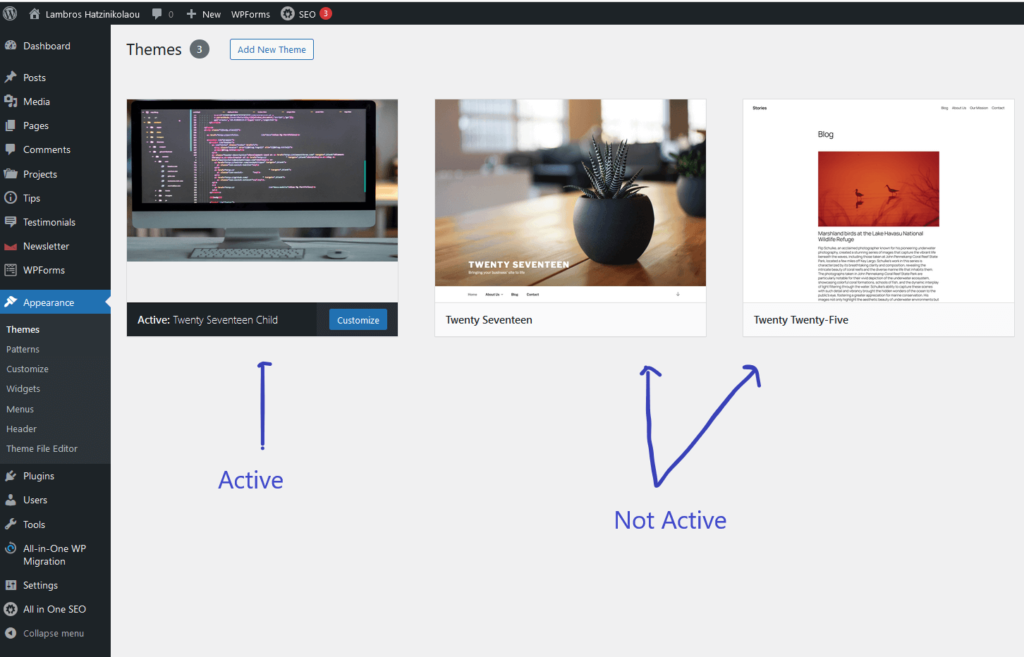
A WordPress theme is a collection of files (PHP, CSS, JavaScript, and images) that control the layout, functionality, and style of a WordPress website.
By using themes, we can customize our site’s appearance without changing its core functionality.
Themes can modify a website’s look by altering typography, colors, and other design features.
All new WordPress sites come with a default theme pre-installed.
Since a Theme is essentially the front-end of our website, we need a default one in every installation.
Without an active theme we don’t have a website.
A new theme, named after the year, replaces this default theme annually.
This year, Twenty Twenty-Five, is the default wordpress theme.
We have the option to change this default theme and install a new free or premium one that is aligned to our specific needs.
Types of WordPress Themes
There are three types of WordPress Themes. Free, Premium and Custom Themes.
Let’s elaborate on each category.
Free Themes
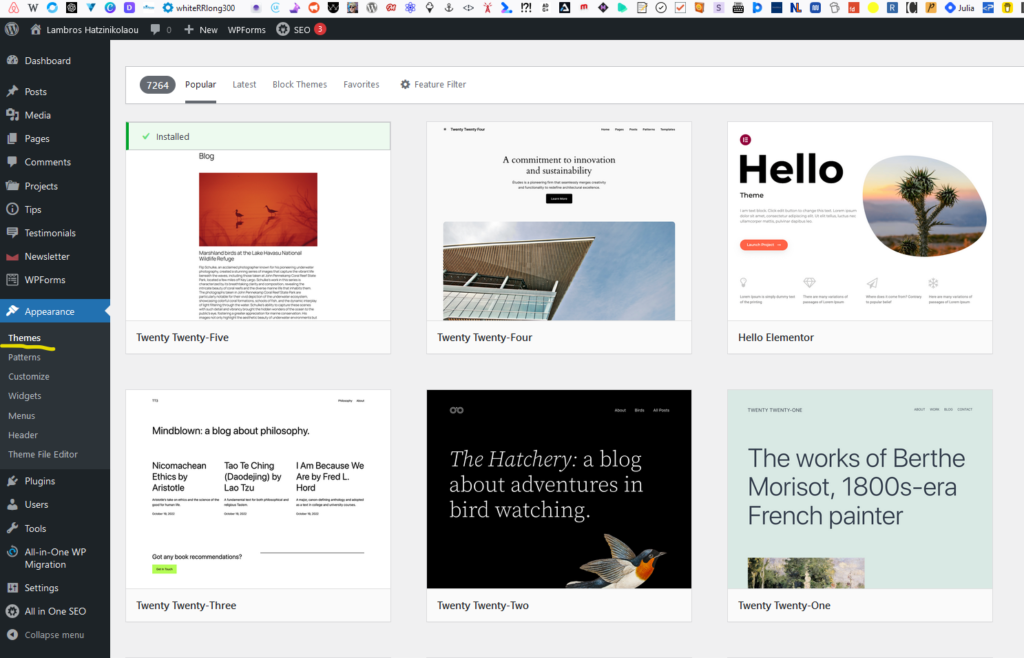
There are Free themes available in the WordPress Theme Directory.
WPAstra, and OceanWP are some popular examples.
This themes are high-performance, lightweight and easy to use but have limited features and support.
The fact that they cost nothing makes them valuable to beginners, small businesses and those on a tight budget.
Premium Themes
Premium Themes cost money.
They are built by third-party developers and they offer more advanced features and options for customization.
They also come with dedicated support from the developers of the theme.
Usually the same WordPress Development companies that contribute free themes to the WordPress Theme Directory are the ones who build and sell popular, good quality premium themes.
The Astra, and OceanWP that we mentioned earlier have a popular premium version as well.
Custom Themes
Sometimes clients can’t find the right Theme, neither from the WP Theme Directory, nor from third party WordPress Theme Development companies.
In that case they build a custom theme. A theme customized to their needs.
The most popular options for building a custom theme are:
- Build a WP from scratch.
- Utilize a Framework theme
- Modify an existing theme.
Let’s have a brief look.
Build a custom WordPress Theme from scratch
This is the go to solution for clients that need a unique design.
A web developer company or a freelancer is given a figma file.
They, starting from a clean slate and having full control over the code, are able to deliver a pixel perfect website.
Utilize a Framework theme
Other themes are built for extensive development and customization.
We call those themes theme frameworks.
The benefit here is that customizations are implemented quickly.
No need to spend development time.
However, it’s impossible to achieve full customization. A web design can only be used as a rough guide.
The logic behind those frameworks is simple.
One parent theme serves as a base.
A selection of customizable child themes makes it possible to customize this parent theme.
Page builders can be used to further customizing the selected child theme.
Divi and Genesis are some of the most popular frameworks.
Modify an existing theme
We can modify an existing theme with a child theme.
A child theme is a theme that inherits all the functionality and style of its parent theme
If we make all the changes in the files of the parent theme, instead in the files of a child theme, when the time comes to update it we are going to lose all these changes.
How to use a WordPress Theme
In order to use a WordPress theme we must first install it and then activate it.
How to install a WordPress Theme
WordPress themes can be installed in three ways: from the WordPress theme directory, by uploading a custom/premium theme through the dashboard, or via FTP.
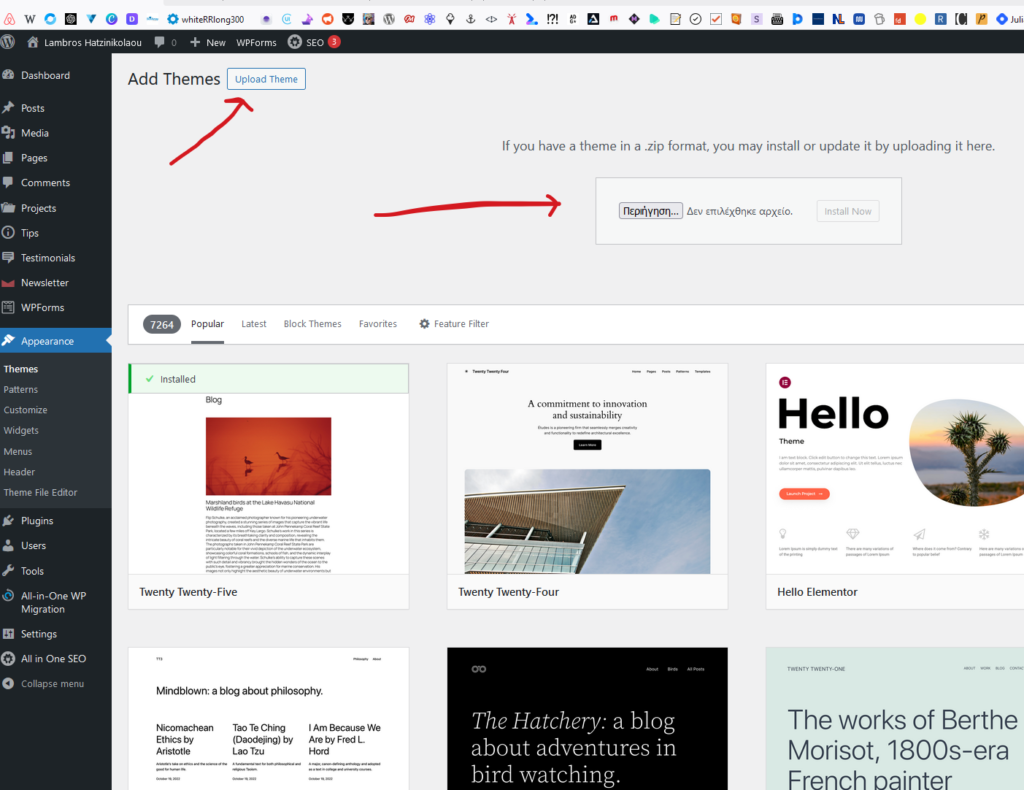
The above image show how we can upload a WordPress theme we have already in our hard disk, from the dashboard environmet.
How to activate a WordPress Theme
Activate a new WordPress theme by going to Appearance → Themes on your dashboard and clicking “Activate” next to your selected theme.
Remember that only one theme can be active at any given time.
Once we activate the new theme, the previous one will be automatically deactivated.