A child theme in WordPress is a special kind of theme that inherits all the features, styles, and functionality of another theme which plays the role of the parent.
Child themes allow us to make modifications without affecting the original (parent) theme.
When do we need one?
This is useful in several cases:
1. When we want to build a new theme quickly, using the parent theme as a base. Rather than starting from scratch, we can start by modifying an existing theme.
2. When customizing a theme without losing changes after updates. Modifying a child theme keeps custom changes safe when the parent theme is updated.
3.When adding custom CSS, PHP, or modifying template files. It is a more safe way to make modifications like tweaking CSS or creating a custom template without messing with the core theme files.
If something breaks, we can disable the child theme and go back to the parent theme.
How to Create a Child Theme?
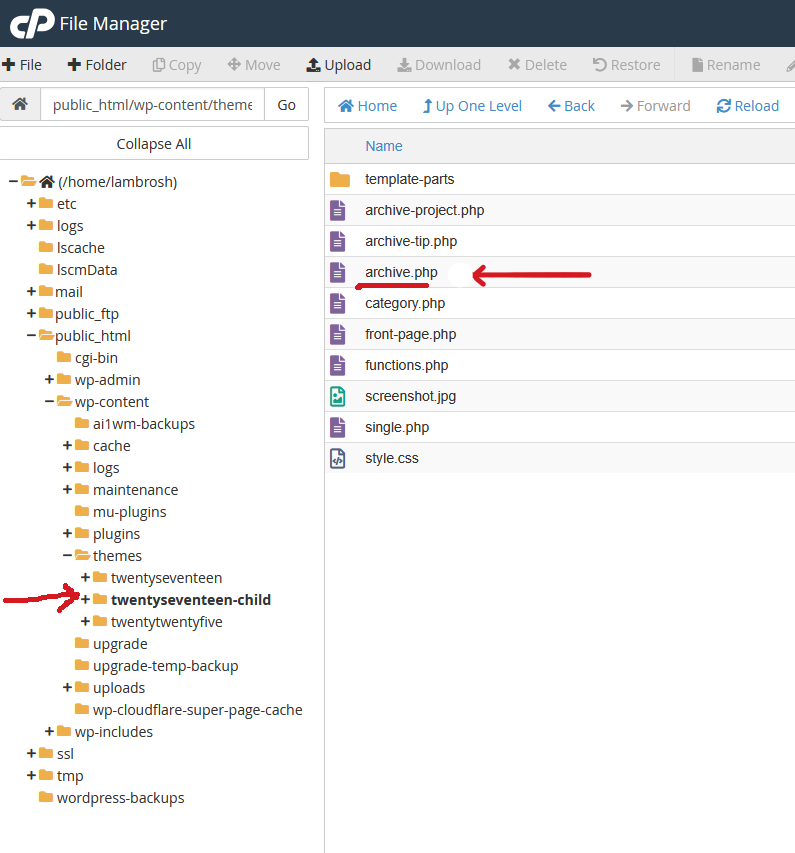
The first step in creating a child theme is creating the directory for it. This directory will be placed inside the wp-content/themes/ subdirectory.
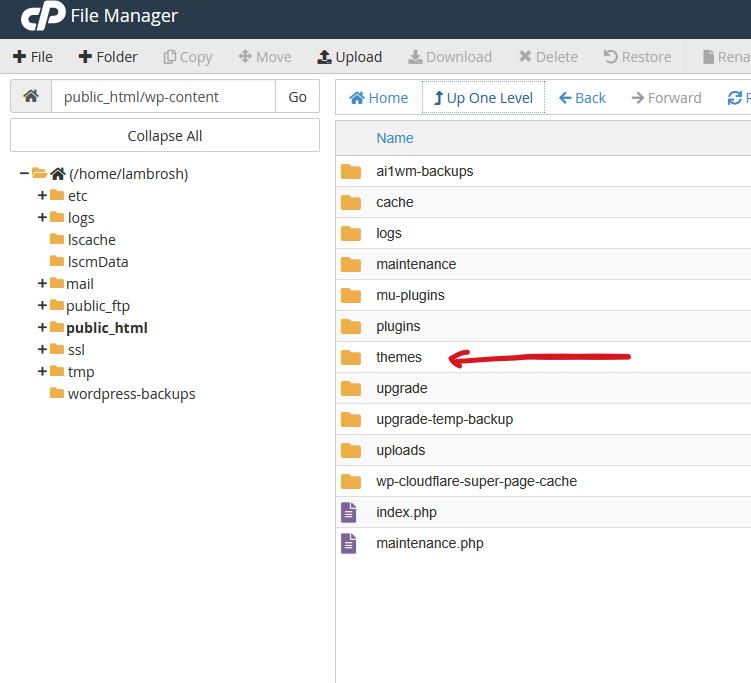
It is recommended appending the “-child” suffix in the child themes’s directory name.
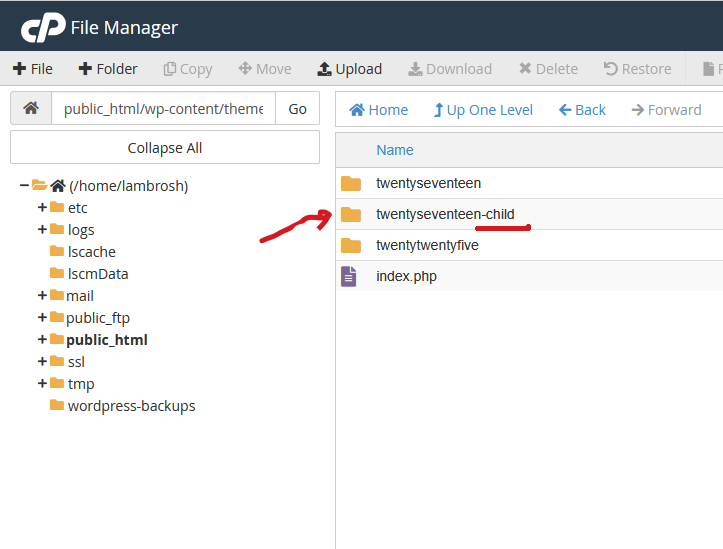
At a minimum, the child theme directory needs to contain the following two files:
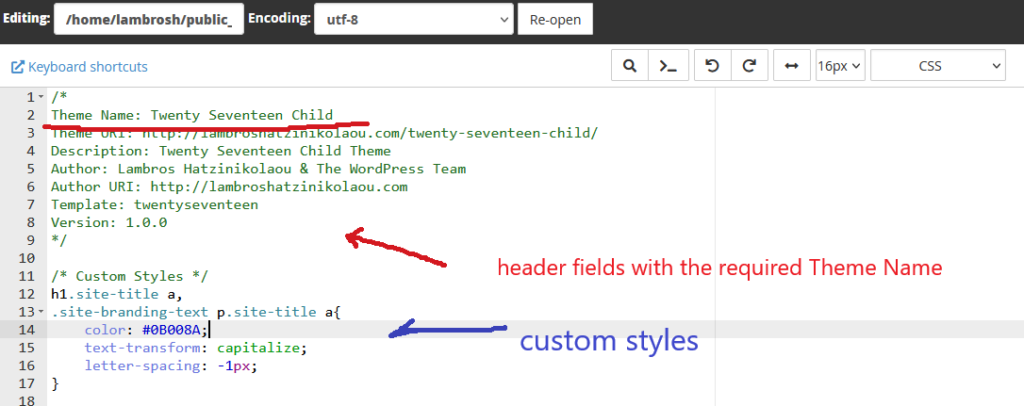
style.css – This file ensures that the parent style sheet is included, as well as any custom styles we want to include.
WordPress requires a Theme Name field in this file for theme recognition.
This field is the bare minimum. A child theme needs this in order to be valid.
Apart from this field, there are many other fields that we can incorporate in our document, like Author, Description, Template, etc
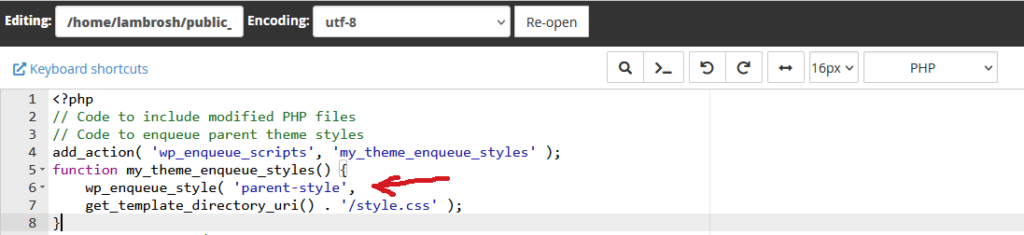
functions.php – This file allows us to add custom functionality or modify existing files in the parent theme.
It is also responsible for queuing the parent theme styles and scripts.
Apart from these files, we must include in the child theme any parents’ file that we want to modify.
We duplicate these files in the child theme.
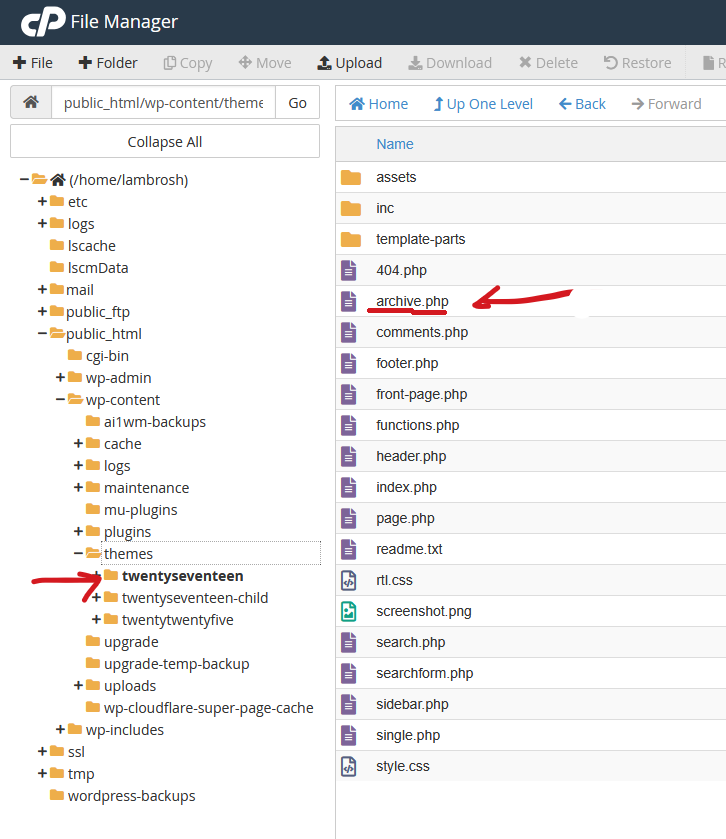
Any file that resides in the parent theme (twentyseventeen in our example), can be duplicated in the child directory.
Activate the Child Theme
To apply theses changes, we must activate the child theme.
After the child theme is activated, its files take precedence over parent theme files in WordPress.
