Widget areas enable users to insert content into designated sections of a WordPress site without the need for coding. Although they were first created for sidebars, these areas can be placed in various locations, such as the footer, header, or beneath a blog post.
Adding widget areas into your theme provides users with greater flexibility in managing the layout and content of their site.
How to Register a Widget Area
The first step is to register the widget area in your theme’s functions.php file.
WordPress provides the register_sidebar() function for this purpose.
A typical example looks like this:
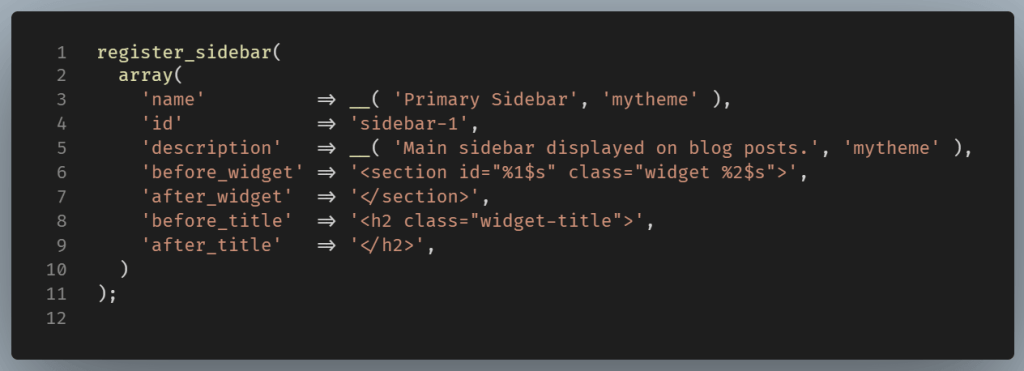
The array passed to register_sidebar() tells WordPress how the widget area should appear in the dashboard and how each widget should be wrapped when displayed on the front end.
Let’s examine its keys one by one:
name

This is the human-readable name shown in the WordPress admin. It helps users identify where they’re adding widgets.
id
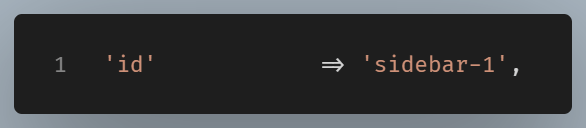
This is the unique identifier used by WordPress. Think of it as the sidebar’s internal name.
description

This appears below the sidebar name in the WordPress admin. Descriptions become very useful when a theme has several widget areas.
before_widget

With this setting, WordPress automatically wraps every widget with this HTML.
Suppose you add:
- Search Widget
- Recent Posts Widget
WordPress outputs:
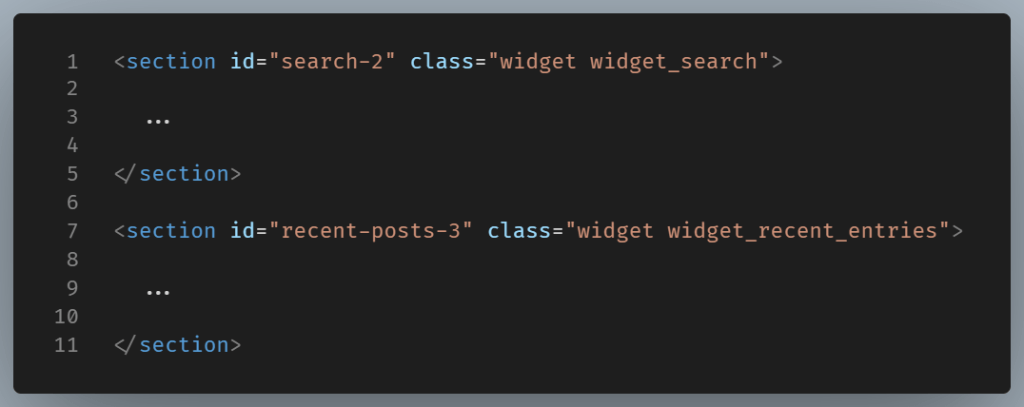
Notice the placeholders %1$s and %2$s.
The former becomes the widget’s unique ID (e.g. id="search-2").
The latter becomes WordPress generated CSS classes (e.g. class="widget widget_search").
These classes allow you to style different widget types.
after_widget
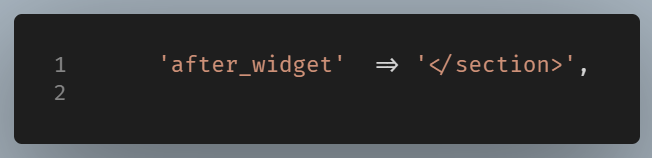
This parameter simply closes whatever HTML you opened in before_widget.
For example if you opened: <section> you should close with </section>.
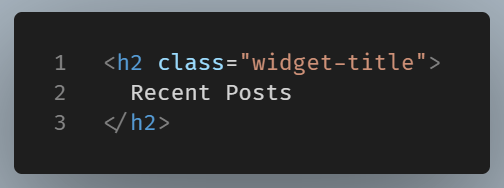
before_title

Every widget title is wrapped with this HTML.
Suppose the widget title is: Recent Posts
WordPress outputs:
after_title
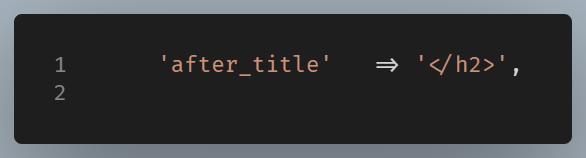
This parameter closes the heading.
The widgets_init action hook
The WordPress doesn’t call register_sidebar() automatically. It provides a specific point during its initialization where themes and plugins should register widget areas: the widgets_init action hook.
First you create a container for your registration code. Then you connect it to the appropriate hook.

Hooks such as add_action() expect the name of a callback function. In the example is mytheme_widgets_init.
This is a common WordPress patern where you place related code inside a function and hook that function into the appropriate stage of WordPress’s loading process.
When widgets_init fires, WordPress calls this function: mytheme_widgets_init();
Inside that function, you can register one sidebar or several:
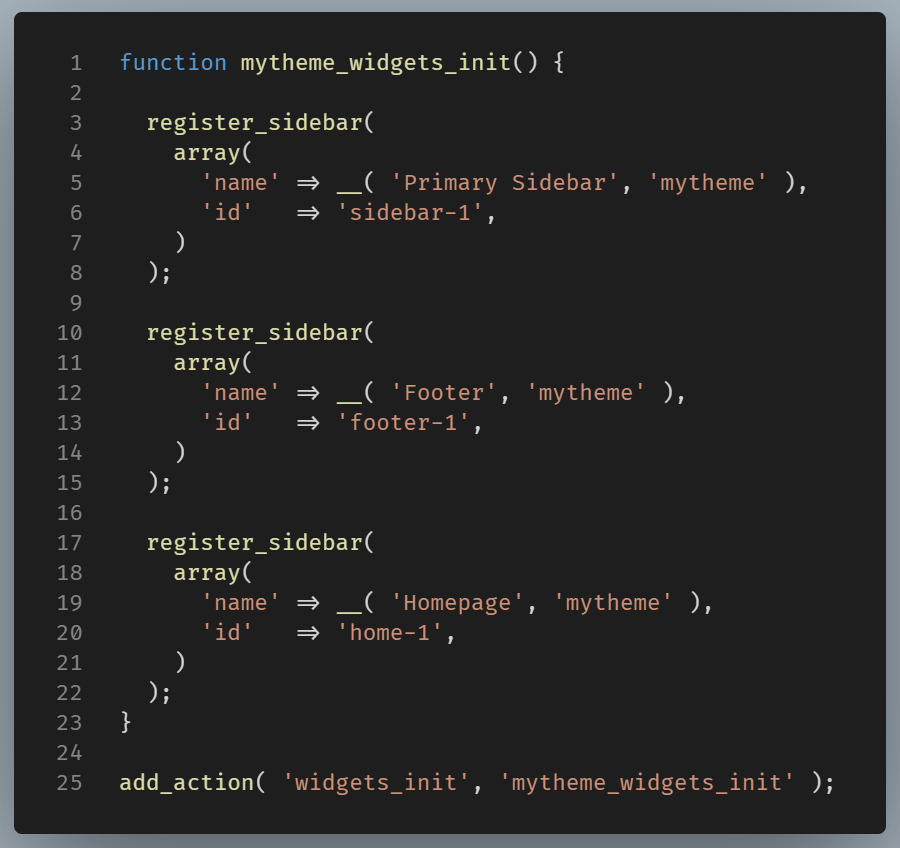
Note: Grouping related registrations in one function keeps your code organized.
Widget Areas Are Not Limited to Sidebars
The name “sidebar” can be misleading. Widget areas work anywhere in a theme.
Many websites register widget areas for the footer, the homepage, the header, or below blog post etc.
Final Thoughts
Widget areas offer a simple way for WordPress users to add content without editing theme files. By registering a sidebar, you can create flexible sections for menus, recent posts, contact information, social media links, and more.
Although the Block Editor has reduced the need for traditional widgets in some themes, widget areas remain a useful feature and continue to be supported in classic WordPress themes.