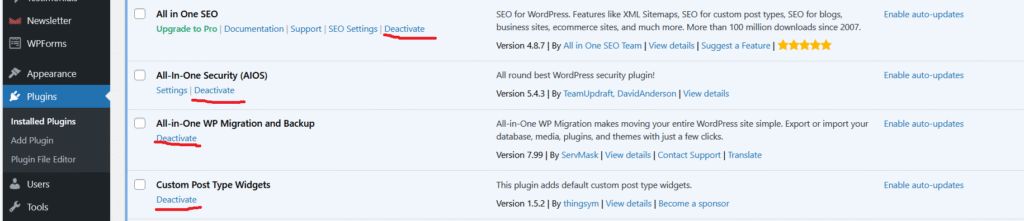
If you’ve ever disabled a plugin in WordPress but didn’t delete it, you might wonder wether it is still affecting performance? The short answer is no.
Deactivated plugins in WordPress generally do not impact the performance of your website.
What Happens When You Deactivate a Plugin?
When a plugin is deactivated, WordPress stops loading its code on the front end and admin dashboard. That means, its PHP files aren’t executed so functions, filters, and hooks don’t run.
Also, it doesn’t produce any output or add any scripts/styles to the page.
In other words, it’s asleep. It does not consume any resources.
A few considerations to keep in mind
Even though deactivated plugins don’t directly slow down your website, they can still cause indirect issues such as:
Security risk: Deactivated plugins can still pose security risks if they are outdated or have vulnerable code. It’s best practice to delete any plugins that you are no longer using.
Website management: Too many inactive plugins make it harder to manage your site and could lead to confusion about which plugins are necessary for your site’s functionality.
Database bloat: Some plugins leave behind remnants such as settings, custom tables, or orphaned data, even when deactivated. If you have many deactivated plugins, this can add unnecessary bloat to your database, which might affect performance during database queries.
Backup size: More files mean larger backups, resulting in slower restores or migrations.
We see that while deactivated plugins are not resource-intensive, they can cause problems over time.
Best Practice
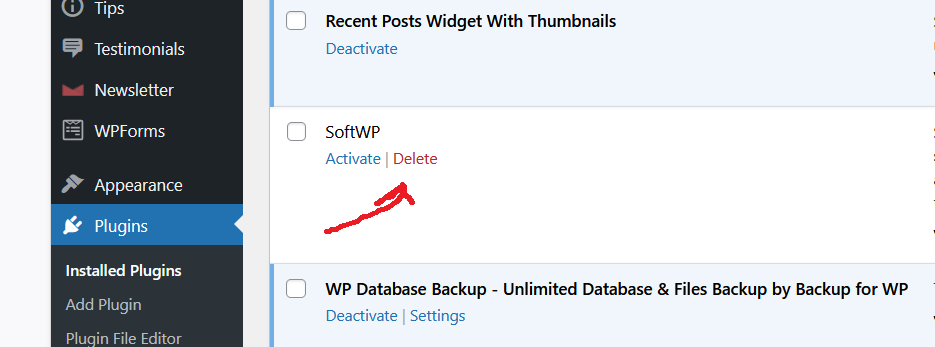
WordPress lets you deactivate plugins so you can switch them off temporarily, rather than deleting them. But this is not always the best practice.
You should keep a plugin if you plan on using it and are worried about losing its settings. If you don’t plan to use this plugin again, just delete it. You always have the option to reinstall it later if needed. WordPress makes that easy.
Final Thought
A deactivated plugin won’t slow your site down, but that doesn’t mean you should leave it sitting there forever. Think of it like an unplugged fridge which is not draining electricity, but it’s still taking up space.
To optimize your WordPress site, regularly review your plugins, deactivate those you no longer need, and delete them if they are not going to be used in the future.