Another measure to secure WordPress configuration file, apart form setting proper file permissions or moving the file one level up, is to deny access to wp-config.php file.
Protecting wp-config.php with .htaccess
The wp-config.php file is crucial for your WordPress site as it contains sensitive configuration details. To enhance its security, you can use the .htaccess file to restrict access.
The.htaccess file serves as a configuration tool for Apache and similar web servers like LiteSpeed, allowing website owners to manage their site’s behavior.
Steps to Secure wp-config.php
- Locate the
.htaccessFile- The
.htaccessfile is typically found in the root directory of your WordPress installation, often in thepublic_htmlfolder.
- The
- Edit the
.htaccessFile- Connect to your server using anFTP client. Download the
.htaccessfile to your local machine for editing.
- Connect to your server using anFTP client. Download the
- Add Protection Code
- Open the
.htaccessfile in a text editor and add the following code at the end of the file:
- Open the
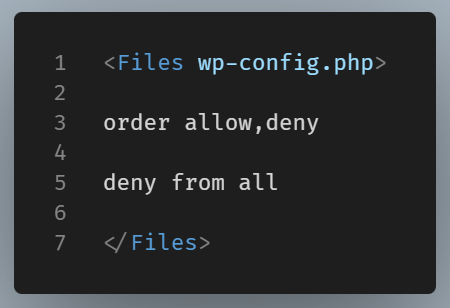
Now save your changes and upload the modified .htaccess file back to the server.
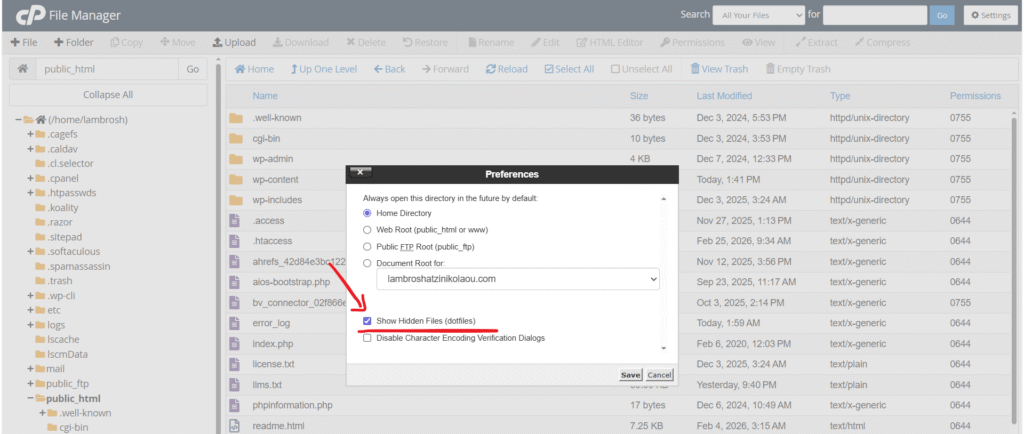
NOTE: When you see a dot at the beginning of the .htaccess file name, it signals to the server that this file is hidden. Most FTP clients and web-based file managers won’t show hidden files unless you change a specific setting to reveal them.Access .htaccess via the file manager of your hosting provider
If you are not familiar with FTP, you can access .htaccess file by using the file manager in the cPanel of your hosting provider.
In order to do that follow the below steps:
Log in to the customer area of your host
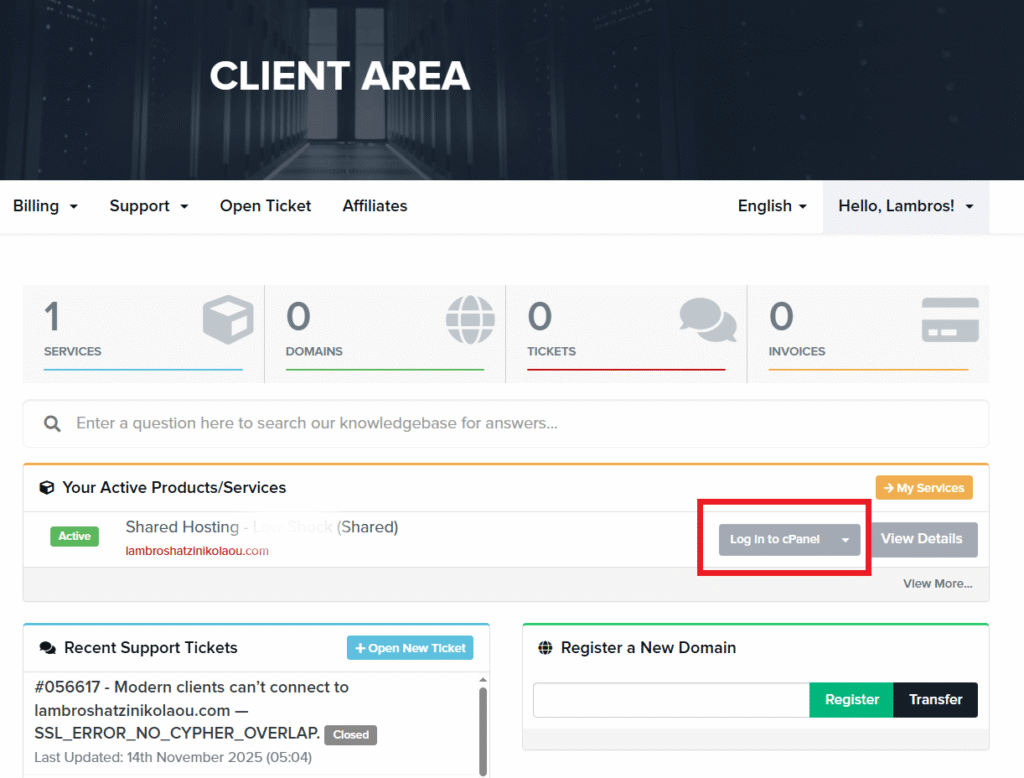
Go to the file manager
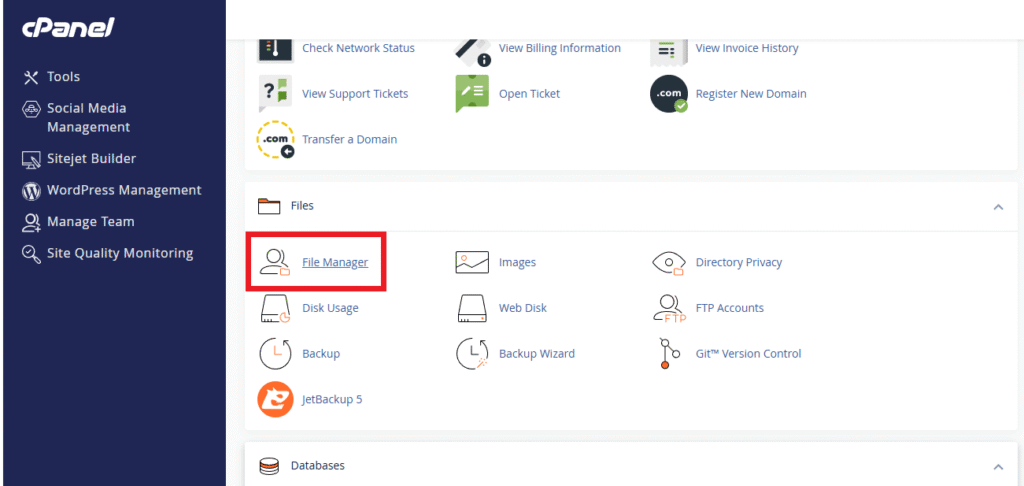
Navigate to the root directory and locate the file there
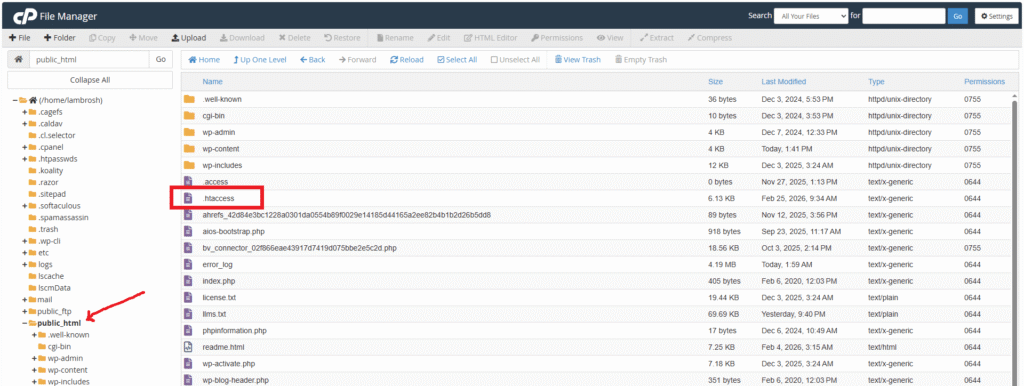
Make sure that hidden files are also displayed here