When you start writing Python, one of the first practical questions you run into is: how do you check whether a variable is empty or set to nothing at all?
Python gives you a few simple tools, and once you understand how they work together, the whole idea becomes much easier to work with.
Understanding None in Python
In Python, the keyword None signifies that there is no value present, much like how null works in other programming languages. However, None is an object of its own type, called NoneType. It is not equivalent to 0, False, or an empty string; it distinctly signifies a lack of value. It simply means that “there’s nothing here.”
NOTE: It’s crucial to note that None is not the same as zero, an empty string, or the boolean value false.
Usage of None
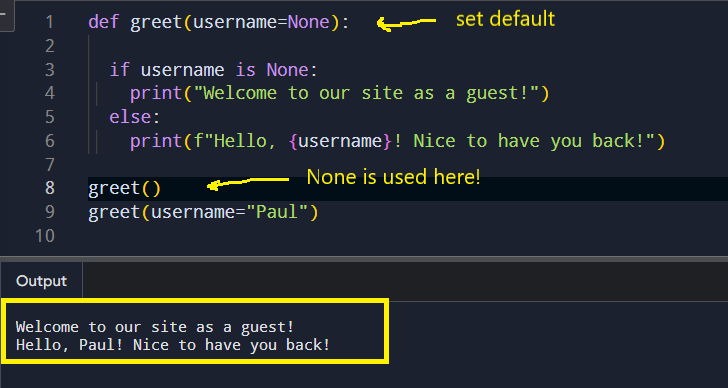
Default Values: None is often used as a default value for function parameters. This allows functions to check if an argument was provided.
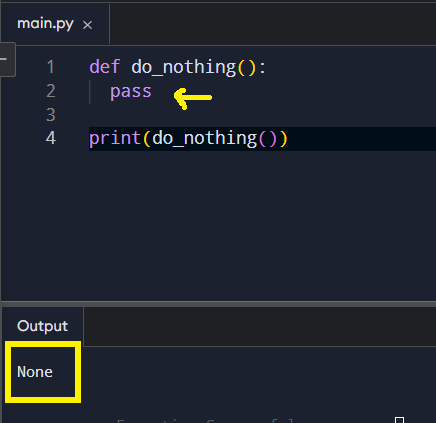
Return Values: Functions return None by default if there is no return statement.
Control Flow: None can be used in conditional statements to check for missing data.
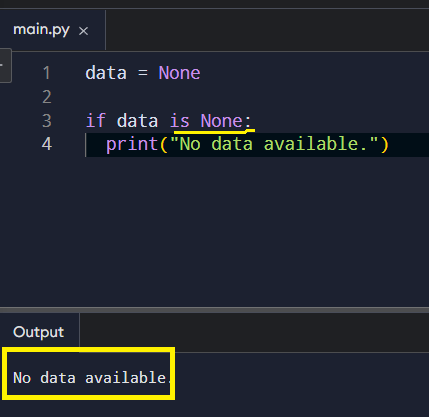
The is keyword is key here. It checks type, not just equality, which is exactly what you want when dealing with None.
Check with type()
Checking for NoneType explicitly can be beneficial in situations like debugging, logging, or type validation where it’s crucial to identify different types.
Best Practices
- Comparison: Use
isoris notfor checkingNoneinstead of==to ensure accurate identity comparison. - Avoid Mutable Defaults: When using
Noneas a default argument, avoid mutable types like lists or dictionaries to prevent unintended behavior.
In summary, None serves as Python’s equivalent of null, providing a clear and distinct way to indicate the absence of a value.
What About Empty Values?
Python treats several values as “empty.” These include:
You can check them individually, but Python gives you a cleaner approach. Most empty values evaluate to False when used in a condition. That means you can write:
if not my_var:
    print("Variable is empty or False-like")
Combining Both Ideas
Sometimes you want to treat None and empty values the same way. Other times, you want to separate them. Python lets you choose the style that fits your situation.
If you want to check for both:
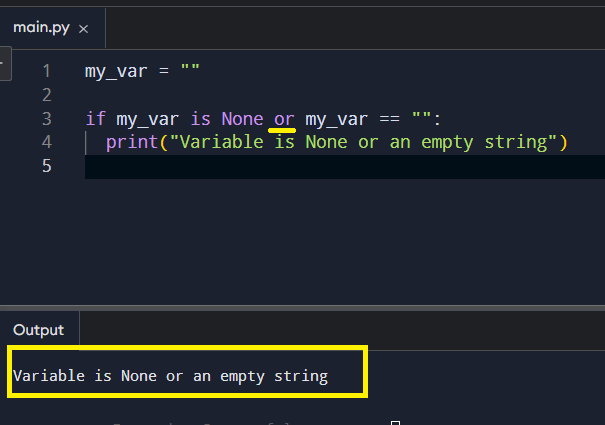
If you want a broad check that covers most empty cases:
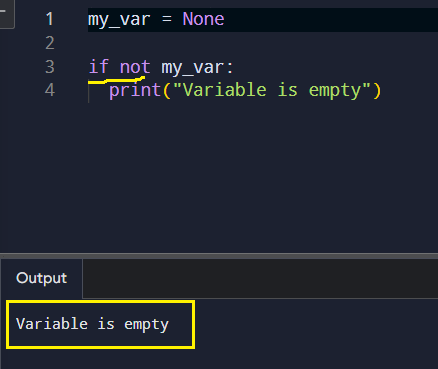
This flexibility is one of the reasons Python feels comfortable once you get used to it. You can write code that reads almost like a sentence.