If you’re new to WordPress, you’ve probably stumbled across categories and tags while writing a post and wondered if they do the same thing. They look similar since both organize content. But in truth, they serve different purposes in how WordPress structures your site and how visitors and search engines comprehent it.
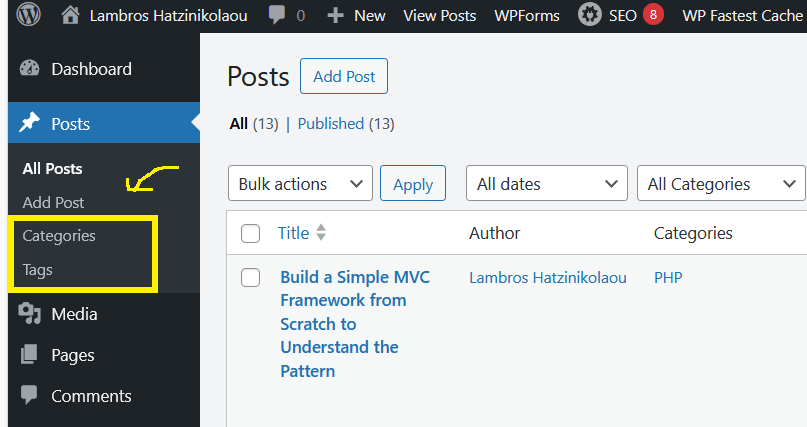
Let’s break down the difference in plain english.
Categories
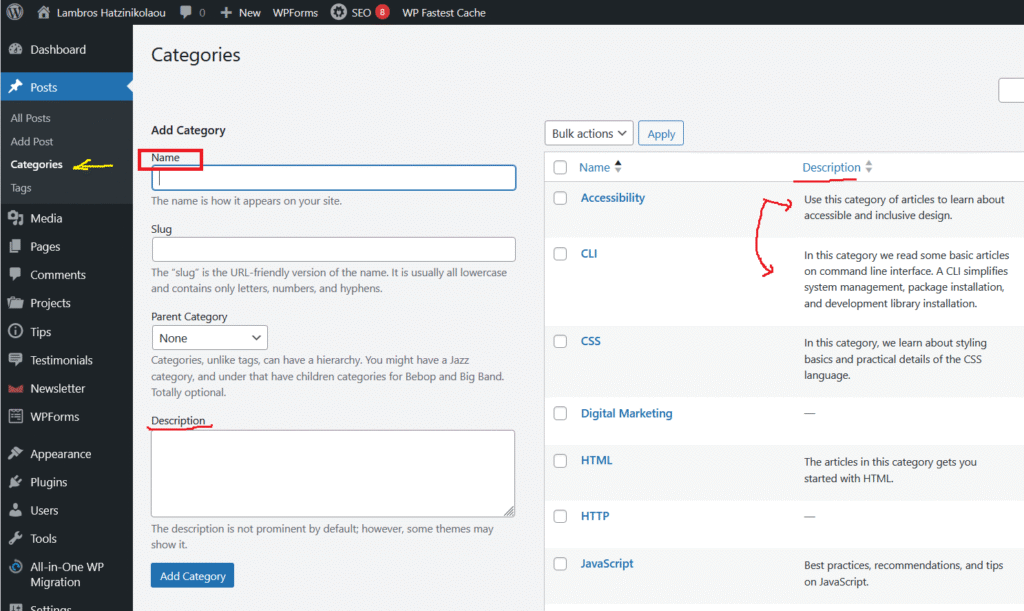
Think of categories as folders. They group your posts by general topics on themes your blog or website covers.
For example, a food blog might have categories like Recipes, Restaurant Reviews, and Cooking Tips. Every post belongs to at least one category (WordPress requires it).
Categories help readers, and Google, see your content hierarchy. They shape your site’s navigation menus, influence breadcrumbs, and make browsing logical.
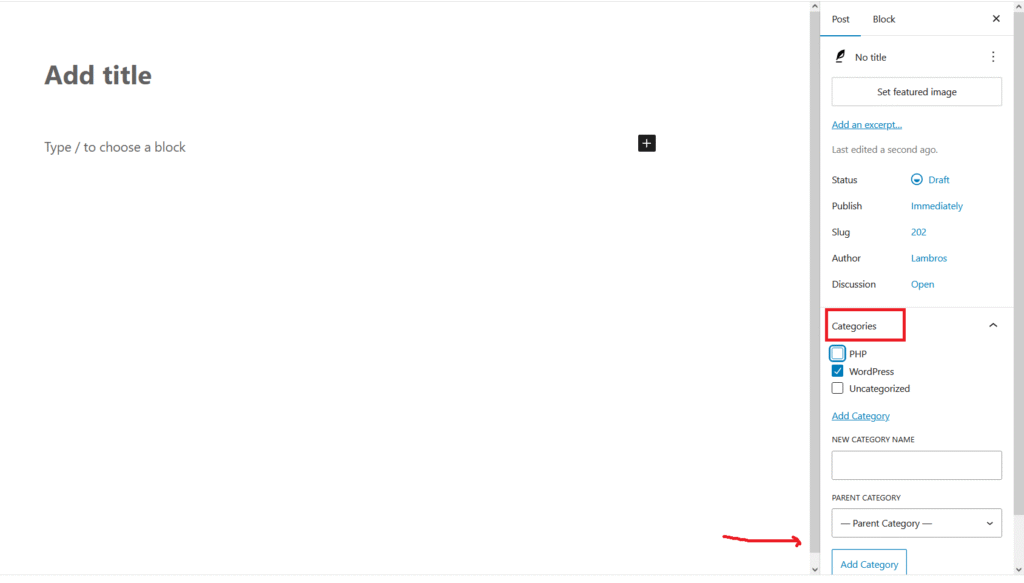
Add Categories: To categorize your post, head to the right panel of the block editor and select the appropriate category.
Tags
Tags, on the other hand, describe the specific details of a post. They act like keywords or labels.
A “Chocolate Cake” recipe post might include tags like dessert, baking, chocolate, holiday treats. They focus less on structure and more on the story behind the content.
Tags connect related posts that might live in different categories. Someone searching “baking” could find both a “Cake Recipe” and a “Cookie Tutorial” thanks to shared tags.
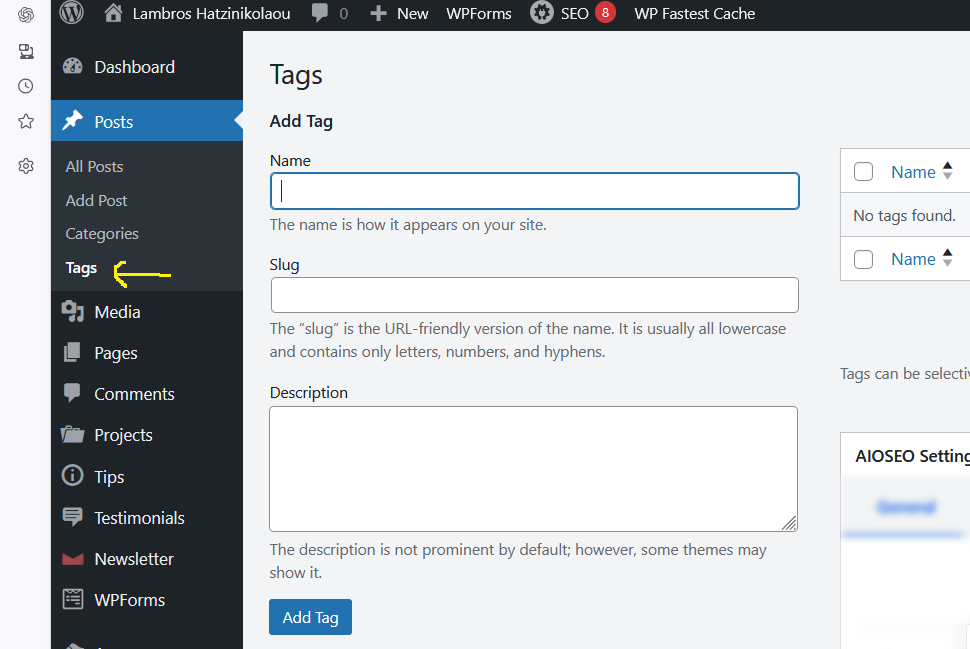
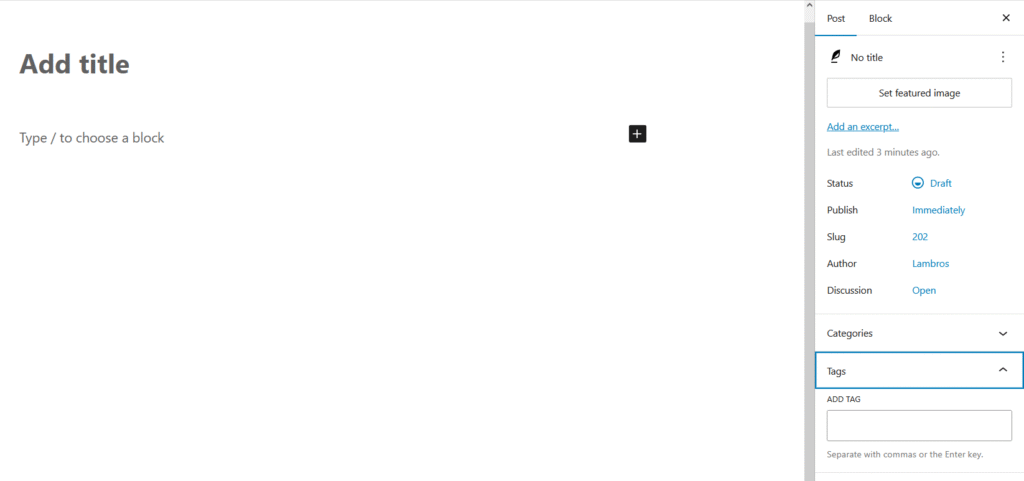
Add Tags: To tag a post, go to the right panel of the block editor and create or select a tag.
How They Work Together
Categories give structure. Tags on the other hand give connections.
Think of categories as the shelves in a library and tags as the index cards that help you find related books. You can have a clean, well-organized site without tags, but using them smartly improves discovery of a post and keeps readers exploring longer.
When to use each
If you want a quick rule of thumb:
- Use categories to define what kind of content you’re creating.
- Use tags to define what it’s about specifically.
When used correctly, categories and tags transform a basic WordPress blog into a easy to navigate, smart content system.