Have you ever wondered why a variable works perfectly in one part of your code but throws an error in another? This is a classic example of Python’s concept of scope.
Scope dictates where a variable can be used in your code. Each variable is limited to certain areas, and Python has specific guidelines on which variables can be accessed in those areas.
The Four Types of Scope ( LEGB Rule)
Python follows what developers call the LEGB rule. That stands for Local, Enclosing, Global, and Built-in.
When Python looks up a variable, it checks in this order:
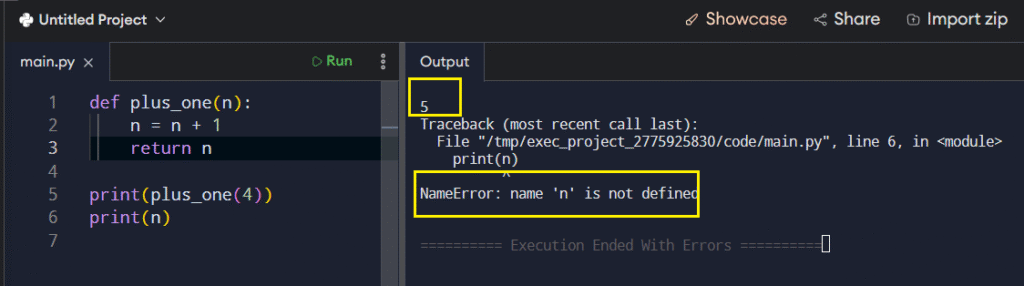
Local scope is the innermost level. Variables that you create inside a function live there and nowhere else. When that function finishes execution, those variables disappear. They serve as temporary storage.
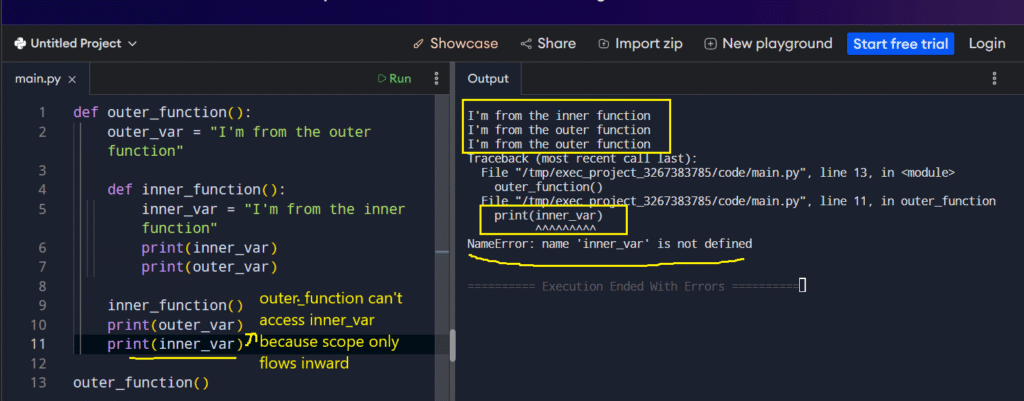
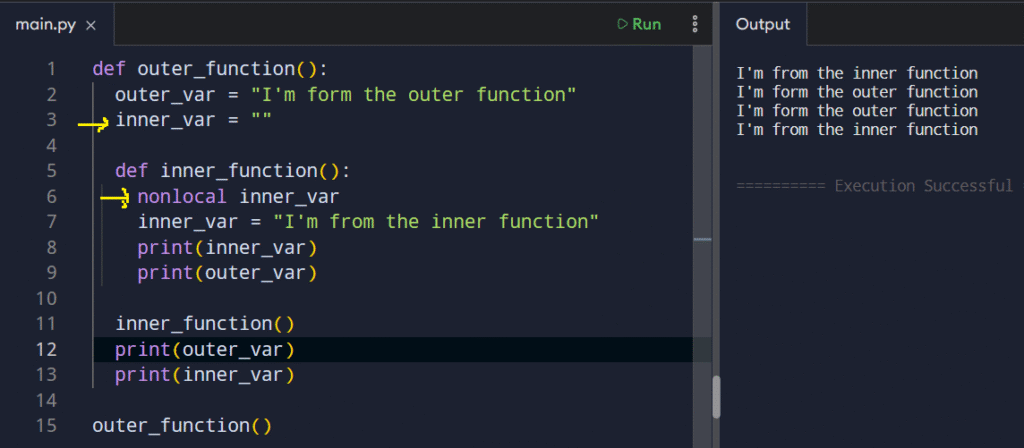
Enclosing scope occurs when you nest one function inside another. The inner function has the ability to see variables from the outer function, similar to how a child function can inherit access from its parent.
nonlocal
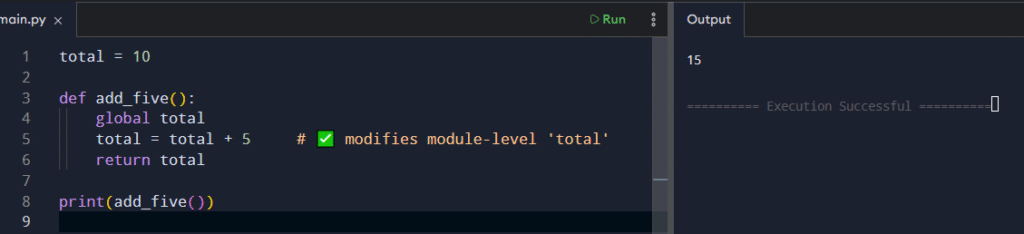
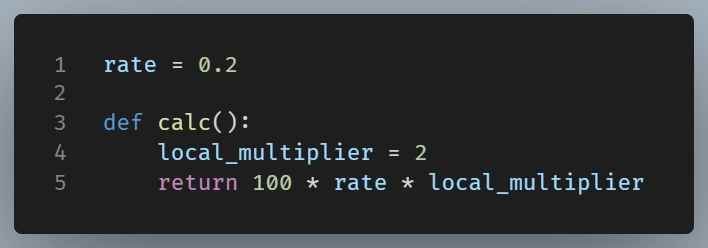
Global scope covers variables defined at the top level of your script. These can be accessed from anywhere in your file, though functions need special permission (the global keyword) to modify them.
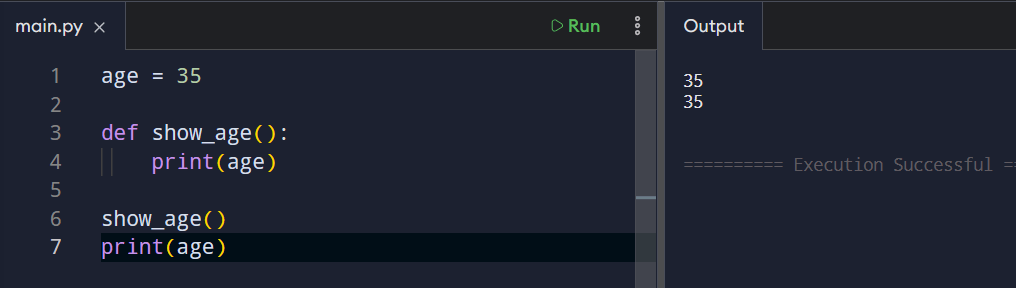
global keyword
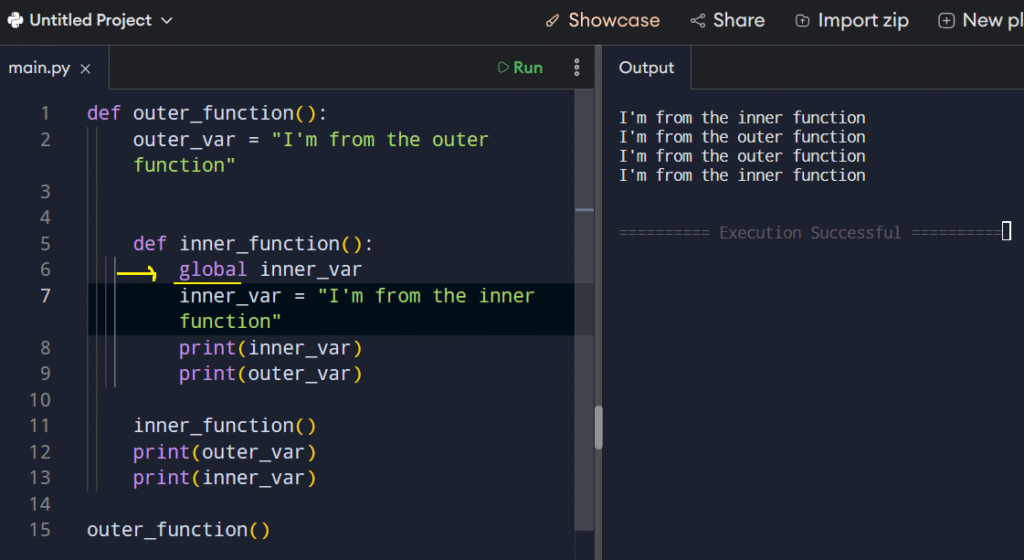
Built-in scope includes Python’s built-in functions such as print() and len(). You don’t need to define these functions; they are always available for use.

Common Pitfalls (and Fixes)
- UnboundLocalError: You read a variable and later assign to it in the same function. It that case Python treats it as local, so the read fails.
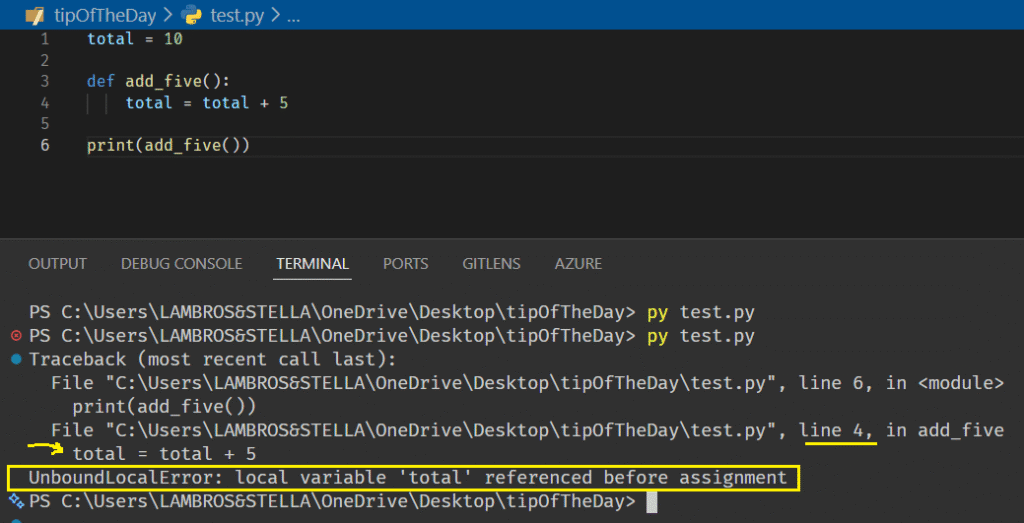
Fix: rename the local, or use nonlocal/global intentionally, or pass values in.
- Shadowing names: A local variable with the same name as a global hides the global.
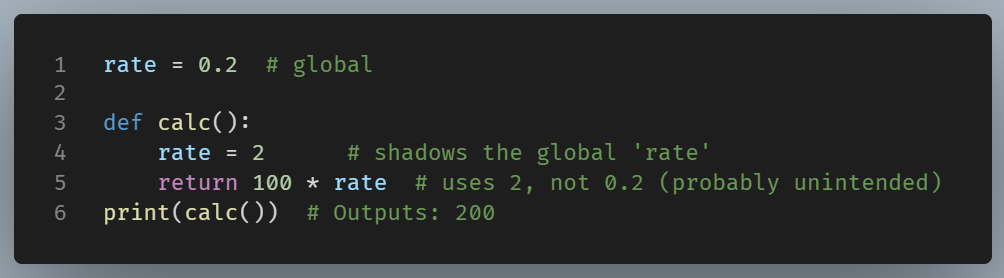
Fix: choose distinct, descriptive names.
Concluding
Understanding scope prevents bugs and reduces surprices. By adhering to LEGB rule your code becomes safer, clearer, and easier to extend. Once you grasp where Python looks for variables, debugging becomes significantly easier.