When working with multiple collections in Python, it is common to process them side by side. You might for example have names in one list and IDs in another. Writing separate loops for each quickly becomes messy.
This is where the zip() function is useful. It allows you to loop through multiple sequences at the same time in a clean and readable way.
Understanding the Purpose of Zip
The zip() function combines elements from two or more iterables into pairs. On each pass, it pulls one item from each iterable and groups them together. This grouping happens in order, based on position. The first items are paired, then the second items, and so on.
What makes zip() appealing is its simplicity. You describe what should be paired, and Python handles it under the hood.
A Basic Zip Example
Consider two lists that are related by position.
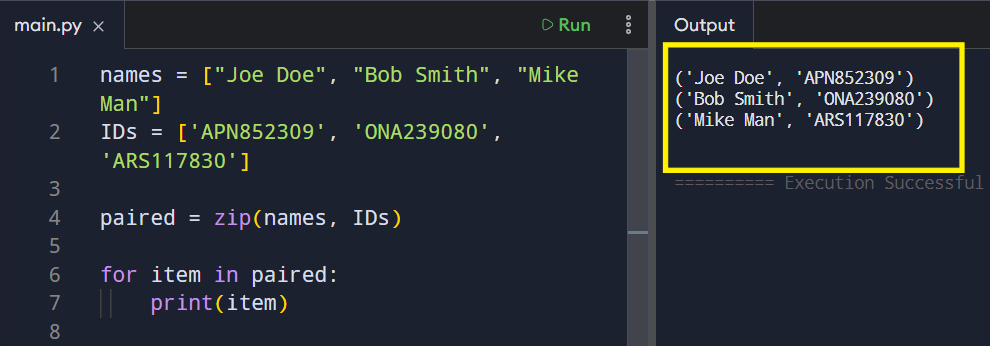
The zip() function returns an iterator of tuples. Each tuple contains values that share the same index in their original lists. This makes relationships between data clear.
Using Zip in a Loop
Most of the time, zip() is used directly inside a loop with unpacking.
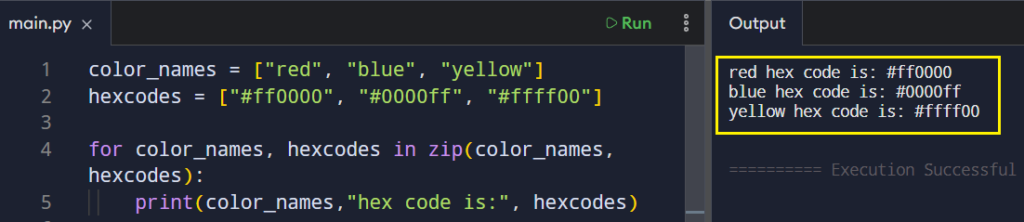
Here, each pair is unpacked into variables. The loop stays focused on logic instead of indexing.
What Happens With Uneven Lengths
When the iterables have different lengths, zip() stops at the shortest one.
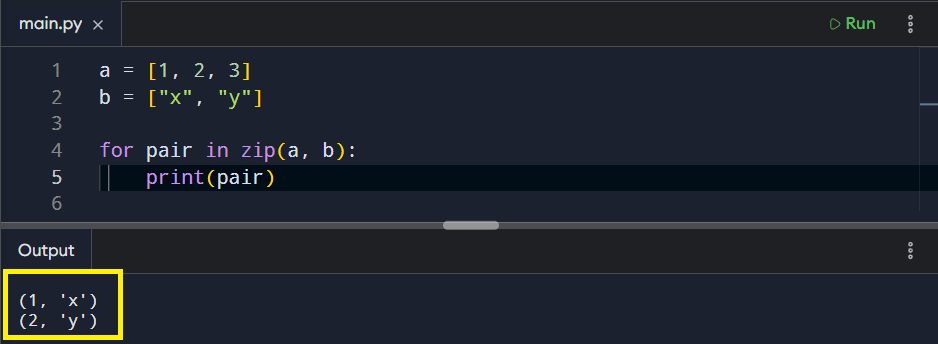
This behavior helps avoid index errors and keeps loops predictable.
Using Zip With More Than Two Iterables
The zip() function is not limited to two sequences. You can combine three or more as long as they line up by position.
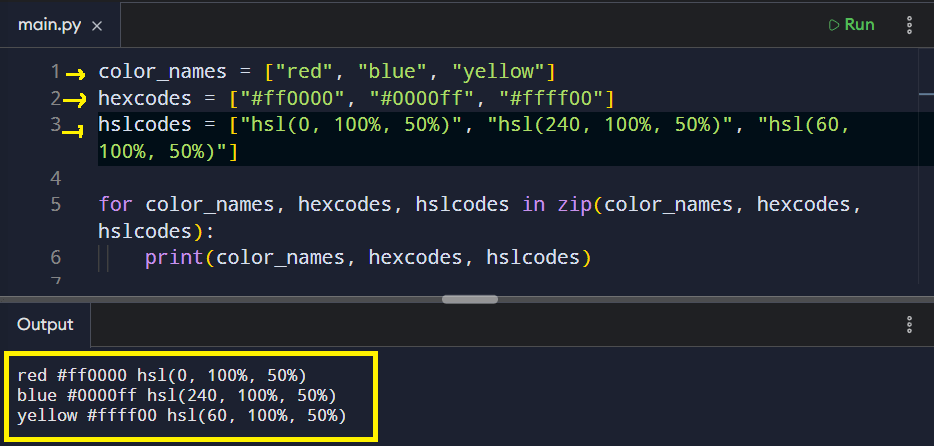
Each loop iteration pulls one value from each list making the combination of sequences consistent and readable.
Converting Zip Results Into a List
Sometimes you want to store the result instead of looping immediately. You can convert the zipped output into a list of tuples.
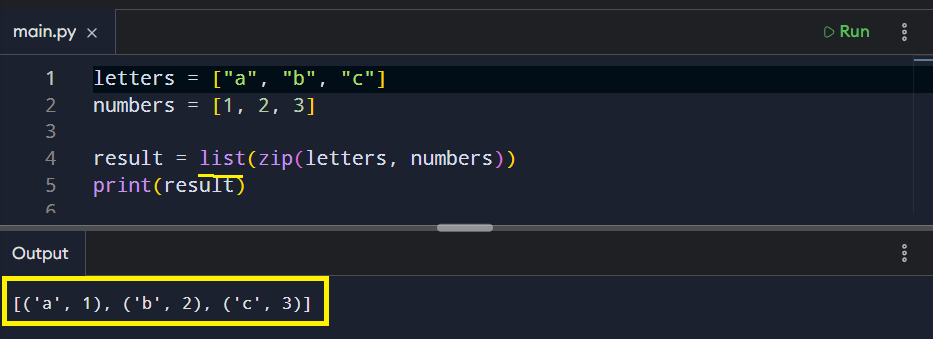
This format is useful when you need indexed pairs later or want to pass the data to another function.
Creating a Dictionary Using Zip
A very common pattern is using zip() to build a dictionary. One iterable provides keys. The other provides values.
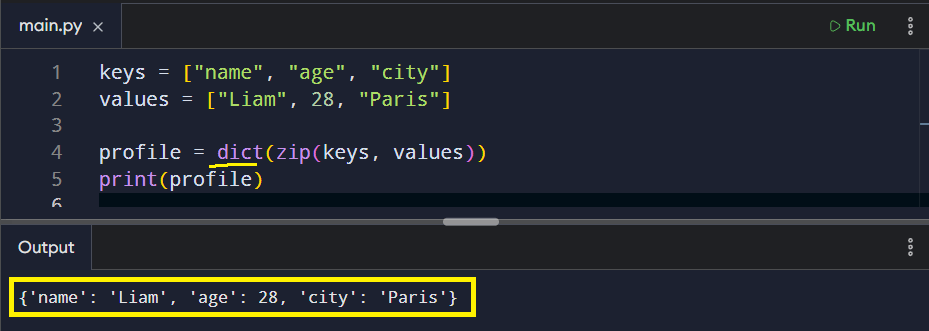
This approach keeps dictionary creation short and easy to understand.
Conclusion
As your programs grow, you will often find data that belongs together but lives in separate sequances. In those moments, zip() provides a clear and reliable approach. It works with two sequences or many, adapts easily to lists, and fits naturally into dictionary creation.
Understanding how zip() works involves recognizing the connections between data rather than just learning the syntax by heart. When items line up by position, zip() communicates that connection directly. As a result, your code becomes cleaner, there are fewer mistakes, and the structure of your programs is significantly improved.