The <header> element, as the name implies, is usually placed on the top of the page.
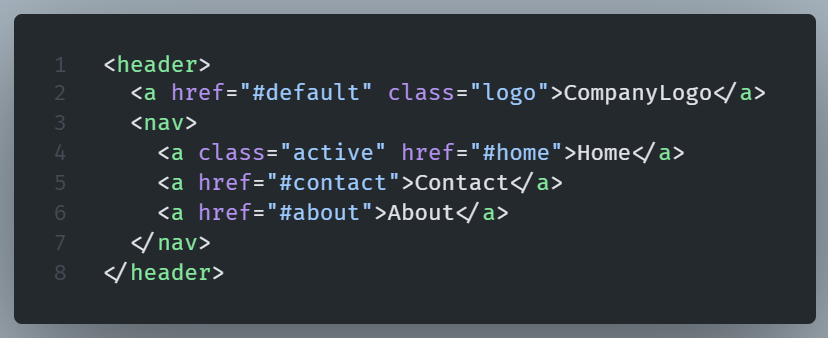
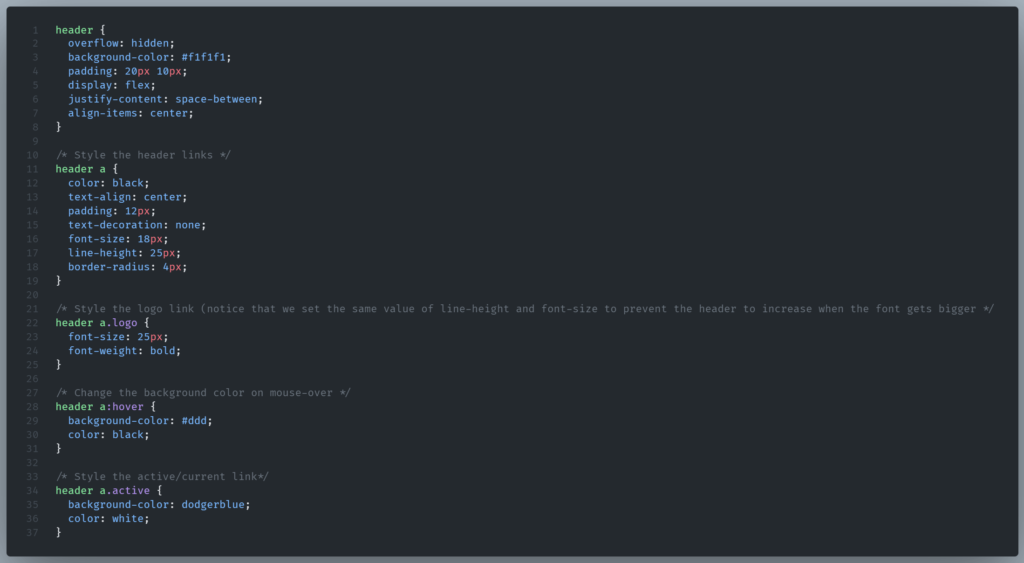
Let’s see an example of a <header> element in use:
HTML
CSS
Result

The use of <header> is not limited to the top of the web page.
We can also use it in the start of an article or a section where it can provide introductory content
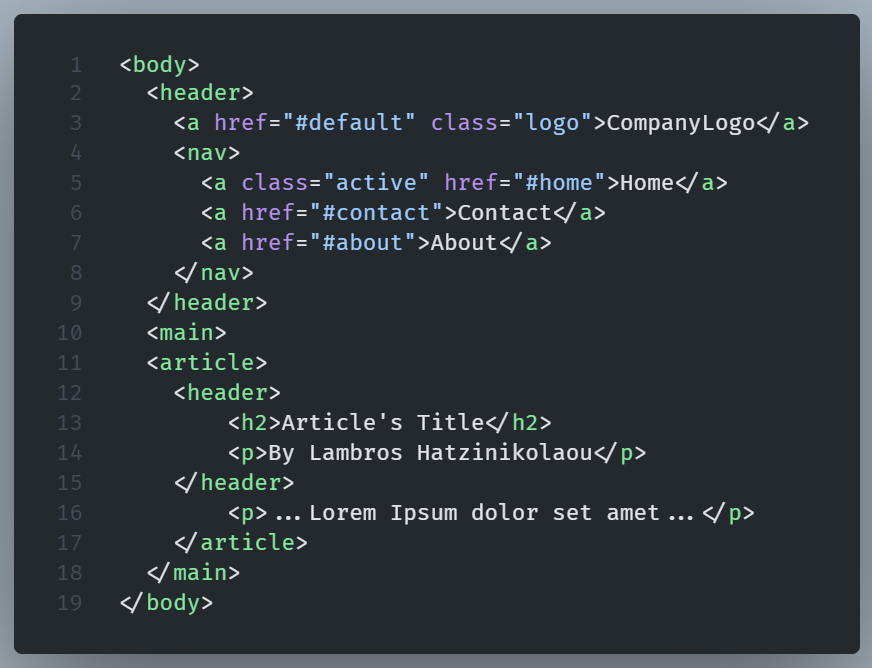
As a result we can use multiple headers, one as a main header of the web page and a lot of other headers for the different sections or/and the articles of that web page.
NOTE - We cannot use a <header> element inside a <footer> elelment.
For example:

And if we try to validate our code:
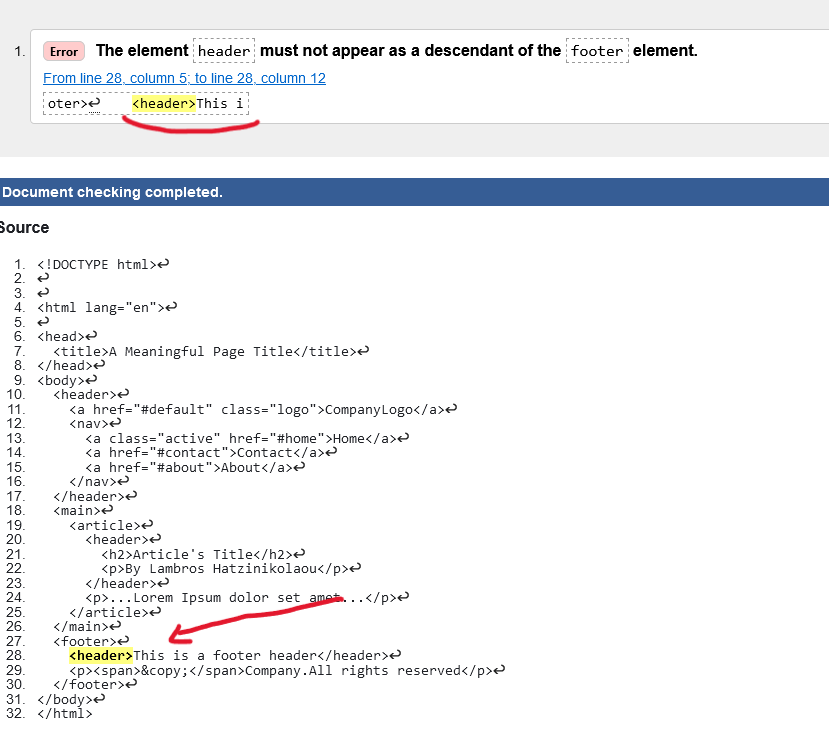
We get an error. This is not valid code!
Of course, we may not nest a <header> element inside another <header> element either.