A <section> element allows us to divide a web page into different parts of related content. These parts can standalone in the document.
Using the <section> element to designate a part of the document should mean that part can’t be represented by a more specific element such as a <nav> or an <article> element.
For example, we can organize a website homepage with sections for introductions, news, and contact information.
The <section> tag can be used not only in the generic document but also inside other tags to define a distinctive part.
For example, when is put inside an article to provide information about the author or/and define the main content.
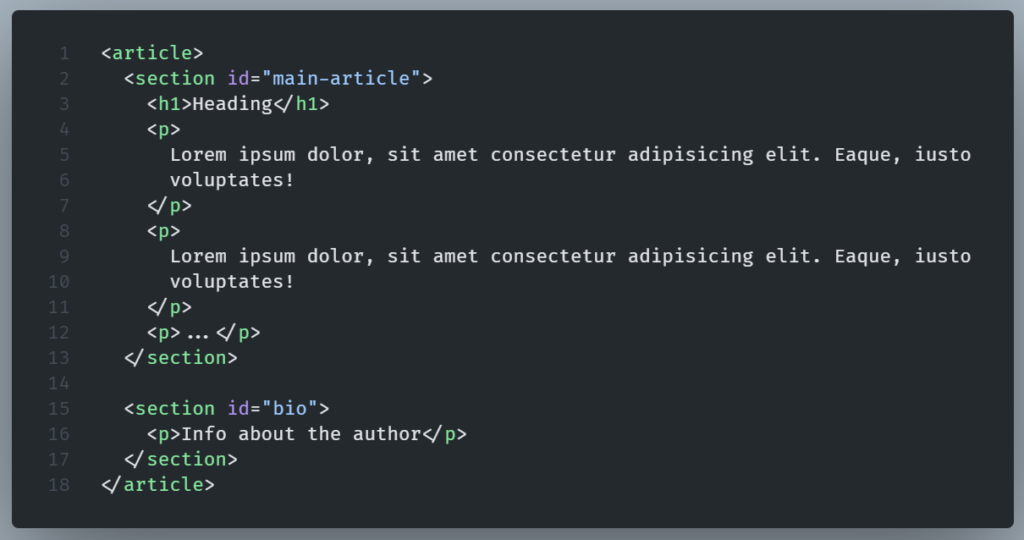
SECTION tag and headings
According to best practices, each <section> element should have a heading (h1-h6) as a child element.
Example:
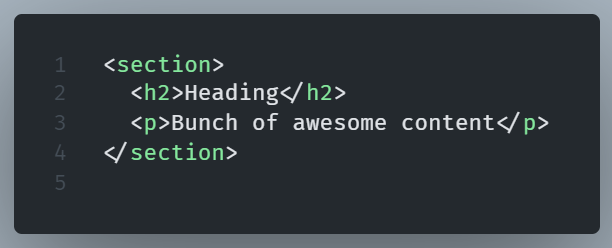
Headings inside the <section> help screen readers and search engines to better understand the content.
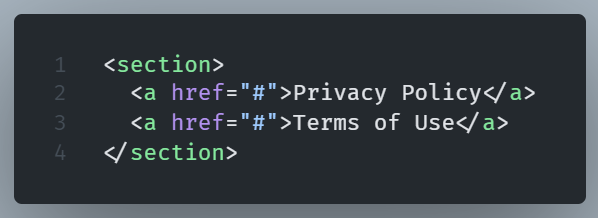
Remember, that a heading inside a <section> is not a requirement. There are cases where it’s okay to omit it.
This can happen in cases when a <section> is used as a secondary navigational element.
In the case, for example, of a footer navigation section.
In that case, the purpose of the <section> is so obvious that makes the use of a heading unnecessary.
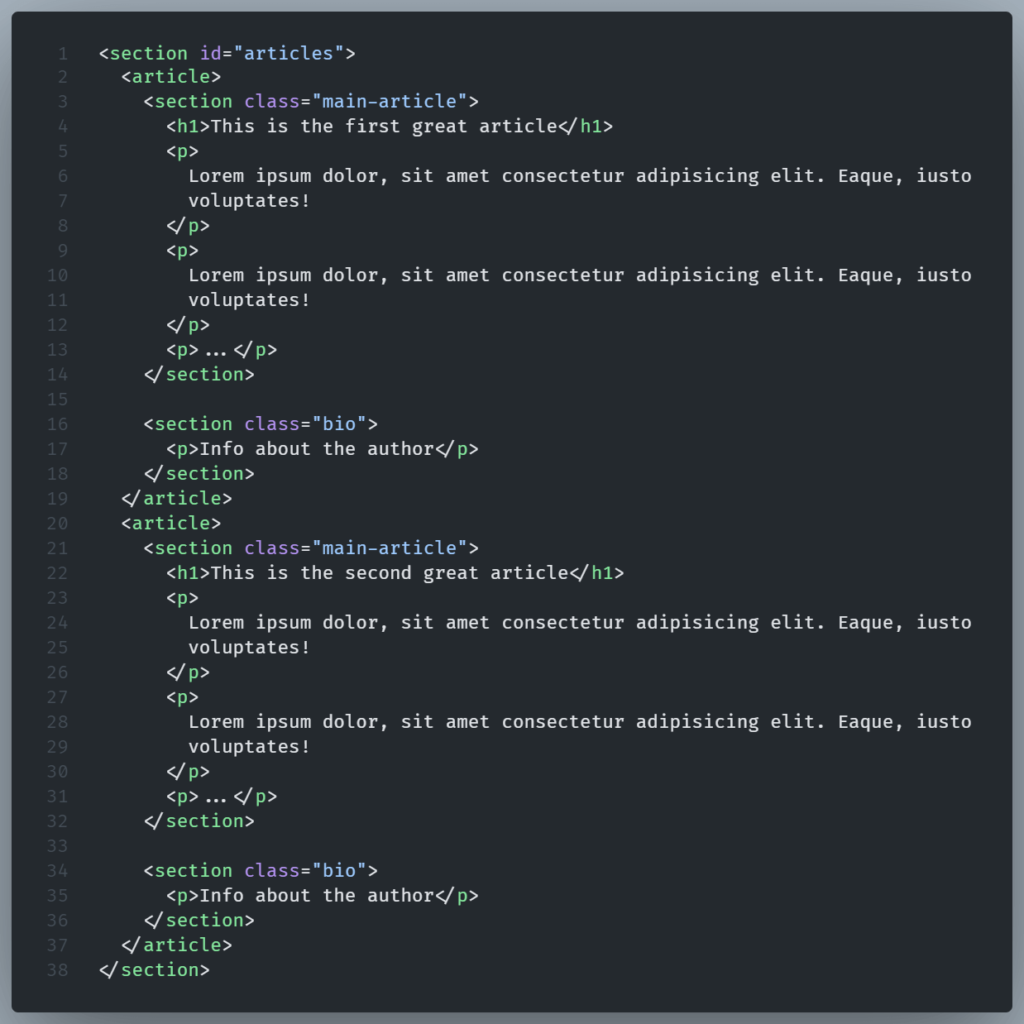
Nesting SECTION tags inside each other
To form subsections, <section> tags are nested within each other.
This helps organize content into a hierarchy of sections.
Why choosing SECTION tag instead of a simple Div?
The div tag is just a generic element. It doesn’t convey any semantic meaning.
The previous example, using DIVs in the place of <section> elements, would look like the following:
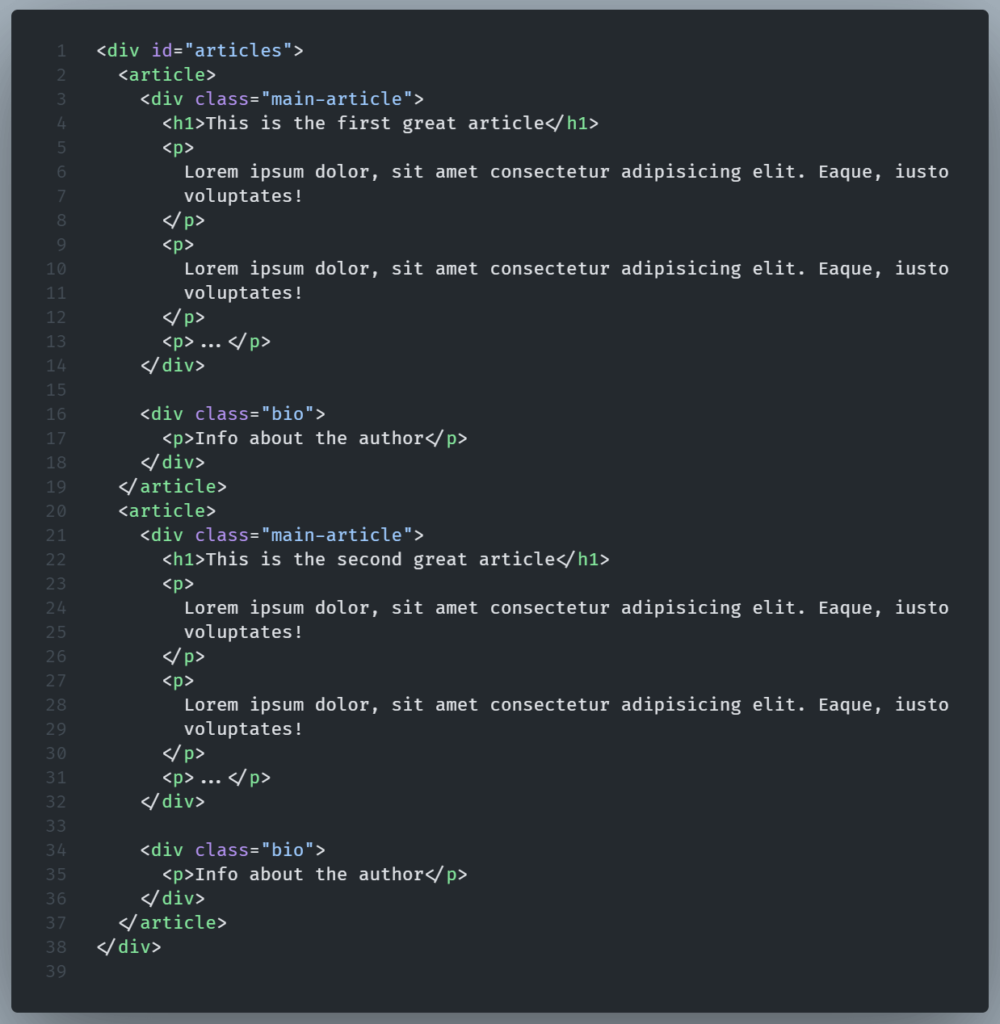
Wrapping parts of a page inside a DIV doesn’t mean that these parts are related to each other regarding their meaning.
In this example, they actually are, but this is not always the case with DIVs because DIV is a generic element.
Generic means we can include different elements in a DIV just for styling purposes, or JavaScript convenience.
Consider the following code:
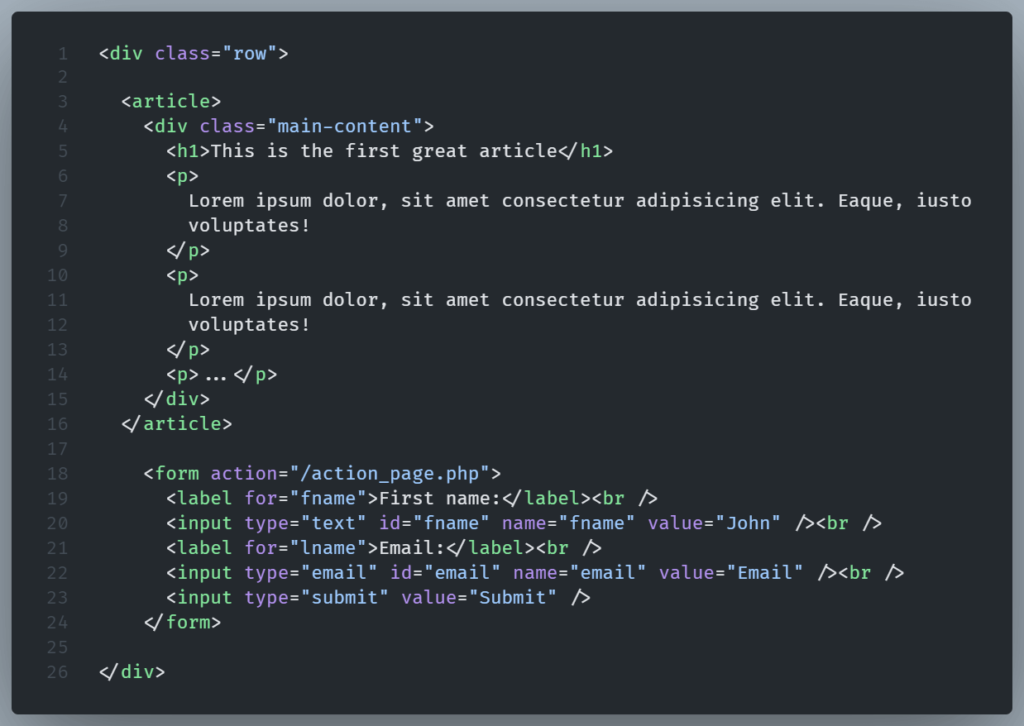
Here the DIV.row contains both an article and a form.
This sections are not semantically related, but we have put them together for styling reasons.
Maybe we want them to have the same background color, or we want to place them in the same part of the page together.