A lot of times, when writing code in your style sheet, you have to repeat the same value in several different CSS rules.
For example, in the following code base, we use the property border-radius in five different rules. Since we want to achieve a consistent design, we apply the same value (4px) to all these rules.

But what if the specs change for whatever reason?
In such a case, we must find and edit all these values one by one.
Thankfully, there is a better way.
We can use CSS custom properties.
Now, you can just change the custom property, and the change will apply to all rules.
No need to go through CSS files.
NOTE: In a real project, each component would usually keep its own CSS rule, but all would use var(--corner-radius).What are CSS custom properties, and how do they work?
CSS custom properties, also known as CSS variables, let you set a value and then apply that value multiple times in your CSS.
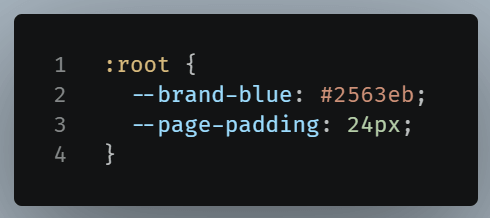
The two dashes (--) at the start tell the browser that this is a custom property.
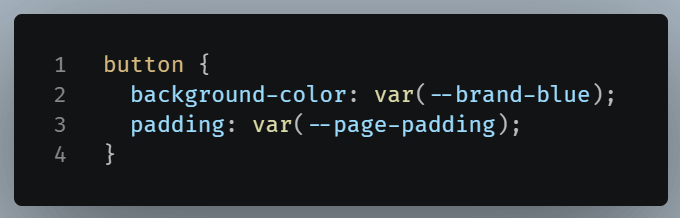
NOTE: The :root pseudo-class is often used to define global custom properties since it represents the highest-level parent in the DOM tree.To read the value, use var():
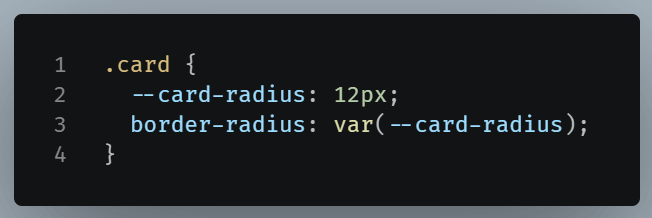
Define custom properties locally
In our previous example, we defined the custom property in :root.
But you can define a custom property within a specific class if the value affects only certain, or even just one, components.
Fallback values in custom properties
There are cases where a custom property might not be available.
For example, a component might expect an optional theme color.
In such cases, you can assign a fallback value to var().
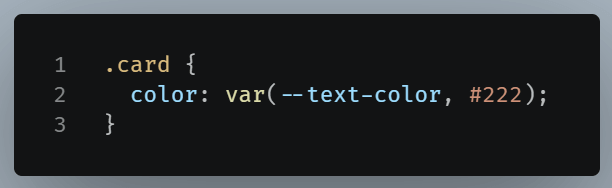
If --text-color property is never defined, the browser uses the fallback values after the commas.
Custom properties can also reference other custom properties
A custom property can use another custom property through var():
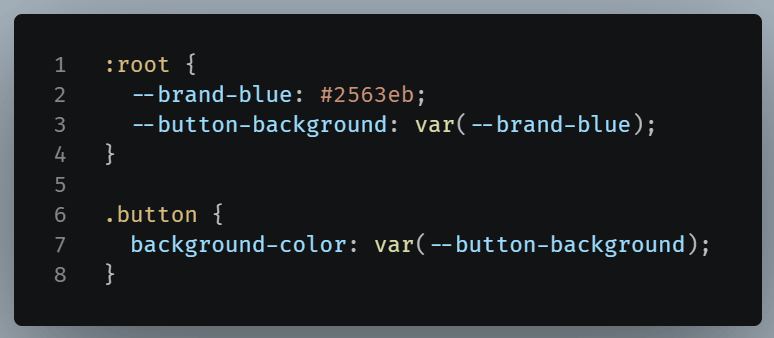
Here, --button-background gets its value from –brand-blue.
This is useful when you want meaningful names for the same value:
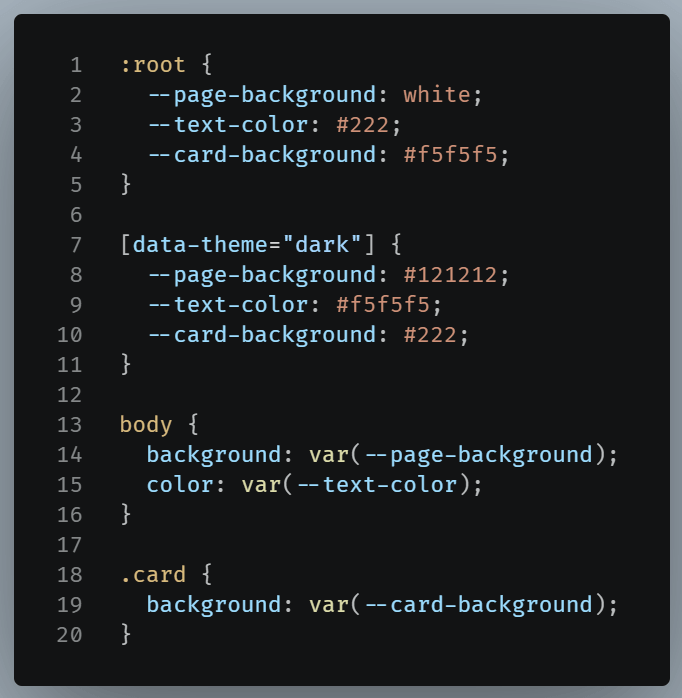
Custom properties are useful in creating theme-able designs
Custom properties are very useful for themes because you can change a few shared values and update the whole interface.
Let’s see an example: