We’ve discussed lists in a previous tip. Now we are going to be talking about another fundamental type of Python data structures called tuples.
Tuples look similar to lists at first, but they serve a different purpose. A tuple is a simple data structure that groups multiple values together into a single unit. Once created, it cannot be changed. That one rule defines how tuples are used and why they are important.
Getting Comfortable With Tuples
A tuple is created by placing items inside parentheses, separated by commas.
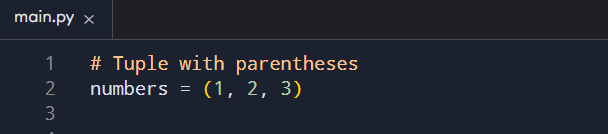
You can also create one without parentheses, as long as commas are present. Python recognizes the structure either way.
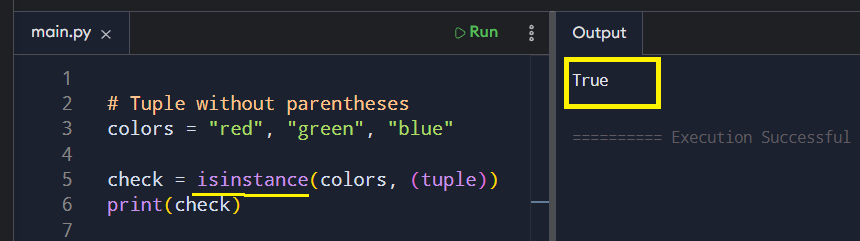
NOTE: Using parentheses is recommended for clarity.
Another way to create a tuple is by using the tuple() constructor like this:

Tuples can store mixed types, such as numbers, strings, or even other tuples.

What makes tuples stand out is their fixed nature. After creation,you cannot add, remove, or replace items. If you try to do any of these in one of the items in the tuple, you will get a TypeError:

This may feel limiting at first, but it makes things clear. When you see a tuple, you know its contents will stay the same throughout the program.
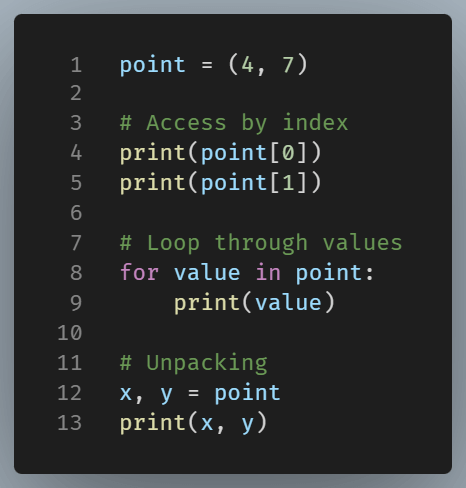
Tuples in Practice: Accessing, looping, and unpacking a tuple
Tuples support many familiar operations. You can access items by index, loop through values, and unpack them into variables. These actions work much like they do with lists.
The key difference is, as we have already see, that you cannot modify them. That restriction makes tuples useful for storing grouped values that should not change, such as coordinates, settings, or return values from a function.
Similarities with Lists
If you want to check whether an item exists in a tuple, you can do so by using the in keyword.

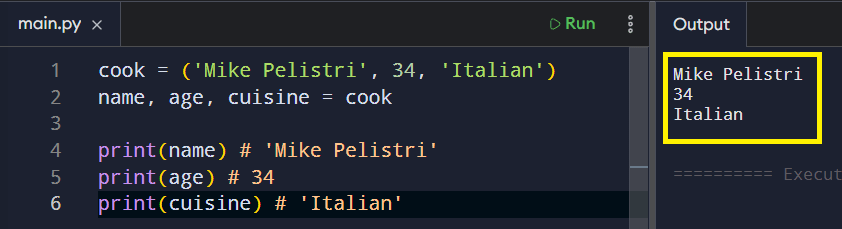
You can unpack items from a tuple in the same way you do with lists.
To collect any remaining elements from a tuple, you can apply the asterisk (*) operator just like with lists.
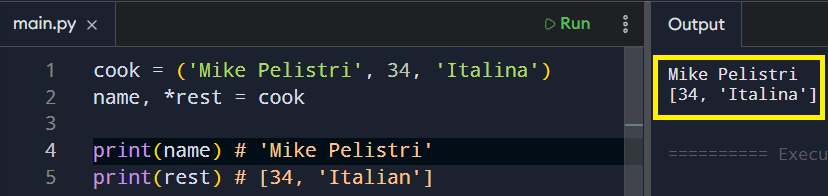
You can also use the slice operator on a tuple just like you would on a list to get a portion of it.

When to Use Tuples
Tuples are often used when data is logically related and should be kept together. A point on a graph, a date, or a pair of values returned from a calculation are some common examples. In all these cases, the structure is fixed, and the meaning is consistent.
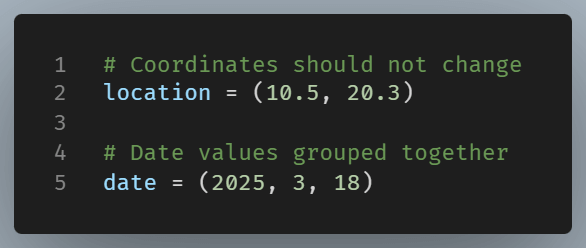
When is it better to use a tuple rather than a list?
If you require a collection that allows for adding, removing, and updating items, then a list is ideal. On the other hand, it is better to choose a tuple when the data belongs together and should remain unchanged.
This simple distinction makes your code easier to read and reason about, especially as programs grow.
Wrapping It Up
Tuples are data structures suitable for dealing with a collection of data that won’t change over time.
Although they share many commonalities with lists (for example, they are both ordered and use common methods), this last trait of immutability is their main difference.