An HTTP request header is a set of key-value pairs that a client (e.g., browser) sends to a web server as part of an HTTP request.
These headers provide additional information about the request, such as the browser type, preferred language, authorization credentials, and caching instructions.
This additional information helps the server understand how to process the request and return a relevant response.
How Request Headers Work
Visiting a website makes our browser send an HTTP request to its server.
This request includes headers that inform the server among other things about who is making the request (User-Agent), what type of data is accepted (Accept, Accept-Encoding), abut the security credentials (Authorization, Cookie), and the preferred language (Accept-Language).
Each header consists of a name followed by a colon and then its value.
User-Agent: Mozilla/5.0.Example of Request Headers:
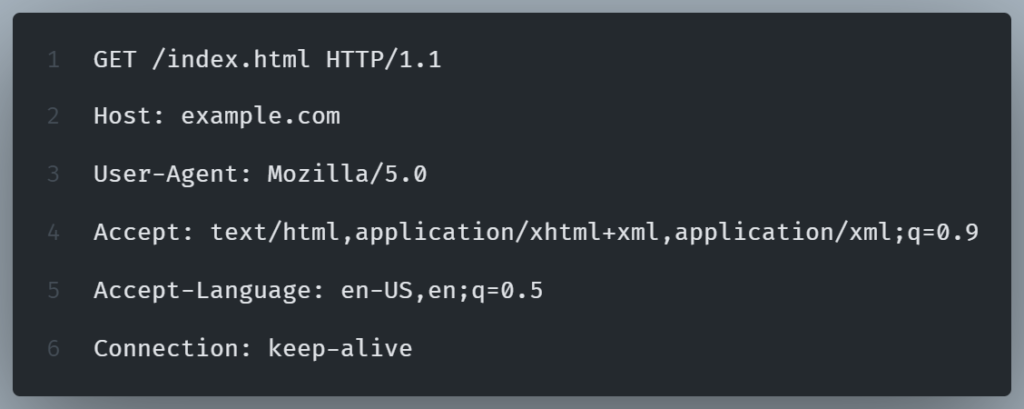
In this example, the client requests the /index.html page from example.com, specifying preferences for HTML content (en-US) and maintaining a persistent connection (keep-alive).
Common HTTP Request Headers
Examples of common request headers are:
| User-Agent | Identifies the client’s browser and operating system. |
| Content-Type | Specifies the format of data in the request body (e.g., JSON, XML) |
| Authorization | Provides authentication credentials. |
| Accept | Lists the media types the client can handle |
| Cache-Control | Directs caching behavior |
Why Are Request Headers Important?
Request Headers help servers understand the client’s needs (e.g., content type, language).
They enable authentication & security (Authorization, Cookies) and also improve performance (Compression via Accept-Encoding) and provide analytics & tracking (Referer, User-Agent).