In the last post we talked about the string data type. Now we are going to talk about the built-in methods that we can use on strings.
These are functions that we can call on the String object. We use them to manipulate strings and each one of them format strings in a different way.
Strings have numerous built-in methods, but memorizing them all is impractical. We are going to present a few of the most common and good to know.
NOTE: Python strings are immutable. That means that all the string methods we are going to exam return a new string WITHOUT altering the original.
Some of the most common String methods in Python
Converting the case of a string
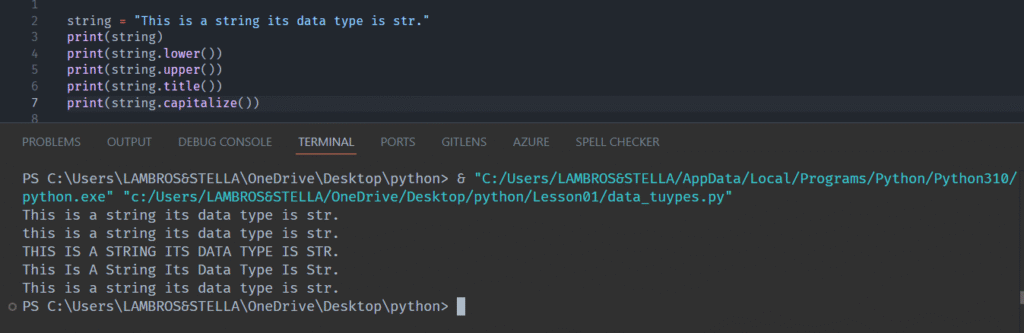
In Python we can transform the case of a string with the lower(), upper(), and capitalize() methods, converting it to lowercase, uppercase, and capitalize its first letter respectively.
There is also the title() method that converts a string to title case, thus capitalize the first letter of every word in the string and not only the first letter of the string. This makes it, as the name implies, ideal for converting the case of a title in a post or a book chapter.
Replacing characters within a string
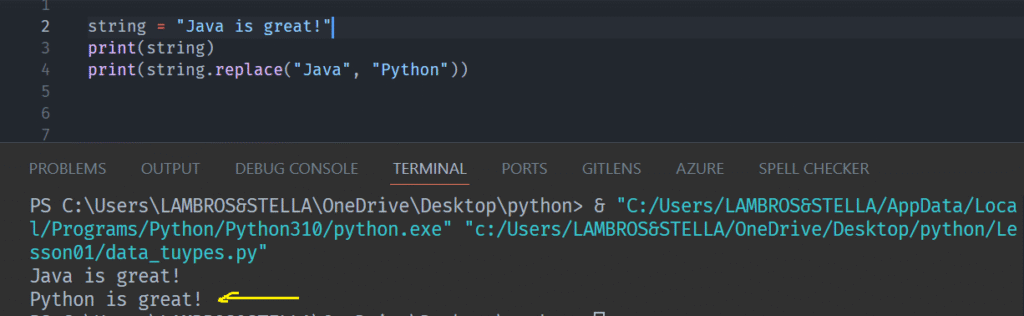
In Python, the replace() method creates a new string by replacing some characters of the original string with other.
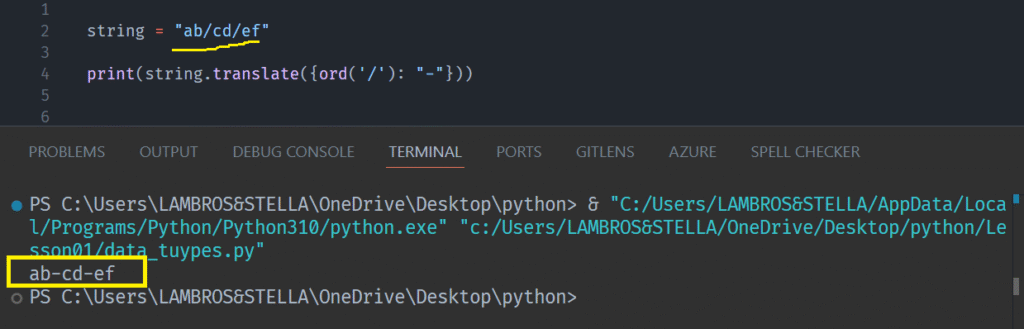
We can also use the translate() built-in method to replace characters within a string.
In order to do that, this method uses a dictionary or a mapping table.
Characters missing from the dictionary/table remain unchanged.
Note: When using a dictionary, employ ASCII codes; characters are not allowed.
Trim whitespaces from the string object.
We can remove spaces from a string both from the beginning and the end of the string.
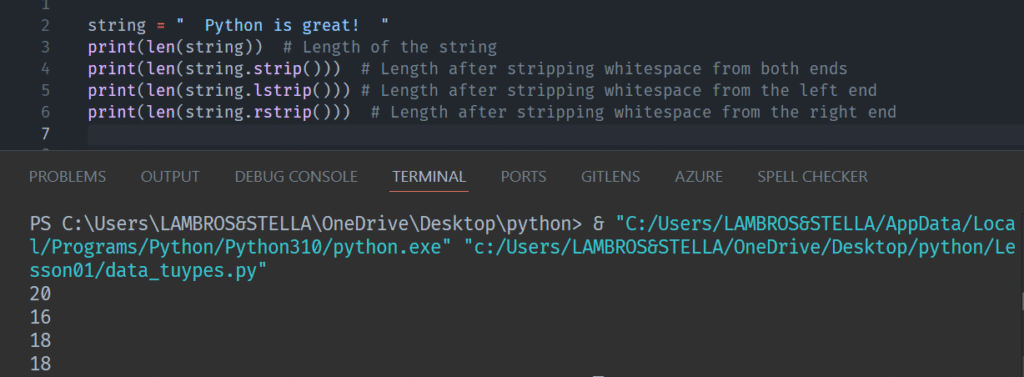
We use the lstrip(), the rstrip(), and strip(), to remove space from the beginning, the end, and both sides respectively.
Below is an example of these methods in action with the help of the len() method which returns the number of items in an object (strings are objects in Python).
We do this because spaces are not visible and this is a good way to see what is going on.
title index and find
The find() method finds the first instance of a string value.
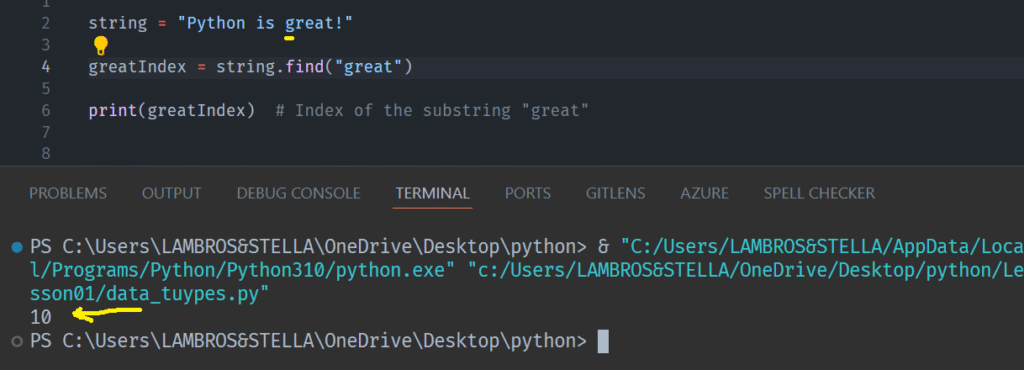
If nothing is found, it returns -1.
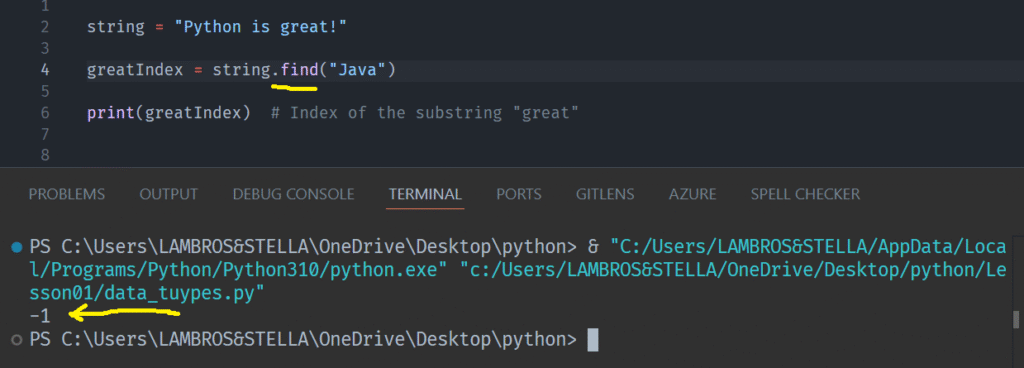
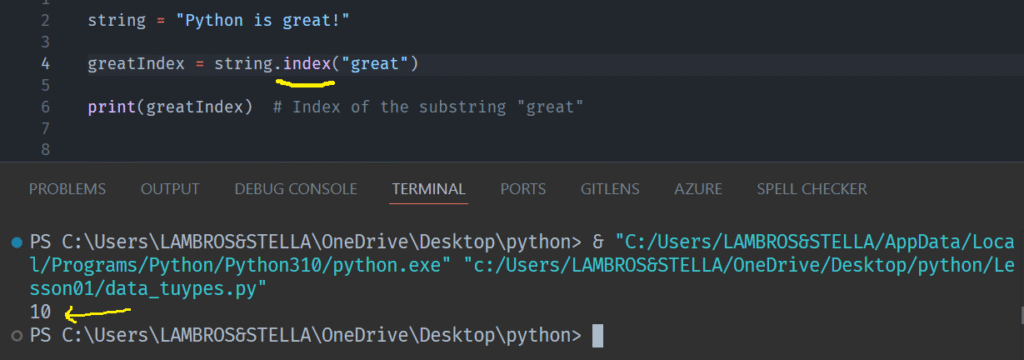
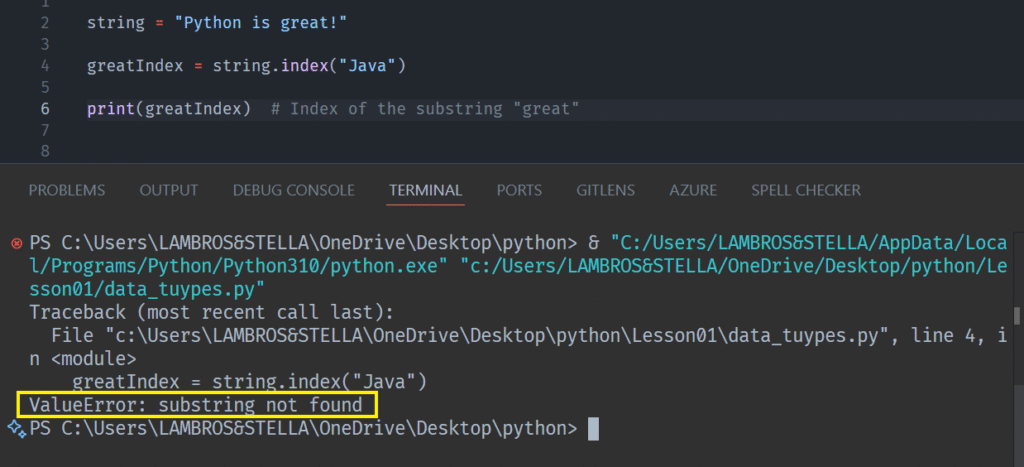
This method is similar to the index() method, with the only difference being that the latter throws an error if no instance is found.
If nothing found the index() method returns a Value Error
The split and join methods
Python string manipulation often involves splitting strings into substrings or joining substrings into a larger string.
We can achieve both by utilizing the split() and join() string methods.
Split() Method
We use this method to split a string into substrings.
The syntax is as follows:
<string>.split(separator, maxsplit)
The separator is a string that defines what will make the split ( white-space, dash, underscore, etc).
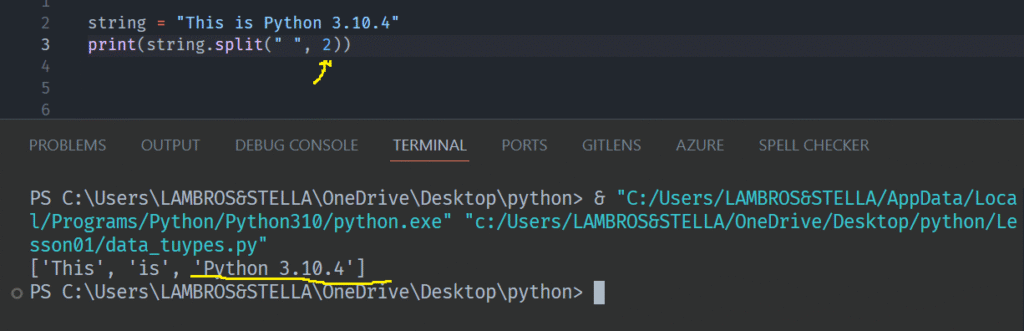
The maxsplit indicates, as the name implies, how many times the string will be split.
Both parameters are optional.
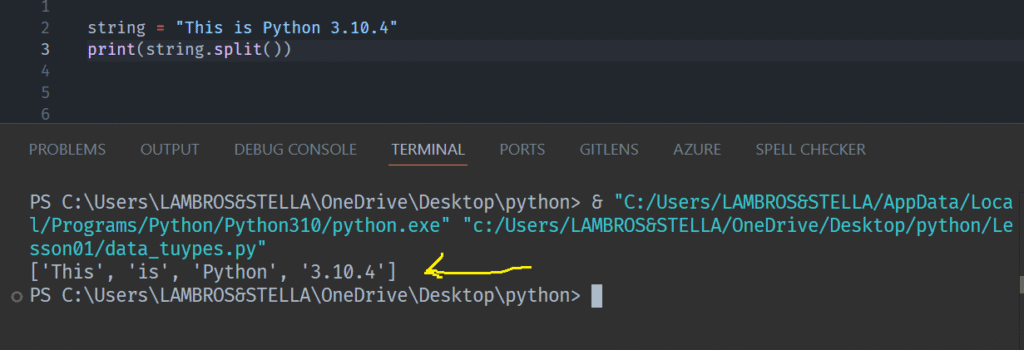
Let’s see an example:
The sep argument’s default value is ” “.
The maxsplit argument’s default value is -1.
Suppose we want the string to be split into 3 parts. That mean two splits.
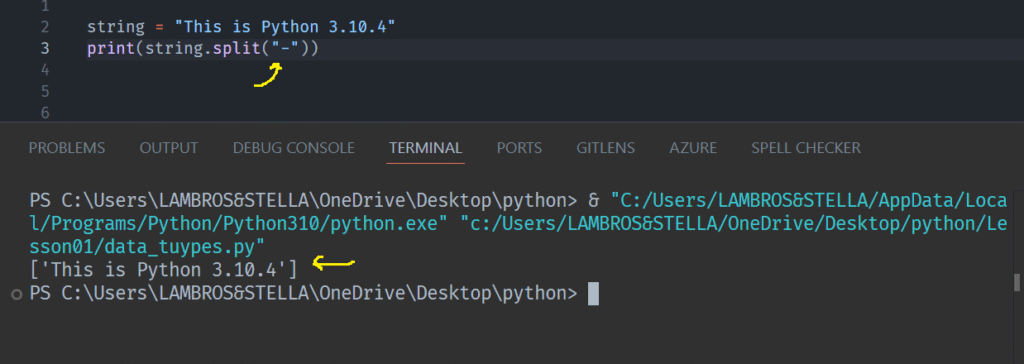
If the separator isn’t found in the string it will be ignored.
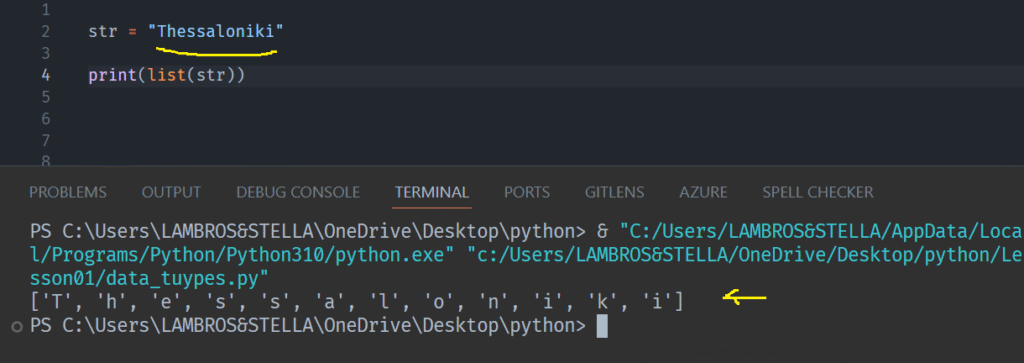
Note: Splitting a string into a character array in Python is achieved with the list() method.
For example:
Join() Method
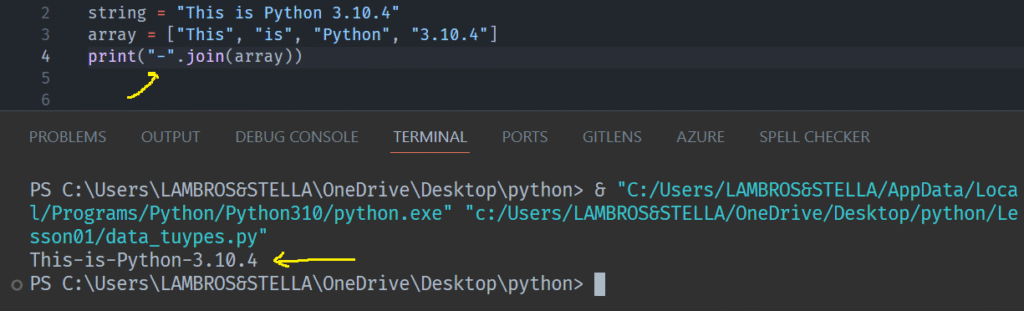
We can use the str.join() method to create a single string from a list of strings.
Note: The separator has to be a string.
Reversing a String
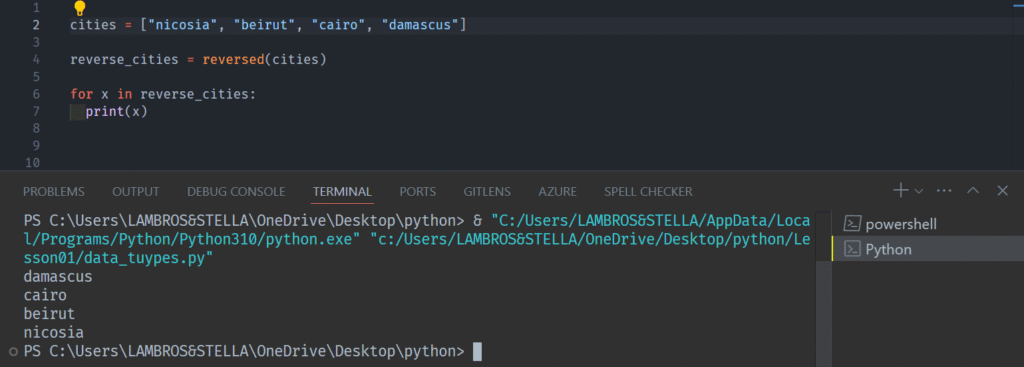
In Python we can reverse a string using the reversed() method.
The reversed() method returns a reversed iterator.
Iterators are objects allowing sequential access to elements within collections like lists, tuples, dictionaries, and sets.
Lets see how this method can reverse the order of items in a list:
Conclusion
We went through some of the most important String methods. This list is far from complete.
For a more detailed lookup on String methods, you can browse the Python Reference.