Tuples in Python are simple by design. They store multiple values together, keep their order, and remain fixed once created. Because tuples cannot be changed, their methods focus on reading data, not modifying it.
Why Tuple Methods Are Limited
Unlike lists[link], tuples are meant to stay the same from start to finish. This design choice means Python does not provide tuple methods for adding or removing elements. Instead, tuple methods help you inspect and understand the data already stored.
The count() Method
The count() method tells you how many times a value appears inside a tuple.
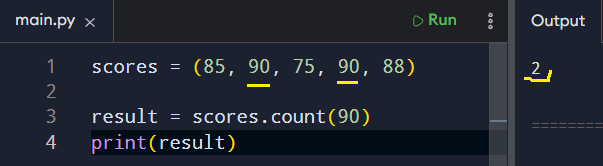
This is useful when working with repeated data or validating results.
For example, if a tuple stores survey responses or status codes, count() reads the data and reports back without changing anything.
The index() Method
The index() method returns the position of the first occurrence of a value. Like count(), it does not alter the tuple. It simply helps you locate information.
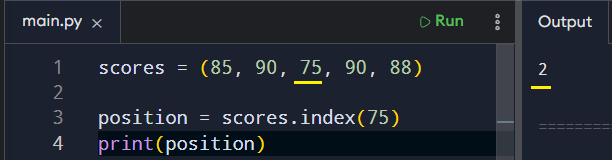
This method becomes useful when you need to know where a value resides. If the value is not present, Python raises an error, which reminds you to check carefully before calling it.

You can also use the index() method by including optional start and stop index arguments. For instance, here’s how to specify a start and a stop index :

Built-In Functions That Work With Tuples
While tuples have few methods, many built-in functions work smoothly with them. Functions like len(), min(), and max() are commonly used. They operate on the tuple as a whole and return useful information without affecting its contents.
More specifically:
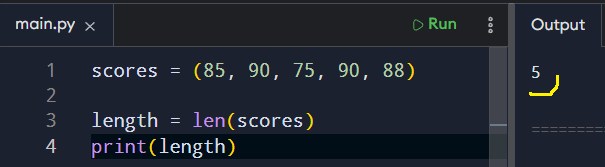
The len() function returns the total number of items stored in the tuple.
The min() function finds the smallest value in the tuple.
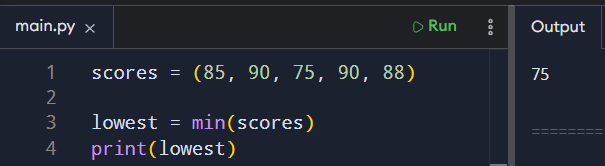
The max() function finds the largest value in the tuple.
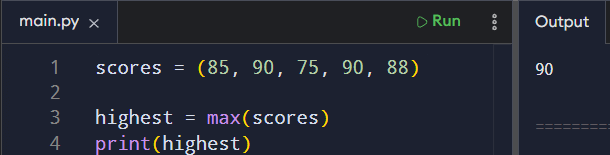
This combination of tuple methods and built-in functions covers most everyday needs. You read values, check positions, and measure size, all while keeping the data unchanged.
Wrapping Up
Tuple methods are designed to be minimal. They focus on inspecting data rather than modifying it. Once you grasp this objective, their design becomes clear.
They work best with grouped data that is not meant to be changed. For beginners, learning these few tools builds confidence and reinforces good habits early on.