While HTML tables can be very useful, they have frequently been misused throughout the years, with developers often employing them for layout purposes.
It’s important to know not only how to use tables but when to use them, and when to leave them alone.
What is the purpose of HTML tables?
Tables revolve around data.
Tables are perfect for organizing structured data like pricing charts, sports scoreboards, or regional sales lists. They were specifically designed for this purpose. By using tables, we can clearly and accessibly show the relationships between rows and columns.
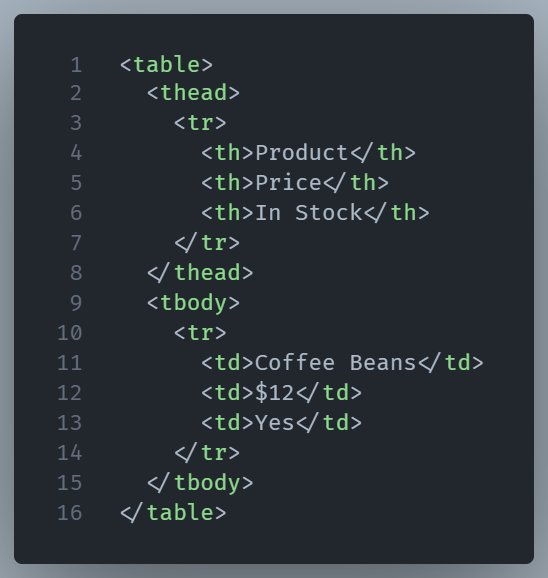
Here’s a quick example:
And the output:
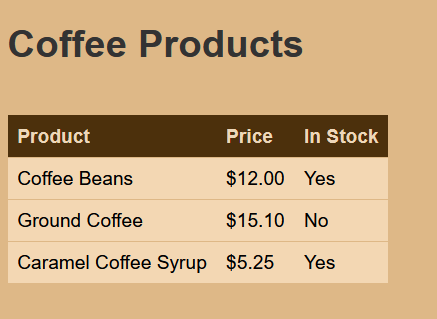
The example shows a table that is simple, readable, and screen-reader friendly (since it uses semantic elements like <thead>, <tbody>, and <th> correctly).
What should you not use tables for?
In a nutshell, tables shouldn’t be used for layout.
Back in the early 2000s, developers used tables to build entire websites: headers, sidebars, navigation, all crammed into a grid of <td> and <tr> elements. It was a workaround before CSS matured, but today it’s outdated, and entirely wrong.
Example: Using a Table for Page Layout (Old School, Bad Practice)
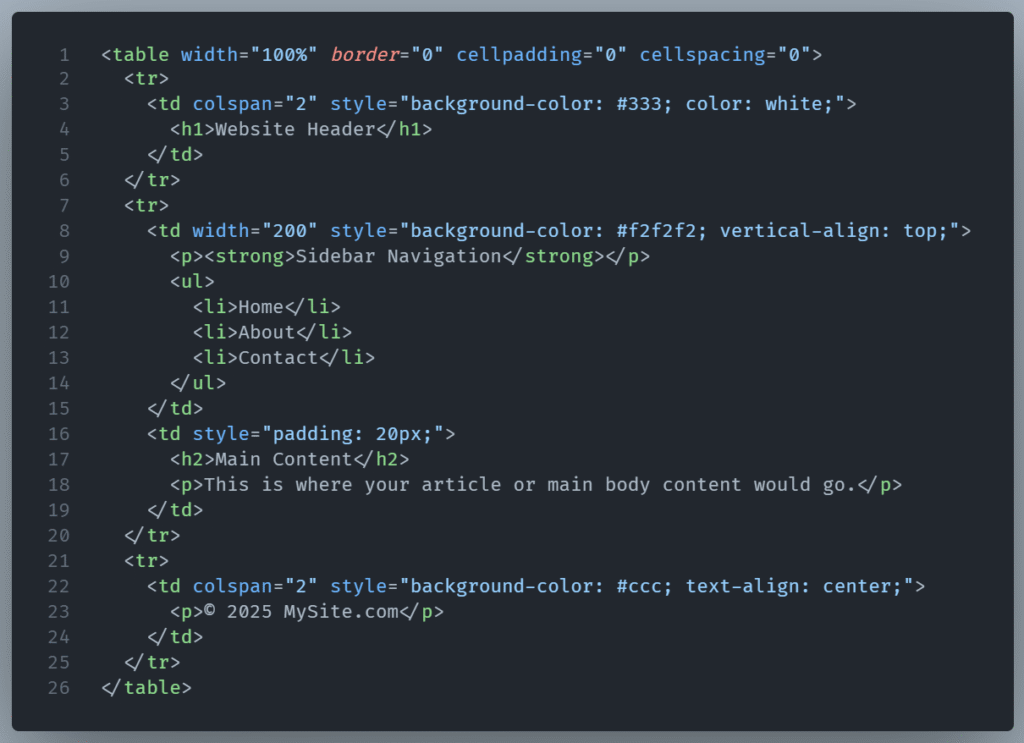
This is poor practice since tables are not responsive, hard to maintain, and not accessible. Screen readers have a hard time to understand layout tables.
Using tables is also semantically incorrect. Tables are made for structure data, not for design.
Modern web design relies on CSS Grid and Flexbox for layout. They’re way more powerful, responsive, and maintainable than table-based design hacks.
The takeaway?
Use HTML tables only for tabular data. Not for positioning logos or placing buttons. And definitely not for wrapping your site like a spreadsheet.
HTML provides the framework, while CSS adds the visual appeal. If you mix them up incorrectly, it can result in disorganized code and create accessibility issues.