Some WordPress blog posts always remain at the top of the blog feed.
This is because of Sticky Posts, a built-in feature in WordPress that makes important content distinct.
What Exactly Is a Sticky Post?
In WordPress, a sticky post is simply a normal post that’s been marked to “stick” to the top of your blog feed.
Normally, posts appear in reverse chronological order. The newest first, and theoldest last. But when you mark a post as sticky, WordPress overrides that rule and keeps it right up front.
It’s perfect for announcements, featured articles, or posts that define your site’s identity, like a “Start Here” or “Welcome” post.
How to Make a Post Sticky
You can make any post sticky in just a few clicks:
- Edit the post you want to highlight.
- In the Post settings sidebar, open the Status and Visibility section.
- Check the option “Sticky”.
- Update or publish the post.
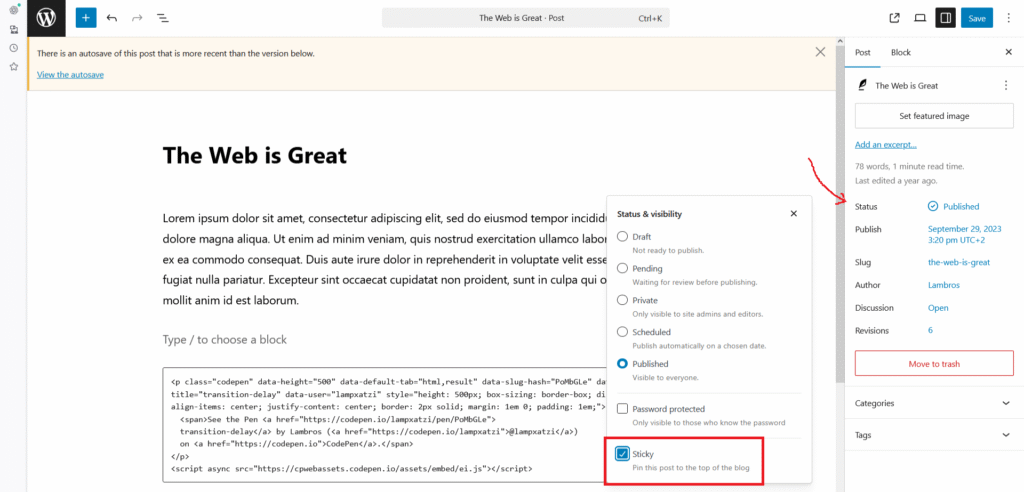
That’s all. WordPress handles the rest automatically.
You can also control stickiness programmatically using code:
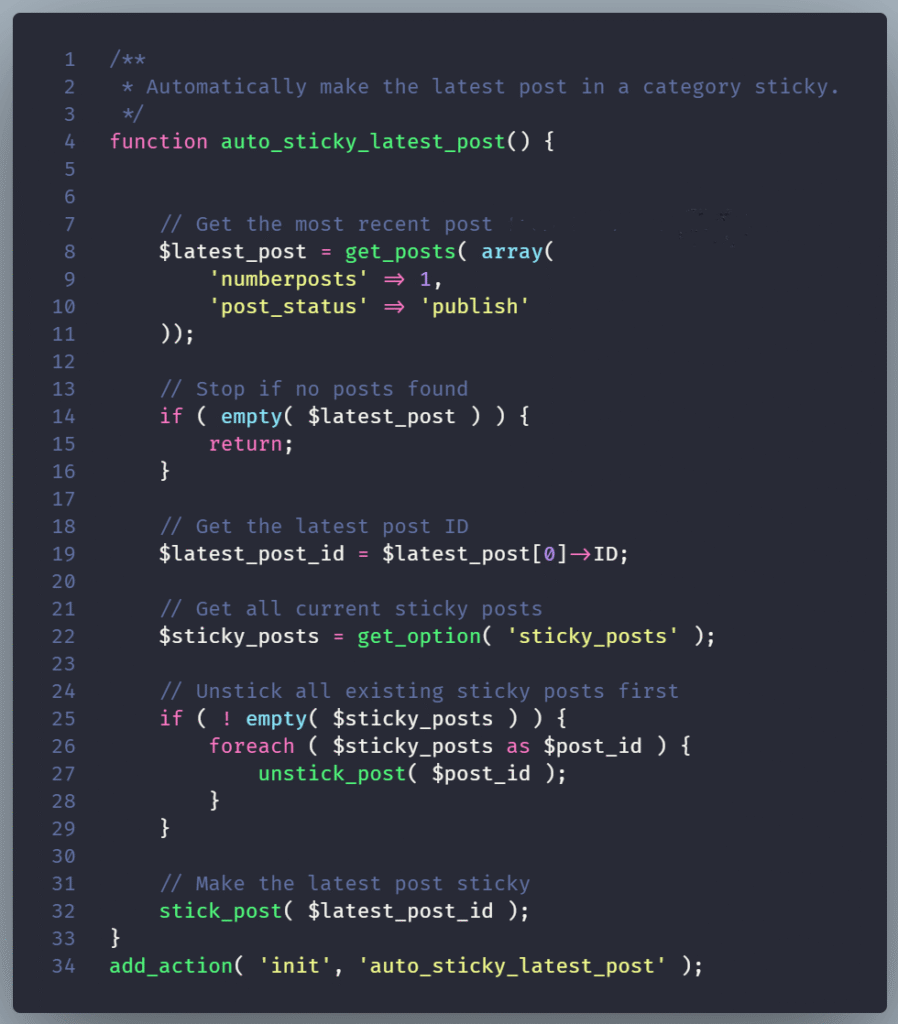
This can be useful in cases where you ‘re managing sticky content dynamically, like featuring the latest product launch automatically.
How WordPress Handles Sticky Posts Internally
Behind the scenes, WordPress keeps track of sticky posts using sticky post IDs that are stored in the wp_options table. the option name: 'sticky_posts'
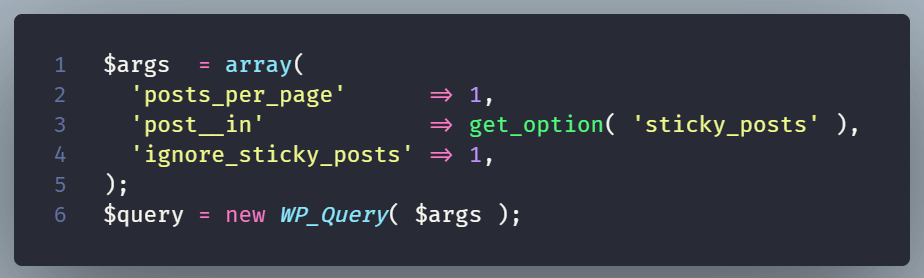
When your theme queries posts (for example, using WP_Query), WordPress can prioritize those marked as sticky.
You can even exclude or customize their display using query parameters like:
Why Sticky Posts Matter
Sticky Posts help ensure that your most valuable or time-sensitive information doesn’t get buried under new content.
They also improve user experience: new visitors instantly see what’s most important, and returning users can easily spot updates or featured guides.
Conclusion
Your core message is kept front and center with sticky posts, similar to a digital pinboard. They’re easy to set up, native to WordPress, and very useful for blogs, news sites, and portfolios alike.