In the last post we showed how to get started in Python. So let’s start today by discussing variables.
Variables in Python
Below is a simple example:
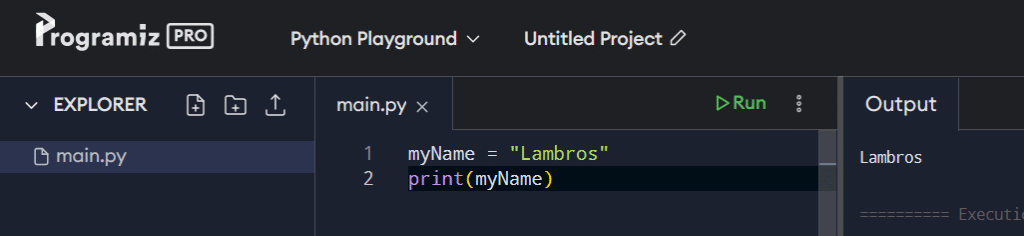
When I press enter, nothing happens, but now the variable myName holds the value ‘Lambros’ which is a String.
So if I type myName and press enter it returns the string ‘Lambros’.
Variable names can be made up of letters, or they could be made up of a mixture of letters and numbers, or even use the underscore character.
So you could name a variable year325 and assign the string value “First Council of Nicaea” to it and you’d be ok.
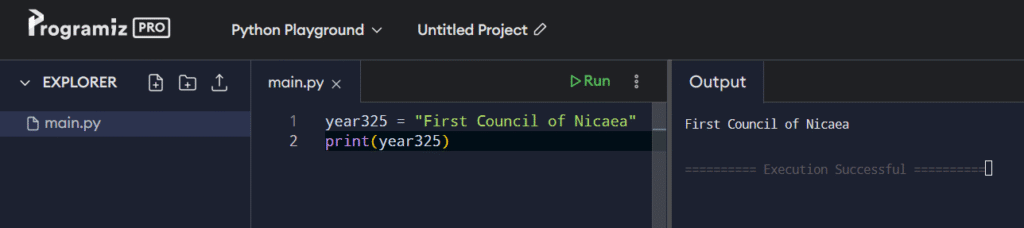
But you couldn’t do the reverse.
Putting the number at the beginning would result in a syntax error:
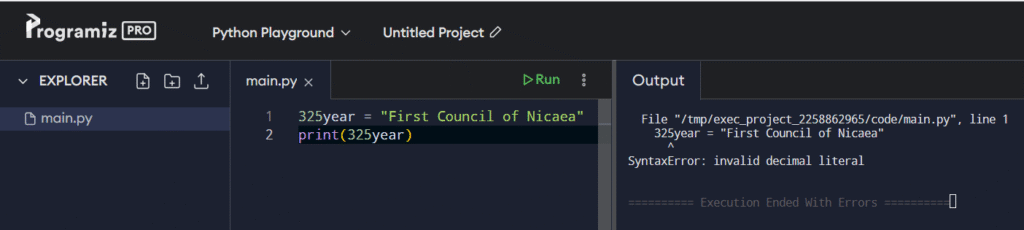
You can include numbers in a variable provided that this variable doesn’t start with one.
You can use the character underscore, as we previously mentioned, and there is no limitation on its index place.

Other characters, except alphanumerics and underscore, are not legal.
For example, an exclamation mark would cause an error:
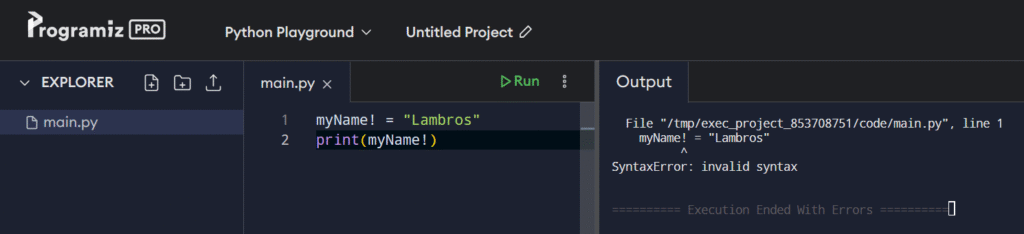
One other thing to consider is there are some reserved keywords that we cannot use for variable names.
For example:
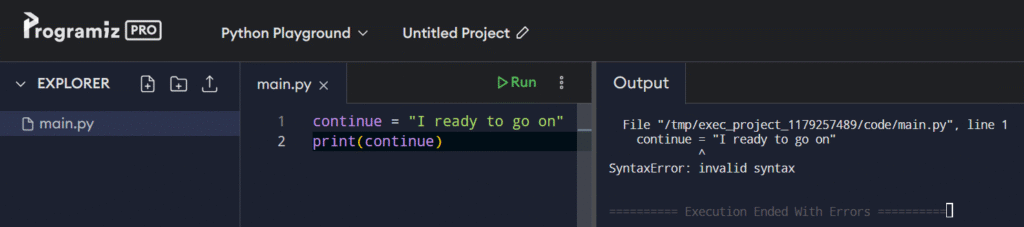
You don’t have to memorize these preserved keywords since both VSCode and Python will let us know.

See how the editor color the two variable names differently.
Expressions vs Statements
No matter what language you use, browsing through online forums or programming articles, you may get the impression that these terms mean the same.
This is not accurate since the two terms are distinctive, and their difference is important.
Reading the documentation, we see that an expression is a piece of code that evaluates to a value, while a statement is a block of code, that can be either an expression or a keyword-based construct.
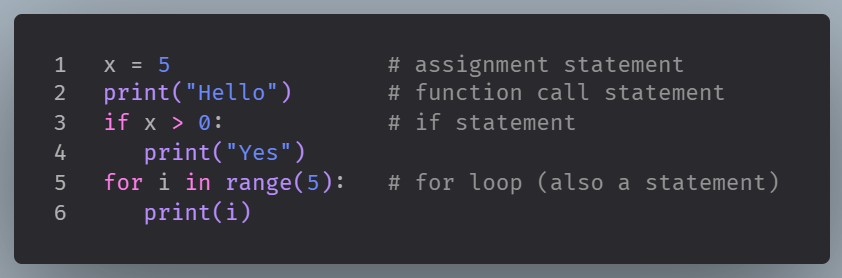
Technically speaking, all code lines and blocks are considered statements. Expressions are included; they represent a special kind of statement. Expression statements.
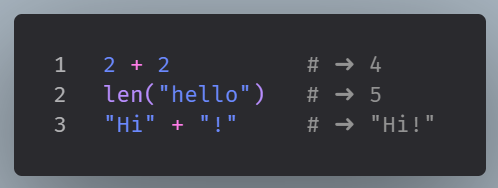
An expression is anything that produces a value.
You can think of it as something that can be evaluated as a result.
Python Comments
Comments are notes we leave for ourselves or for other programmers inside our code.
They don’t impact code functionality but improve clarity.
Python uses the hash symbol, #, to create comments in code.
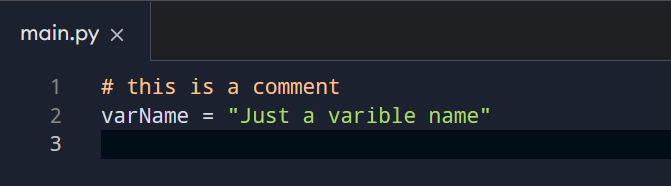
Comments improve understanding of our code but have no impact on execution.
Indentation
Another basic concept of Python is indentation.
In other programming languages, like PHP, white space is ignored.
In Python, white space plays its role.
Let’s see an example:
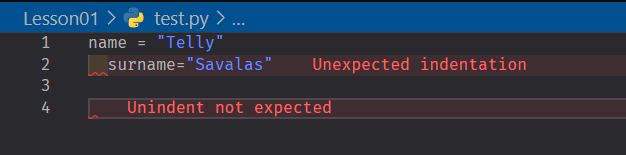
We see an error message, ‘Unexpected indentation” and a red wavy line under that indentation.
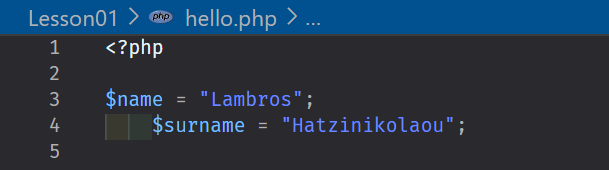
The same code in PHP wouldn’t result in any error message or warning.