Before a page can appear in Google SERPs, it needs to be indexed first. This is a fundamental step and makes perfect sense. If Google isn’t aware of your page, it won’t be able to show it to users. For this reason, checking the index status is essential and a basic element of SEO.
Fortunately, there are a few simple methods to confirm this.
Use the Site Search Method
The fastest check happens right inside Google. You can search using a special operator.
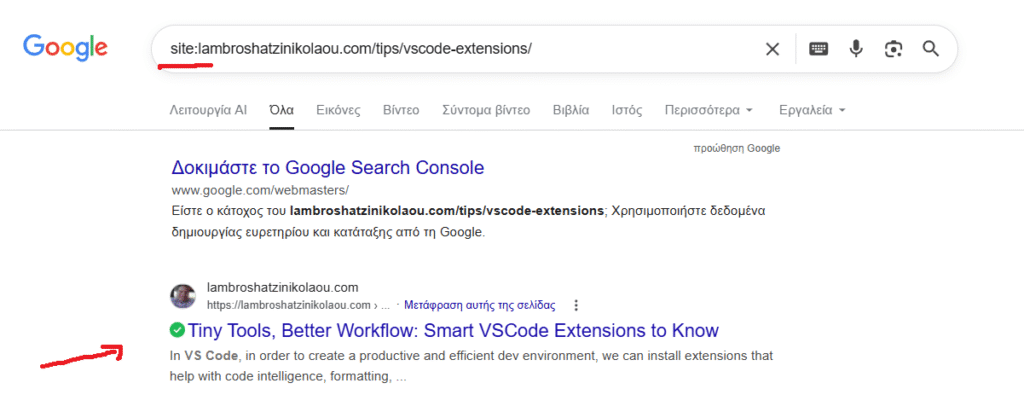
If your page appears, it is indexed. If nothing shows, Google has not added it yet, or it has been removed.
Check Google Search Console
For a more accurate view, use Google Search Console. It provides direct feedback from Google itself.
In the URL inspection tool, paste your page URL. You will see whether the page is indexed and if there are any issues.
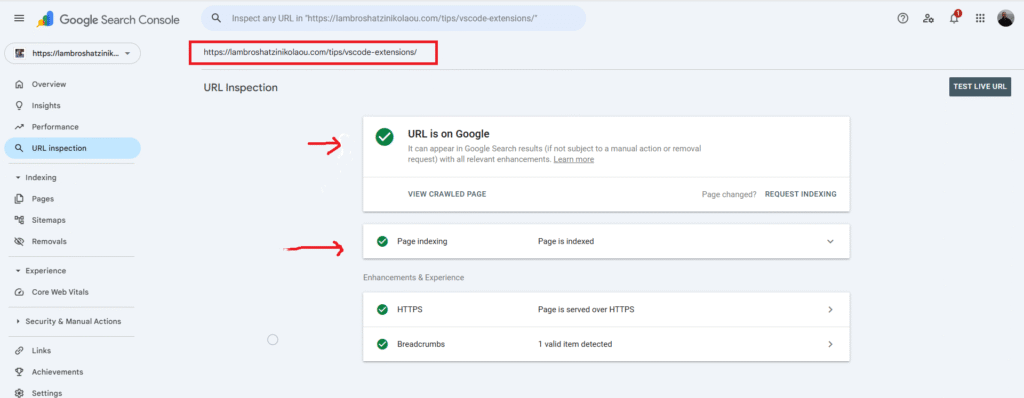
This tool also shows:
- crawl status
- indexing errors
- last crawl date
It moves you from guessing to knowing.
Check with IndexCheckr
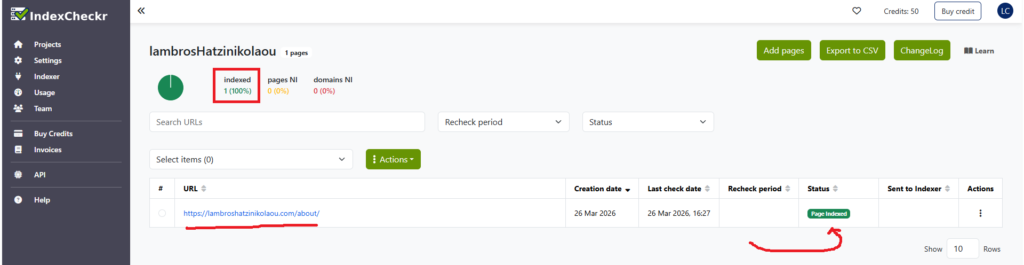
With IndexCheckr, site owners and SEO agencies can automate the tracking of their web pages’ indexing status on Google. This automation removes the necessity for manual checks, making the process more efficient and saving valuable time, all while ensuring that every page is accounted for in search results.
Inspect Your Page Settings
Sometimes the issue is not Google, but rather your page configuration.
Check for:
- a noindex tag in your HTML
- blocked paths in robots.txt
- incorrect canonical tags
These settings can prevent indexing even if the page exists and is accessible.
Concluding
Monitoring the indexing status of web pages is key to effective search engine optimization. If a page isn’t indexed, it won’t rank on Google or generate organic traffic, no matter how good or relevant it may be.
Begin with a quick search, then verify with Search Console, and take a moment to look over your page setup if anything appears to be incorrect. Eventually, this routine becomes second nature. You publish a page, check it, and make any necessary adjustments.