The NaN value is one of the most misunderstood values in JavaScript. This is because the NaN type has some special behaviors that often create confusion.
Let’s see if we can explain these behaviors in simple terms.
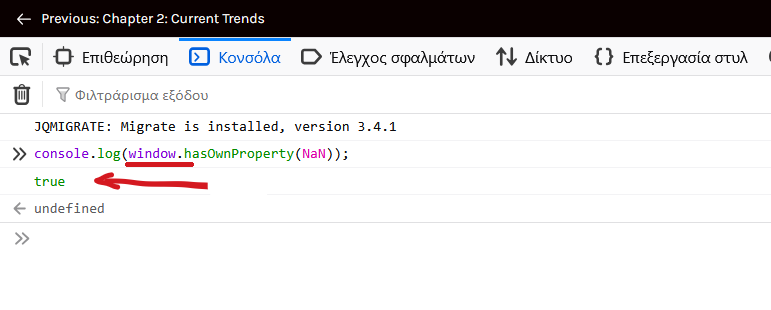
In JavaScript, NaN is a property of the global object
In simpler terms, it’s a variable that exists globally.
NaN literally means “Not a Number”. But oddly, in computing (not only in JS), it is actually considered a number (Number type).
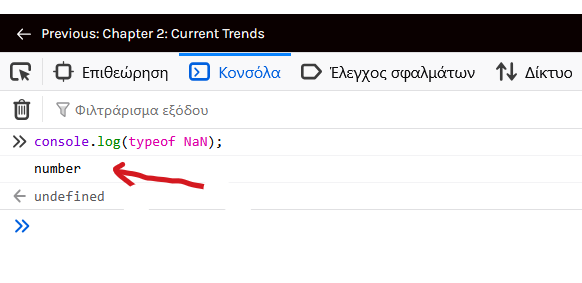
In JavaScript, documentation dictates that the Number type includes NaN.
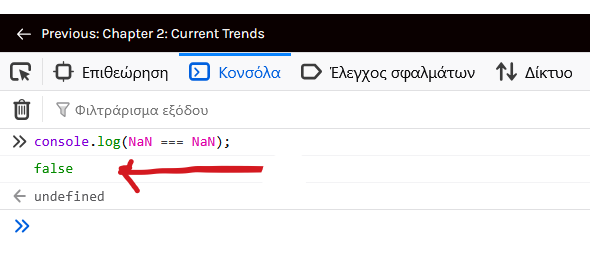
NaN in not equal to NaN
NaN is the only value in JavaScript that is not equal to itself.
This behavior is not nonsensical if we remember that NaN holds no information about what a value is. It just holds information about what it isn’t.
NaN acts like a placeholder, where a value is evaluated for not being a number.
NaN === NaN is false because the comparison doesn’t necessarily evaluate the same non-number values.
The opposite also holds true.
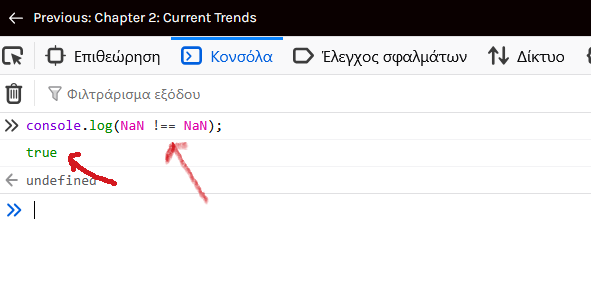
The fact that NaN is not equal to itself makes the use of equality for value checking not an option.
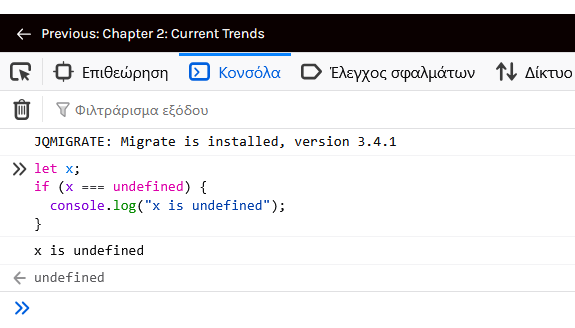
In JavaScript, we can check if a value is of type undefined (or any other type for that matter) by using equality.
Example:
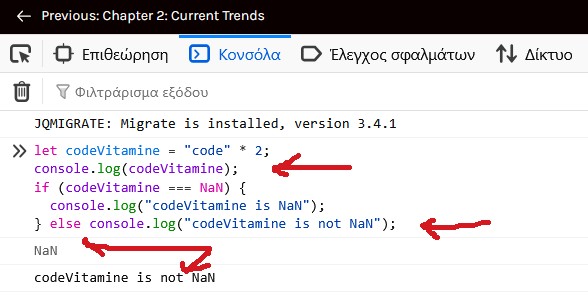
But we can’t do that with NaN:
The isNaN() and Number.isNaN() methods to the rescue!
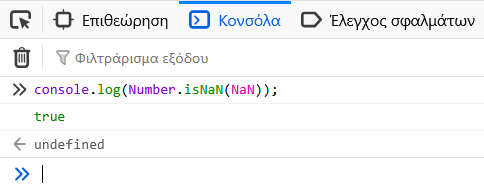
To tell if a value is NaN in JavaScript, we use both the Number.isNaN() and the isNaN() methods.
Although the two methods look similar, they differ in how they handle non-numeric values.
For example:
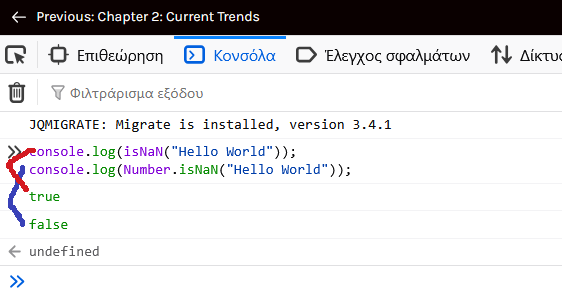
What is going on here?
We’d expect that since “Hello World” is a string, thus not-a-number, we would get true as a result.
But with the second method, Number.isNaN(), the result is false.
The string obviously is not considered not-a-number, but we definitely know that it is not a number either!
Let’s dig in a little more into each of these methods to see how they differ and why we get such different results.
The isNaN() method
The isNaN method checks if a value passed as a parameter is NaN.
Syntax of isNaN method is:
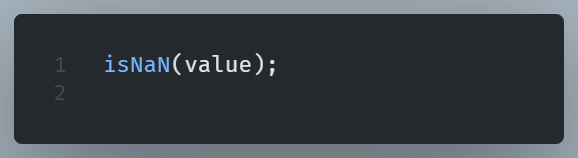
Where value is the parameter checked for being NaN.
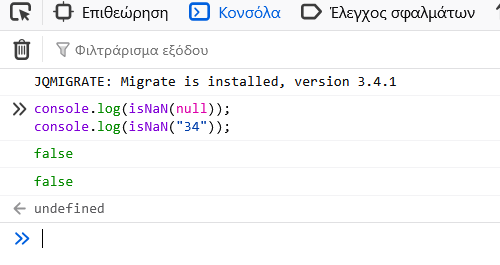
This parameter is force-converted to a number prior to evaluation.
If the parameter cannot be converted to a number, it returns true.
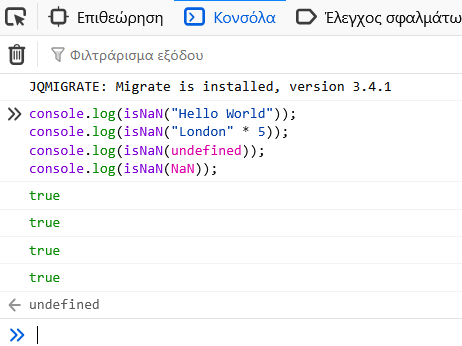
If it can be coerced to a number, it returns false.
The Number.isNaN() method
The Number.isNaN() method is a static method available on the Number object.
It checks if the provided value is of NaN type.
These method returns true if a value is of the NaN value itself.
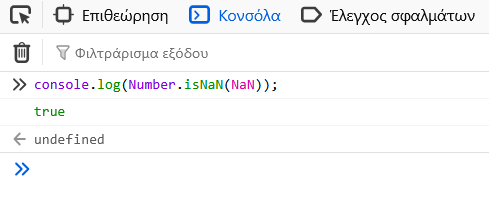
Or if it represents an invalid numerical operation.
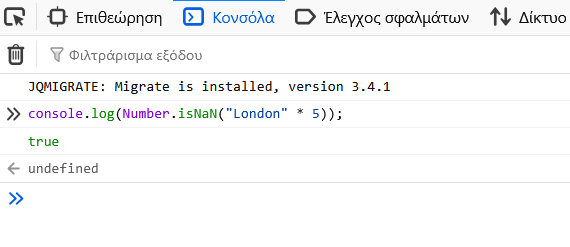
Or if it evaluates zero divided by zero.
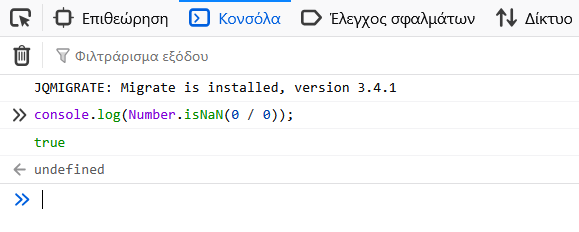
In mathematics, zero divided by zero is undefined and is therefore represented by NaN in computing.
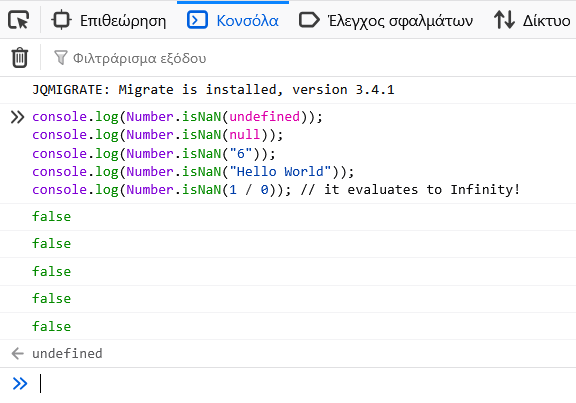
In every other case, it returns false
Which of the two methods is preferable?
The Number.isNaN() method is distinctively different from the isNaN() function in the aspect of not performing parameter type coercion.
We can see another example to make the distinction more clear.
Let’s say we store a username as a variable:
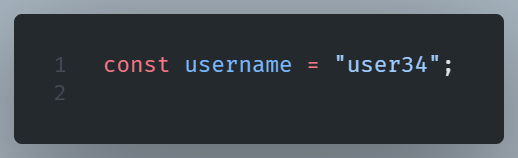
The string “user34” cannot be converted to a valid number, so is declared NaN and the isNaN() function returns true.
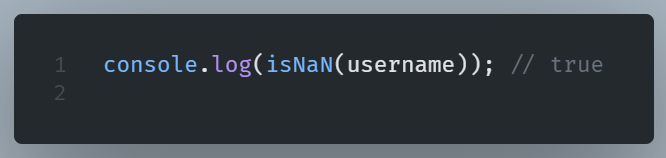
The Number.isNaN() method, contrary to isNaN(), does not convert the input value. It just asks: “is the value of the variable ‘username’ of type NaN?” and the answer in our example is no (false), since it is actually a string.
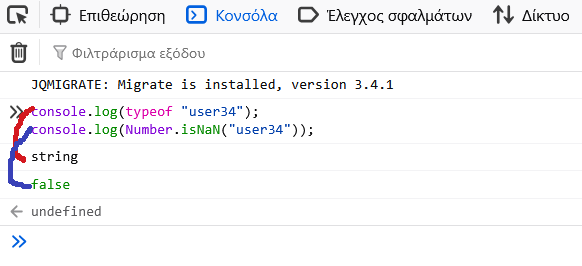
We see it is the coercion process in the isNaN() method that makes the difference.
Therefore, since Number.isNaN() doesn’t implement coercion, is considered more reliable for checking NaN values in JavaScript.
Once we get a NaN in a math operation, is going to pollute all the other operations making them resulting in NaN. So, testing the results of math operations to make sure we didn’t get a NaN, is considered good practice.