In web development, we can unpack values from object properties to make our code cleaner and easier to work with.
We assign these values to distinct variables, which we can now use further along our programming logic.
Example:
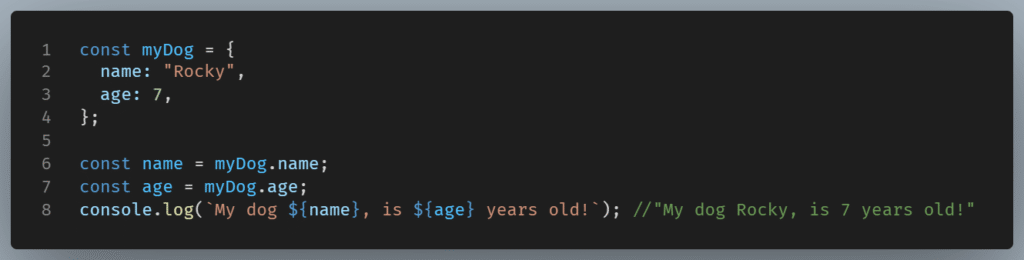
To make this ‘unpacking’ easier ES6 introduced a new feature called destructuring assignment.
With destructuring, we can extract multiple properties from an object, access nested objects, and assign default values when properties don’t exist.
With the new syntax, we can write the above code like this:
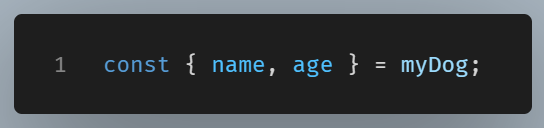
In this simple example, it is not very clear how simpler than the former code destructuring is. But imagine a big object with dozens of properties and nested objects.
The destructuring feature enables us to easily pick what property we want to work with from all this code.
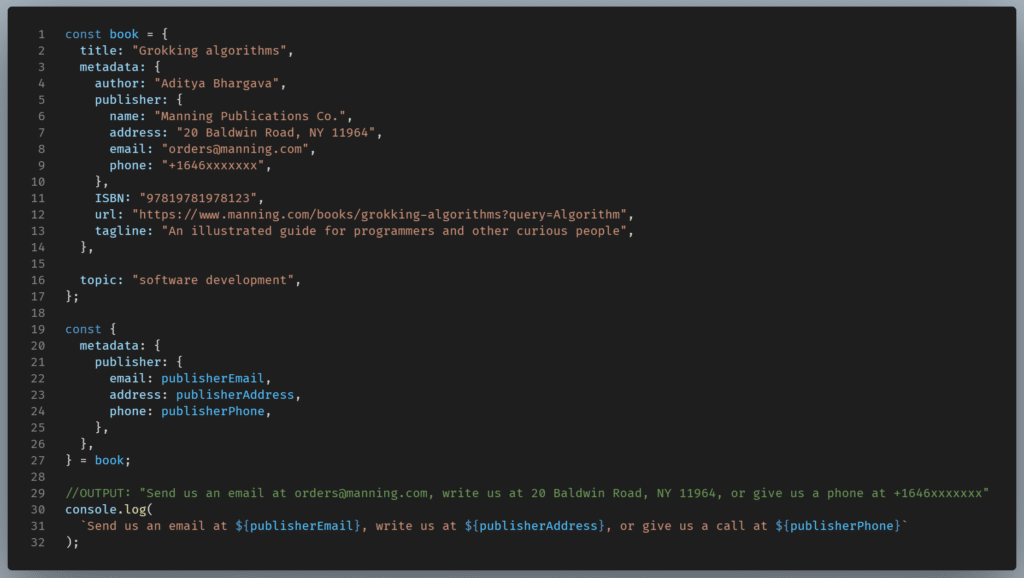
In the above code, we can easily assign the properties we are interested in by using object destructuring.
Before ES6 we would need to assign the values as follows:
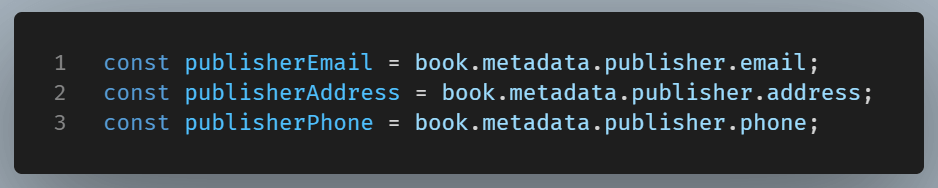
Let’s see in more detail how we use object destructuring in JavaScript.
Syntax
The basic syntax is this:
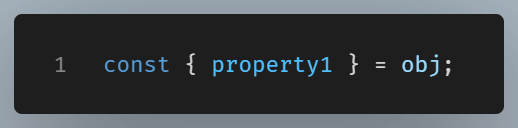
The property1 represents the object property we want to unpack, and obj the object.
Extracting multiple properties
We can extract multiple properties.
To destructure the object into multiple properties, we separate each property with commas.
We can specify as many properties as we want.

Nested Object Destructuring
As we saw in the previous example, an object can be nested in another object.
So, the value of the object property is another object.
In the case of a nested object, we can still use the object destructuring, accessing properties from a deeper level.
Here is the syntax:
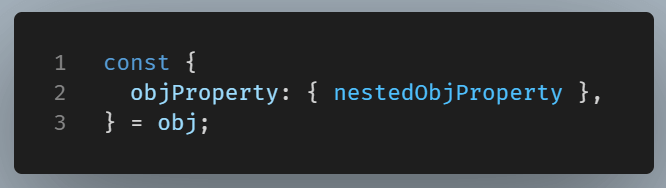
After destructuring, the variable nestedObjProperty holds the property value of the nested object.
We can extract properties from a deeper level of nesting, going as deep as we want by just adding more nested curly braces.

Default Values
While destructuring, we can specify a property that doesn’t exist in the object.
In this case, the variable will be assigned to undefined.
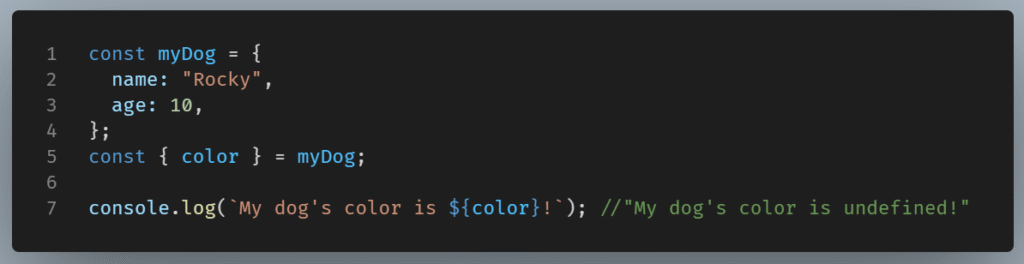
JavaScript, being flexible, lets us set default values when a property isn’t specified in the object we want to destructure.
We can assign a default value using the JavaScript assignment operator (=).

Any expression or even function calls can be used as default values.
For example, the promt() method collects user input. We can use this user input as a value.
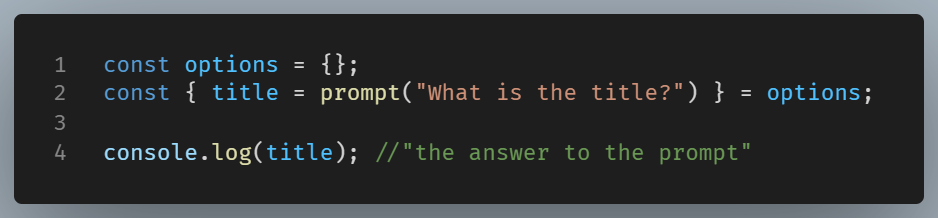
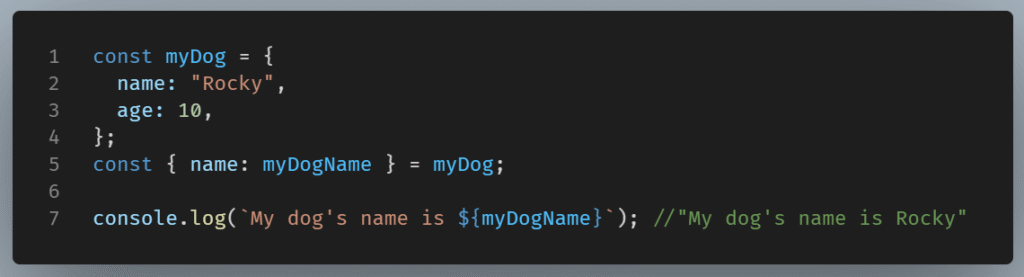
Aliases
While destructuring an object’s property, we can assign to it a variable with an alternate name.
This is useful for avoiding variable name conflicts.
For example, replacing a rather vague name with a bigger, more detailed one.
Here’s an example of how we assign new variable names:
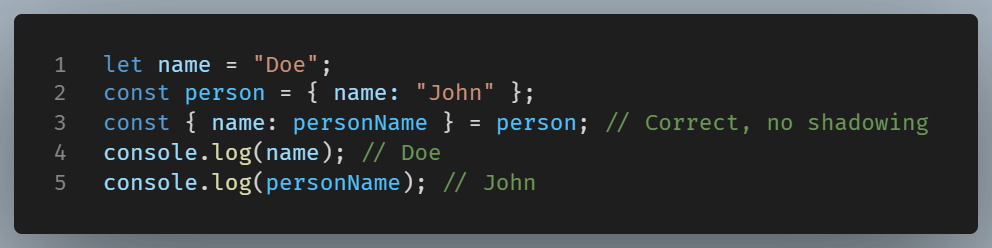
Aliasing can help us with shadowed variables
Destructuring into variables with the same name as existing variables can lead to unexpected behavior.
Example:

Αliasing comes to the rescue.
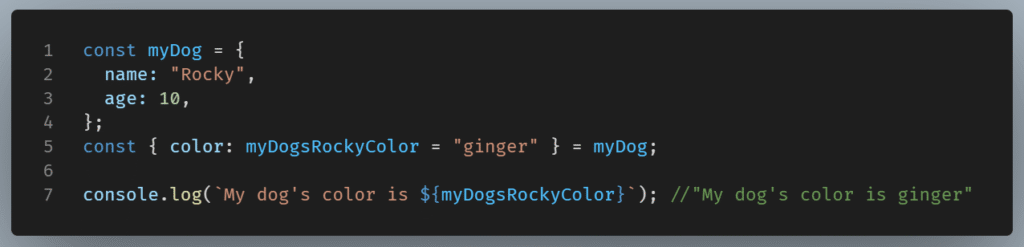
We have talked about the object destructuring features of alias and default values.
JavaScript gives us the flexibility to combine them.
A property can be both assigned a default value and assigned to a variable with a different name.
For example:
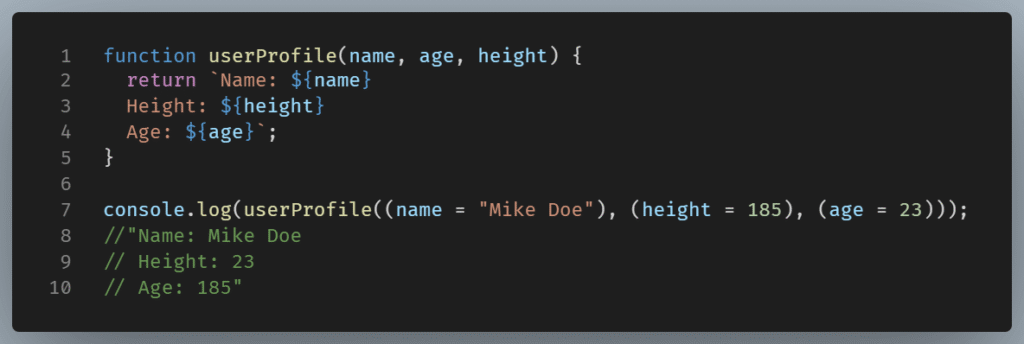
Destructuring Function Parameters
The problem with functions that have many parameters is remembering the order of arguments.
The arguments should appear in the right order; otherwise, the result is a mess.
For example:
Another problem is calling a function with only some of the optional parameters.
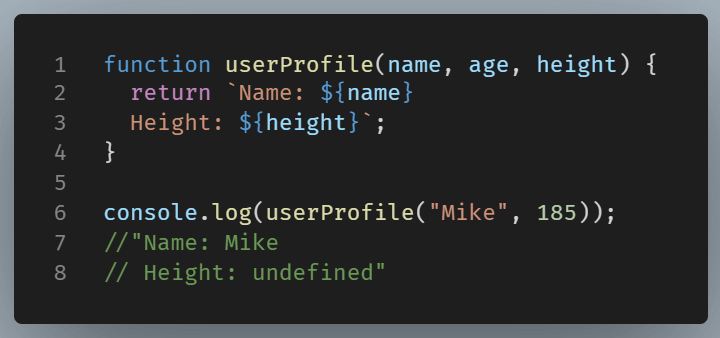
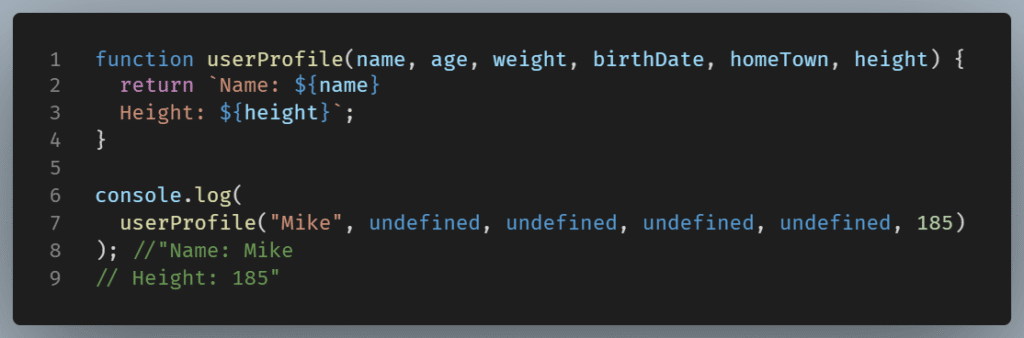
For the above function to work, the ignored parameter should appear as undefined.
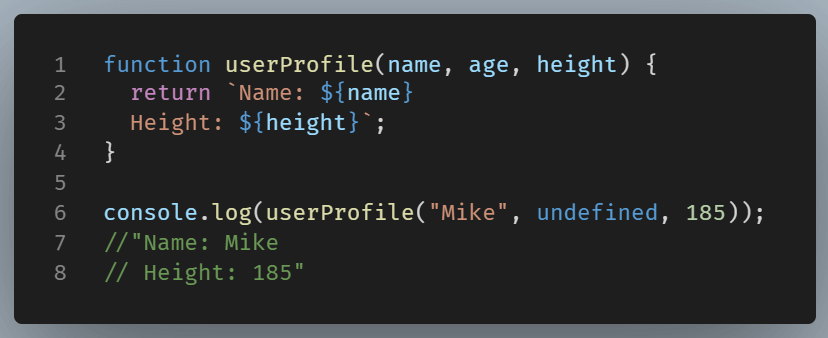
This is ugly and confusing, especially when we deal with a bunch of parameters.
To anticipate these problems, we can pass an object instead, using object destructuring to imitate the arguments object.
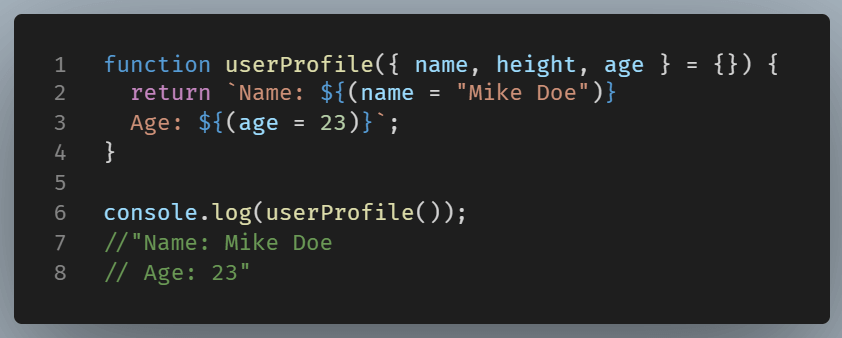
Since no object is provided as an argument when the function is called, it defaults to an empty object {}.
This means that calling userProfile() without any arguments, the function will destructure from the empty object {}, preventing an error, and name, height, and age will all initially be undefined.
We have provided default values within the function body for the properties we want to use.
This way, we don’t have to use any undefined property as an argument when calling the function.
Nested objects and aliases can also be passed, allowing for more complex destructuring.
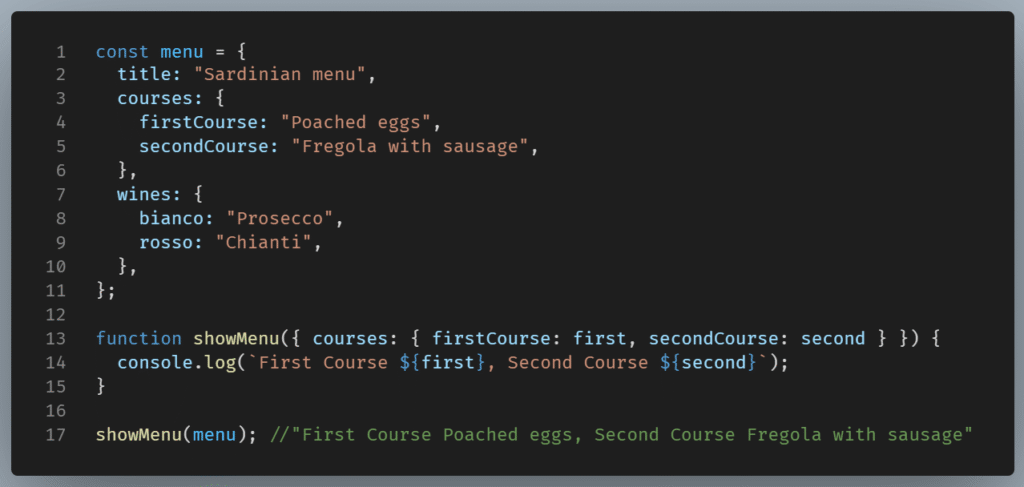
rest properties in destructuring
In the previous example, we were interested only in courses and not the rest of the catalogue. So we just destructured what we needed.
It is possible, though, to destructure all the properties of the object and, at the same time, be clean and organized, by using the rest parameter.
The rest property will store all remaining properties of the object into a new object.
Syntax:
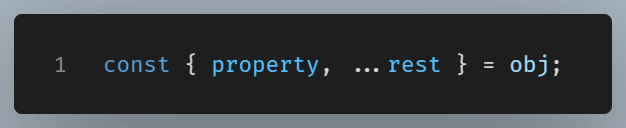
In our previous example, we cherry-picked the first and the second course to work with, ignoring the rest of the parameters (title, wines)
Using the rest parameter, we could write the code as follows:
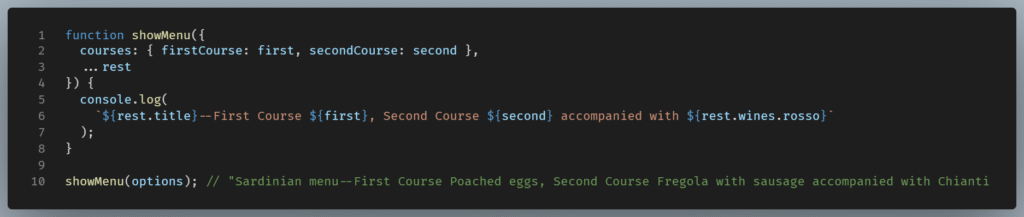
NOTE: Ensure the rest property is the last in the destructuring assignment.
Using rest properties incorrectly can lead to syntax errors.

Omitting to declare variables can lead to Syntax Errors
Consider the following example:

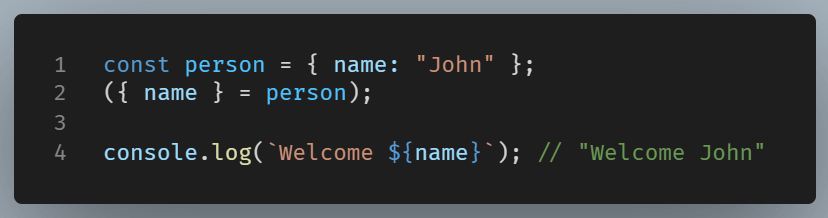
Here, JavaScript treats destructuring as a distinct code block, hence the Syntax Error.
The above code could either use a declared variable, or it could dictate JavaScript on how to properly treat the code, by wrapping it in parentheses, thus denoting it is a destructuring assignment that we are dealing with and not a separate block of code.
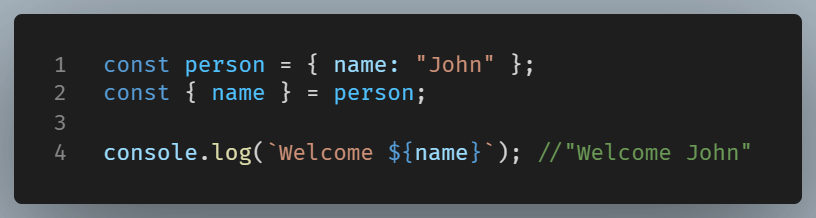
Or
Summary
Object destructuring is a JavaScript feature that makes extracting properties from objects and binding them to variables very easy. The fact that we can extract multiple variables in one statement makes it a useful and versatile tool in a web developer’s disposal.