In programming, we instruct computers to do things, and we call these instructions programs.
We can write programs using different programming languages, the same way we can communicate with other humans using different human languages.
Each language consists of rules that dictate how to use data, and each data has a type.
The operations that the computer performs are based on these types.
Various data types require different memory allocation and support different operations.
PHP has its own set of data types. We are going to get into them in this post.
PHP is a loosely typed language
There are two kinds of programming languages, loosely typed, and strongly typed, with PHP falling into the former category.
Before delving into data types, let’s make this distinction clearer.
In programming, we can store data for later use in computer memory locations called variables.
These variables are essentially containers of data types.
We give these containers a name in order to manipulate them in our programs.
In PHP, variable names are prefixed with a dollar sign ($), and they must start with a letter or an underscore.

They can include also numbers but they can’t start with one of them.
NOTE: In PHP, variables are case sensitive.
So capital letters matter.
We have declared the variable $name already, but not a variable named $Name.
Loosely typed languages do not require variables’ type to be defined
Regarding the previous example, we stored data into variables without explicitly define the type of that data.
We can do this in PHP because it is a loosely typed language.
If we have written these variables in a strongly typed language, we would have to define the type of the data in that variables.
This is an example in C# which is a strongly typed language:
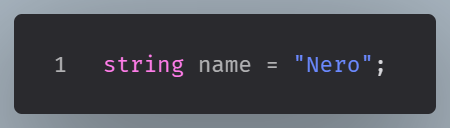
Here, we explicitly define that the name variable is a string, and we cannot put any other type in that variable.
Data Types
PHP supports the following data types:
- Integer
- Float (floating point numbers)
- String
- Boolean
- NULL
- Array
- Object
Let’s dive deep into them:
Integers for representing whole numbers
An integer is a non-decimal number between -2,147,483,648 and 2,147,483,647.
For a data type to be classified as Integer, it must have at least one digit, and must not have a decimal point.
Integers can be positive or negative.
Regarding indegers in CS, we note that:
We use the decimal number system for counting and measuring, but computers operate using a binary number system, with transistors functioning in two states – on and off.
In computing, we also use hexadecimal and octal number systems in order to represent binary numbers more efficiently.
We can define PHP integers as: decimal (base 10), hexadecimal (base 16), octal (base 8), or binary (base 2) notation.
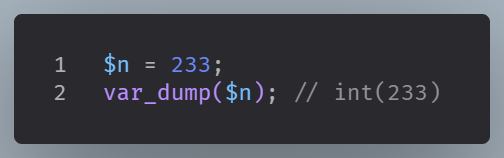
In the following example, $n is an integer. The PHP var_dump() function returns the data type and value:
Floats for handling decimal values
Now, let’s move on to values that require decimal points. In PHP, these are referred to as floats. You use them for prices, measurements, ratings, and percentages.
A float behaves like a number, but it enables decimal precision.
Floating-point precision issues
Floating-point precision issues happen because computers cannot store every decimal number exactly.
A value like 0.5 is easy for a computer to represent. But many common decimal values cannot be stored with perfect accuracy in binary form. The computer stores a very close approximation instead.
For example, this kind of result can happen:
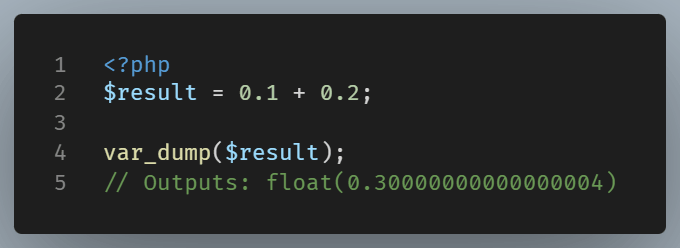
You might expect 0.3
But internally, the value is 0.30000000000000004
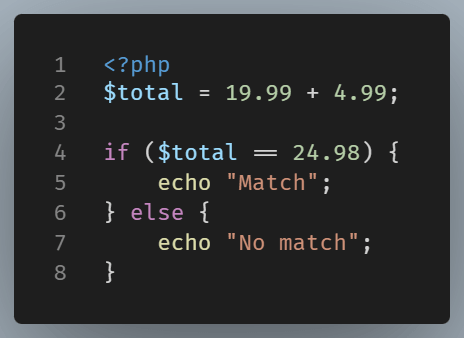
That minor difference is usually not visible in standard displays, but it can become clear when working with money, measurements, tax, discounts, or anything where exact decimal accuracy matters.
For example:
Safer approaches
For money, a common solution is to store values in the smallest unit.
Instead of storing dollars or euros like this:
$price = 19.99;
Store cents:
$priceInCents = 1999;Then, the calculations use integers:
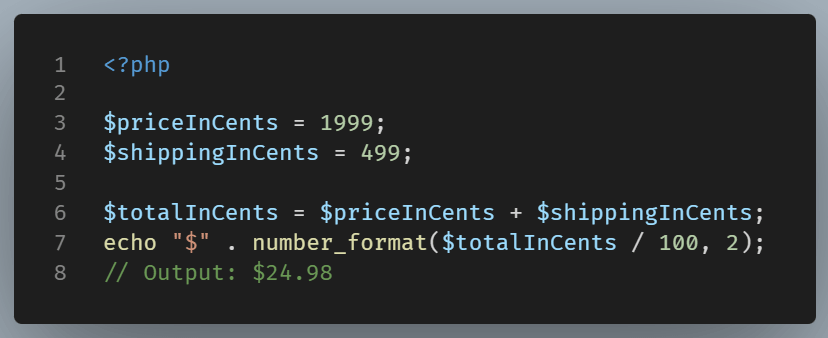
Note: For more serious financial work, PHP also has extensions like BCMath, which are designed for precision math.
Strings for holding text
A string is text. That text can be one word, one sentence, or a block of content. Strings are everywhere in PHP because websites are built around content, labels, messages, and user input.
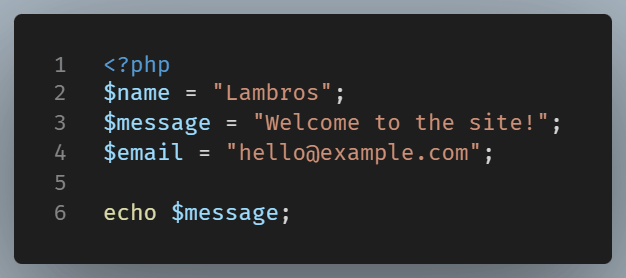
Strings go inside quotes. PHP supports both single and double quotes, though they do not behave exactly the same way.
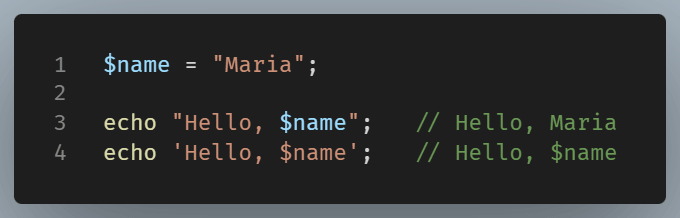
Double quotes allow variable interpolation. Single quotes treat the content literally.
Strings can also be joined together. This is called concatenation.
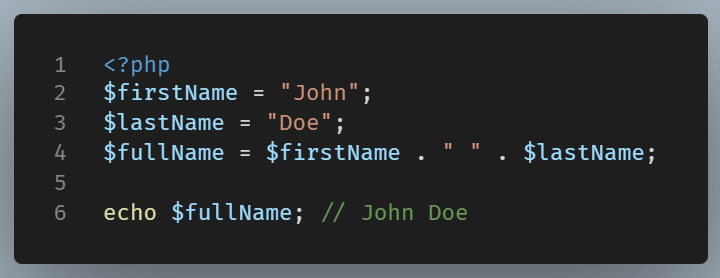
The dot operator (.) is how PHP joins strings.
Booleans for decision-making
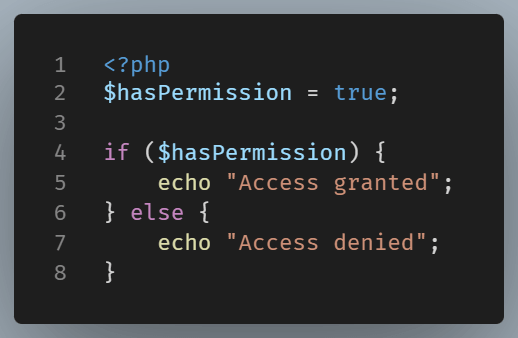
A Boolean has only two possible values: true or false. That may sound limited, but it is one of the most useful types in programming.
This type is common in conditions and status checks. A page either is published, or it is not. A user either has access or does not.
Arrays for grouping related values
If you find yourself needing to keep more than one value together, arrays are the solution. An array is a set of values that are all stored in one variable, which makes PHP significantly more practical.
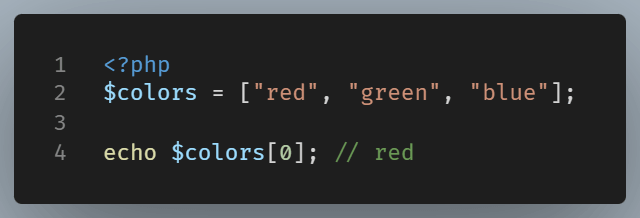
This is an indexed array. Each item has a numeric position, starting at zero.
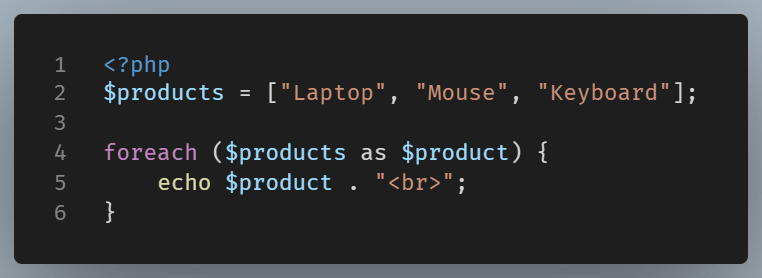
Arrays are useful for lists of products, categories, names, or anything that comes in groups.
Associative Arrays
PHP also supports associative arrays. These use named keys instead of numeric indexes.
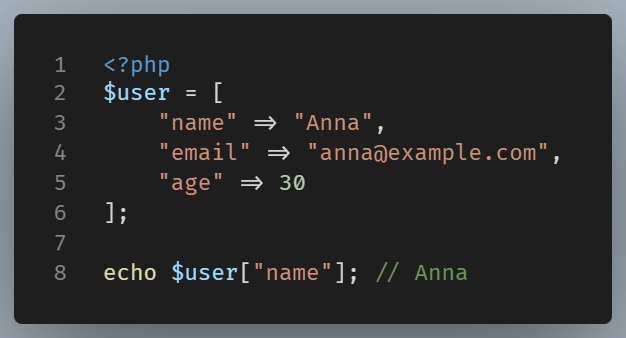
Associative arrays are especially important in PHP. They often represent records, settings, API responses, and form data.
Null for representing the absence of a value
Sometimes a variable exists, but it does not currently hold a useful value. In PHP, null represents that state.
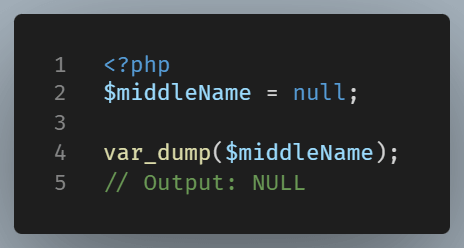
This is different from an empty string or zero. null means no value has been assigned, or the value was intentionally removed.
Note: In PHPNullis case-insensitive. That means we can also usenull, orNULL, and that wouldn't make any difference.
Objects for structure
Objects bring structure to larger programs. As applications grow, arrays are not always enough. At that point, objects become more useful. An object is created from a class and groups related data and behavior together.
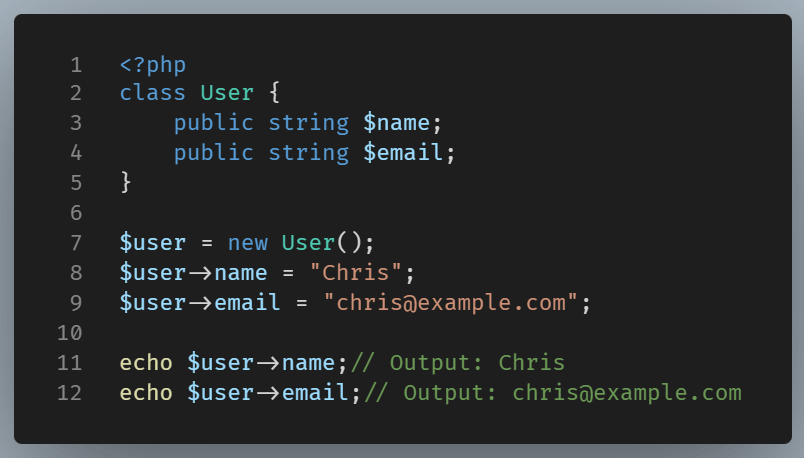
Here, $user is an object. It stores properties that belong to one user. This is more structured than having variables declared loosely in our code.
Objects are common in larger applications.
PHP can convert types for you
One reason beginners find PHP approachable is that it does type juggling. This means PHP will often convert values automatically.
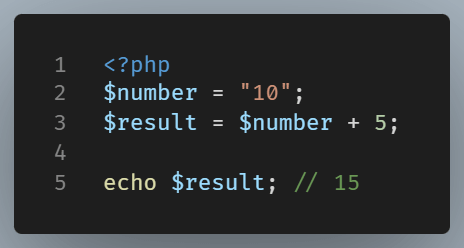
Even though “10” is a string, PHP converts it into a number in this context. That flexibility is convenient, but it can also cause bugs if you are not paying attention.
For that reason, it is smart to inspect values when unsure.
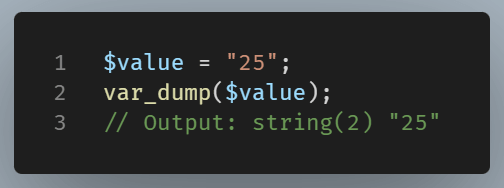
var_dump() is one of the most useful beginner tools in PHP. It shows both the value and the type.
PHP gives you built-in functions for checking types.
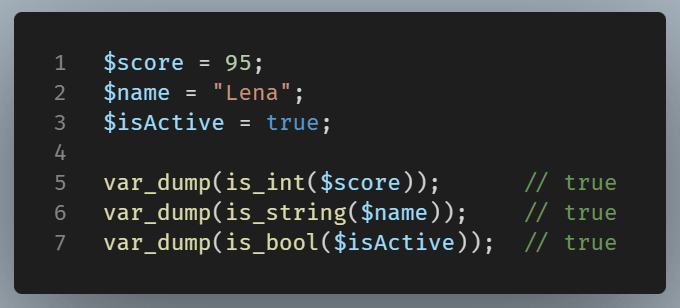
These checks are useful when validating data or debugging unexpected behavior.
Wrapping Up
PHP data types are the building blocks of the language. Integers and floats handle numbers. Strings handle text.
Booleans play a crucial role in decision-making. Arrays are useful for grouping values together. Null signifies the absence of any data. Objects help to structure larger concepts.
Initially, it might look like there’s a lot to absorb, but you’ll notice that these data types tend to repeat. As you get more comfortable with them, they will begin to feel more intuitive. When you reach that stage, working with your PHP code will feel much simpler and less intimidating.