HSL describes color in a way that seems more human-friendly, using hue, saturation, and lightness.
Breaking down HSL
The acronym HSL stands for:
- Hue: The type of color, measured in degrees on a color wheel (0 is red, 120 is green, 240 is blue, and so on).
- Saturation: How vivid or muted the color is, given as a percentage. At 100%, the color is fully intense; at 0%, it turns gray.
- Lightness: How bright or dark the color appears, also a percentage. At 50%, you get the “true” shade; at 0%, it’s black; at 100%, it’s white.
This system reflects how we describe colors, making it easier to tweak and experiment.
The hsl() function in CSS
In CSS, you can define colors using the hsl() function. The format looks like this:

You can also use hsla(), which adds an alpha channel for transparency:

Why use HSL instead of RGB or hex?
You can easily create color schemes and adjust shades or tints with the HSL color model.
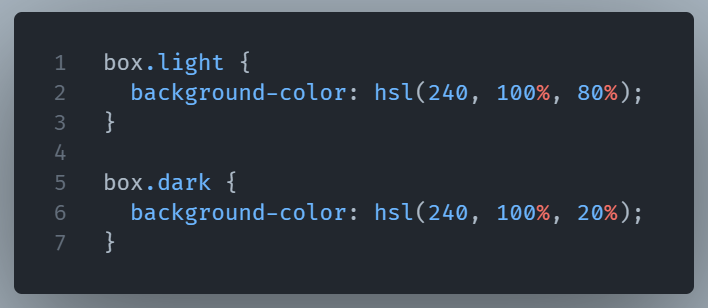
If you want a lighter version of your brand color, you can just increase the lightness. Do you want it to be less intense? Reduce the saturation. With RGB or hex, those kinds of changes require guesswork.
For example, if you wish to make different color tints, just change the lightness value.
That said, HSL isn’t always the designer’s first choice since most design tools still hand off RGB values. But for developers, HSL makes CSS color manipulation simpler and more logical.
Wrapping Up
HSL turns colors into something you can reason about without memorizing hex codes. By breaking colors into hue, saturation, and lightness, it gives you better, more human-friendly control, making crafting a professional design easier.