In programming, a data type dictates what kind of value a variable can store.
In previous articles we talked about how to perform operations on variables and their values.
In a series of tips, we are going to list out all the data types in Python, and discus the functionality of each.
Today we’re going to be talking about the String data type.
String Data Type
A string is a sequence of characters. Python is compatible with Unicode characters. We usually use single or double quotes to define strings.
Literal assignment
A literal is a value hard coded into the source code.
We see below an example of a literal string assignment.
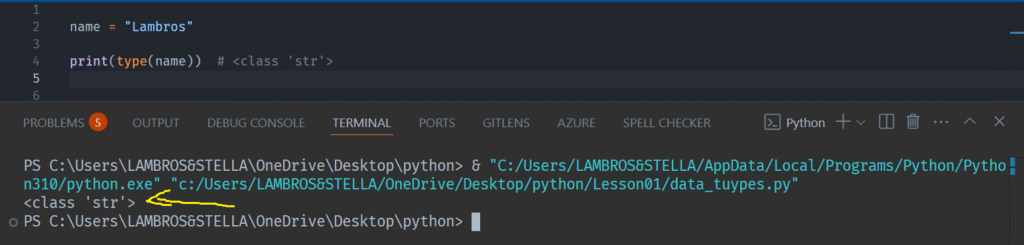
We can check this variable in Python by using the print statement and the type function, passing the variable as an argument.
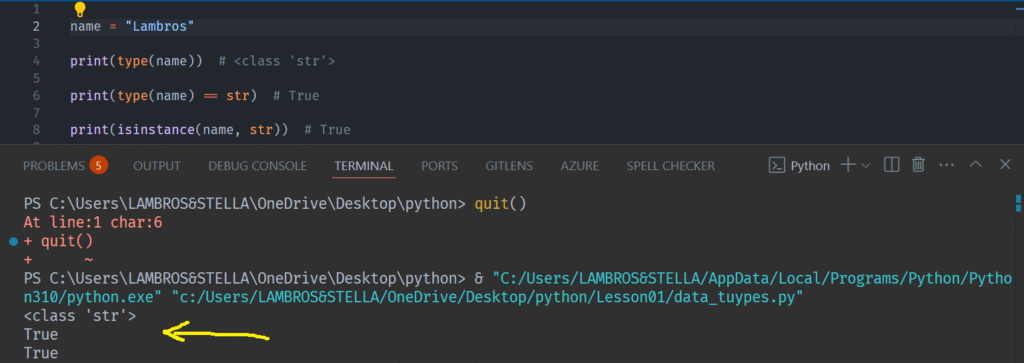
We can also explicitly test a variable for being of a special type.
For this we can use the print statement combined with the type function, as we did before, or we can also use the isinstance() built-in function.
str Constructor Function
Using str(), we can convert any value to its string equivalent, an action we call casting. We also can use it to initiate a string variable.
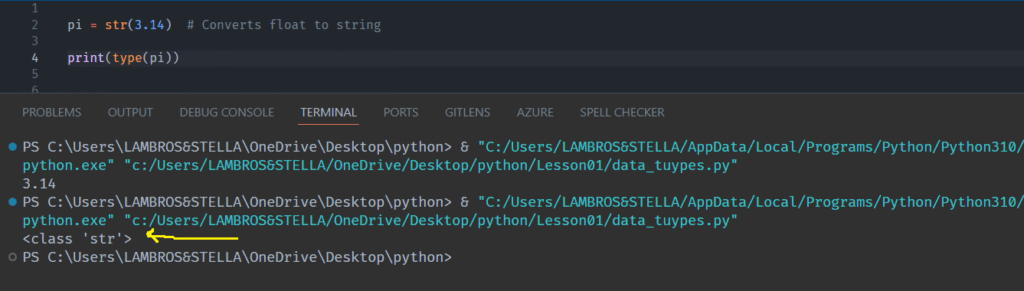
And an example of casting a number to a string with the use of this function:
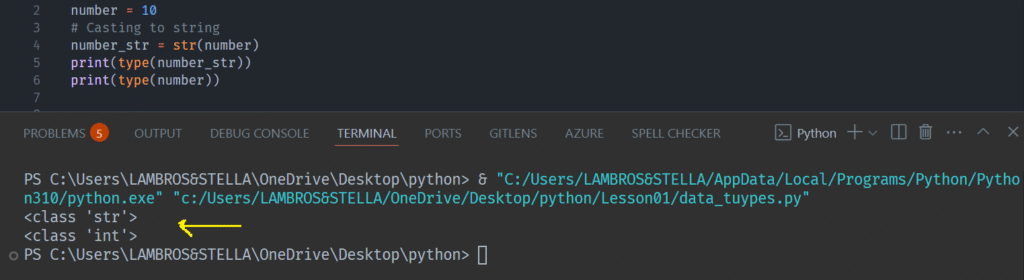
We see that we have two ways to assign a string data type to a variable. We can do it either with literal assignement or with the Constructor method.
This is a pattern that we meet in every data type.
Concatenation
Concatenation is the act of adding two strings together so they can form a larger string.
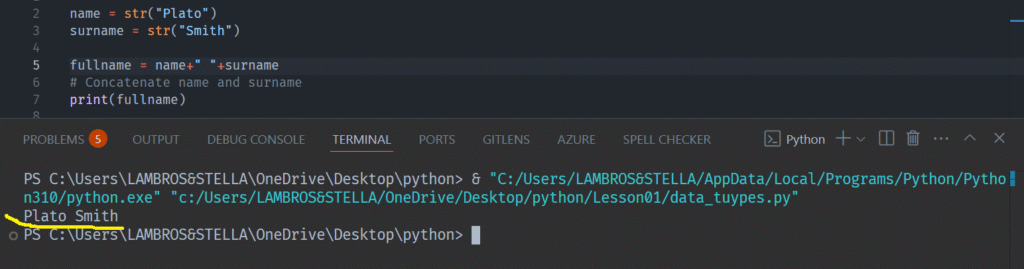
There are also other way to concatenate strings but I’m going to mention the two most practical (apart from the plus operator we show in the previous example).
Concatenate Strings With .join()
The join() method is a more efficient way to concatenate multiple strings.
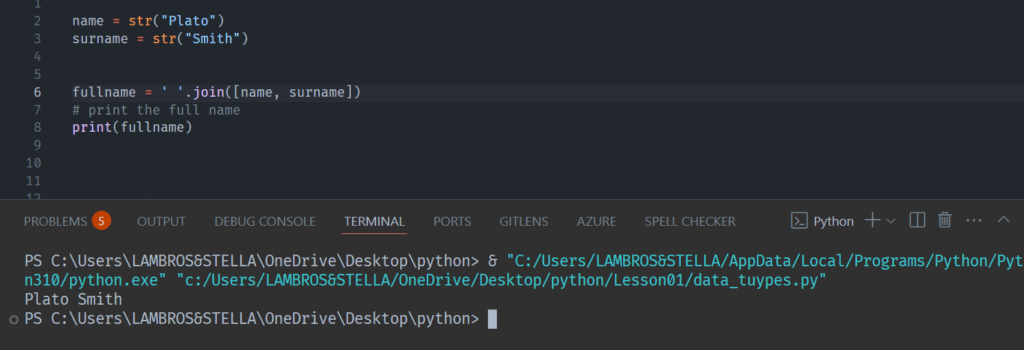
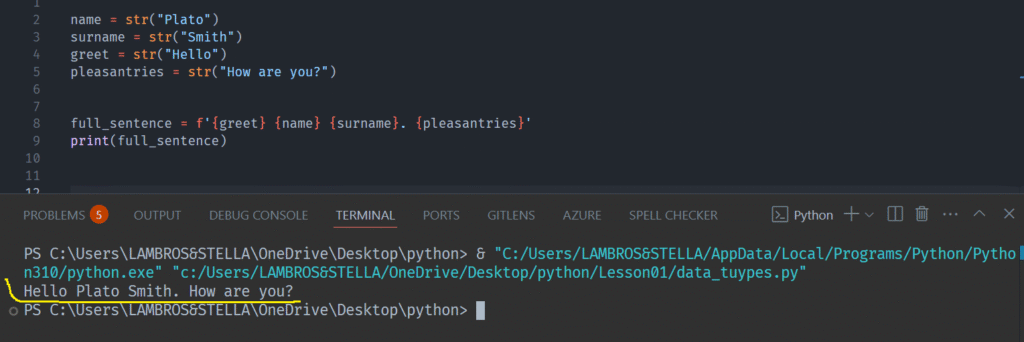
Concatenate String Using f-strings
Using f-strings is another way to concatenate multiple strings effectively. Introduced in Python 3.6, f-strings provide a sleek method for string concatenation.
Multiline Strings
Python uses triple quotes (”’ or “”” ) to define strings that span multiple lines.
These are convenient for formatting text that goes over several lines, especially docstrings or formatted text.
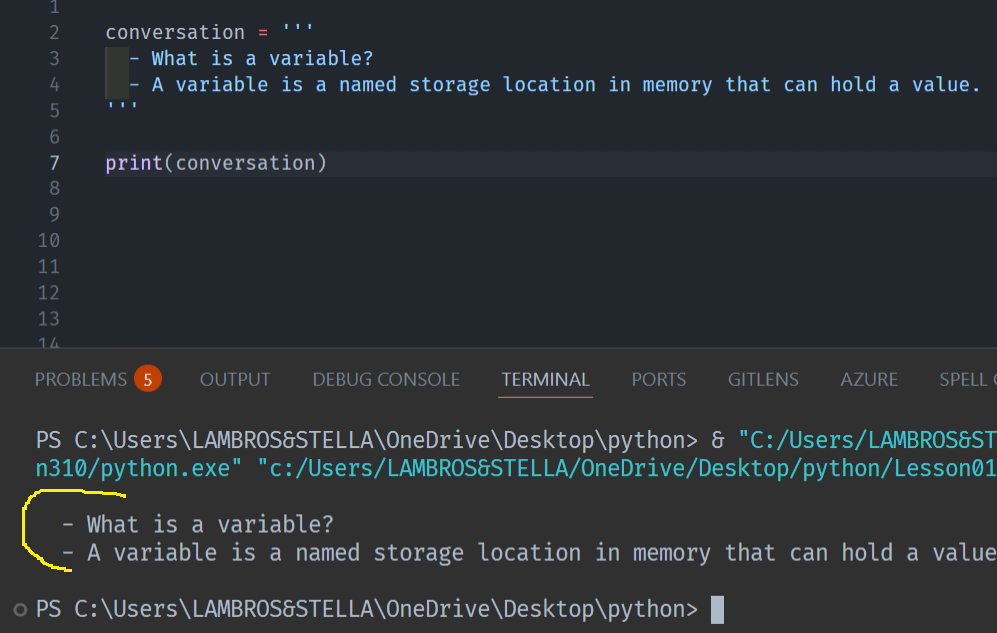
Had we not use this notation would get us an error

Escaping special characters in a string
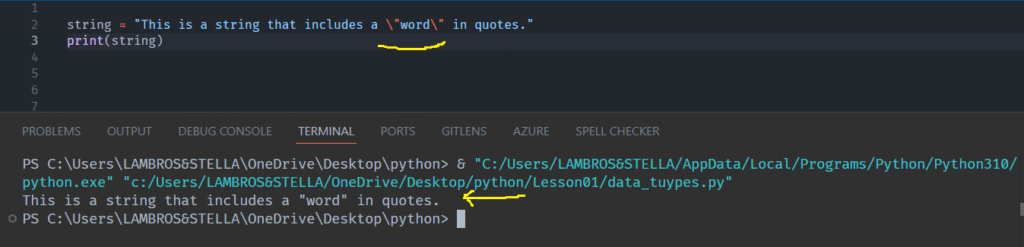
There are cases where we need to include illegal characters in a string. To do this, we need to use an escape character.
For example, it is illegal to use a double quote inside a string already in double quotes.
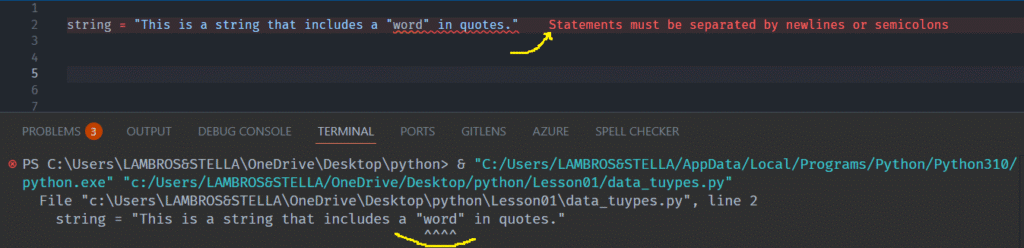
In order to create an escape character, we put a backslash \ before the illegal character.
In the next tip we are going to talk about string methods, which are functions that are called in the string object.