Following up on my previous post about Markdown syntax, let’s discuss how to create some other important elements.
Code
To mark up code, use backticks (`) around your word or phrase.

Code Blocks (Multiline)
Use triple backticks for multiple lines of code or entire code blocks.

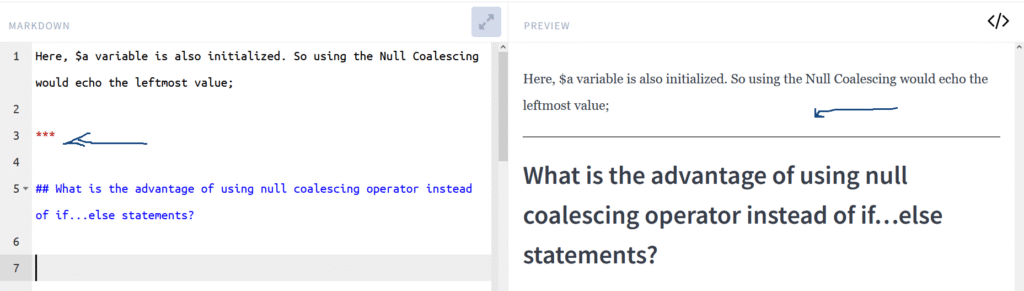
Horizontal Rules
Create a horizontal line using at least three asterisks, hyphens, or underscores on a single line.
LInks
To create a hyperlink, use brackets for the link text (e.g., [Brave]) followed immediately by parentheses for the URL (e.g., (https://brave.com/)).

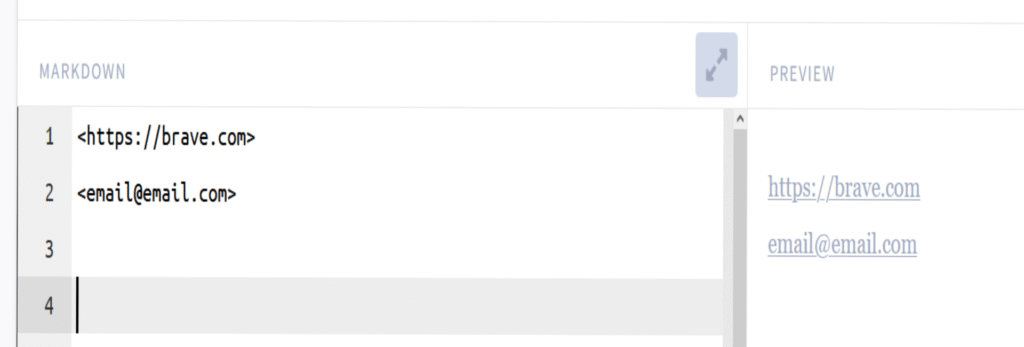
URLs and Email Addresses
You can turn email addresses, or even URLs, into links with the use of angle brackets.
Formatting Links
In order for links to be emphasized, include brackets and parens to asterisks.

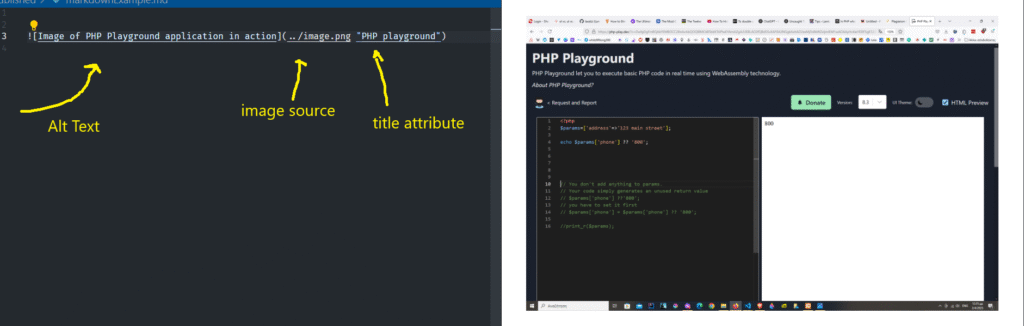
Images
To add an image, use an exclamation point (!), then insert the alt text in brackets, and after that the image path or URL in parentheses.
You can optionally put a title in parentheses after the URL.
Escaping Characters
Using a backslash before a character stops Markdown from formatting it.
