Continuing from my last post about Markdown syntax, let’s talk about lists.
Lists
Markdown supports three different types of lists.
In an ordered list, the first list type, items are numbered.
Unordered lists, , use bullets to mark each item.
Todo lists, list type three, feature tickboxes at each item’s start.
Ordered Lists
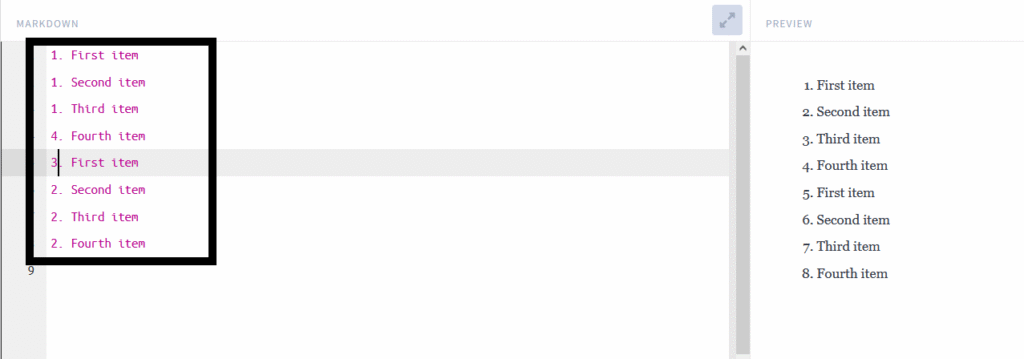
To create an ordered list, we must use numbered list items just like we do in HTML

The list must begin with the number one, but the remaining numbers are not mandatory to be in order.
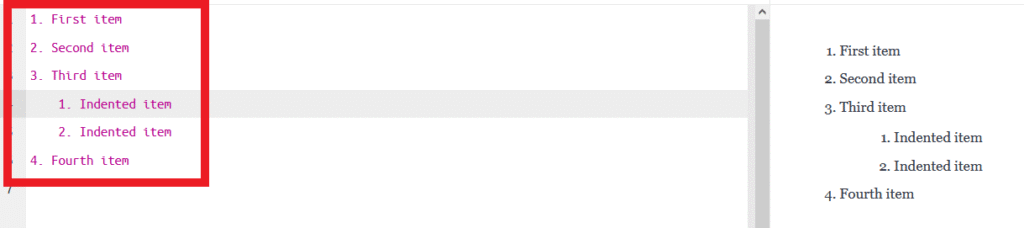
We can use nesting in ordered lists. We only have to indent the items that follow with four spaces or a tab.
Unordered Lists
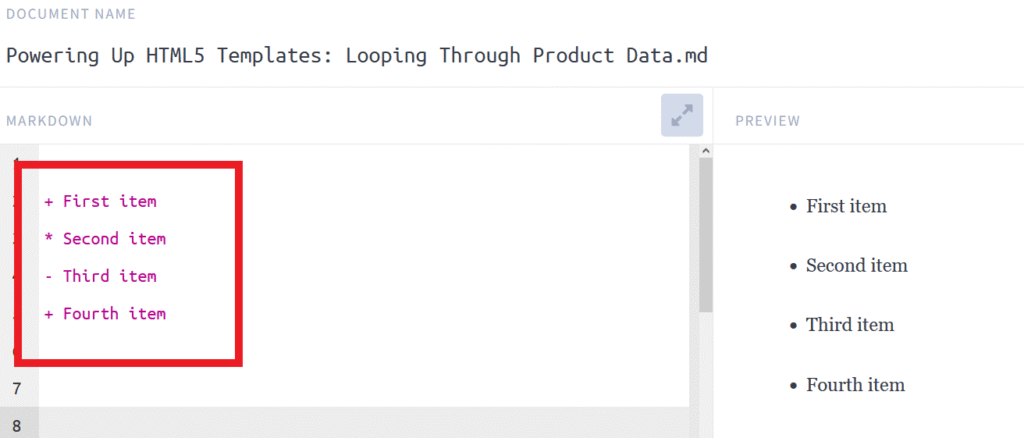
To create an unordered list, we start each item with a dash, asterisk, or plus symbol.
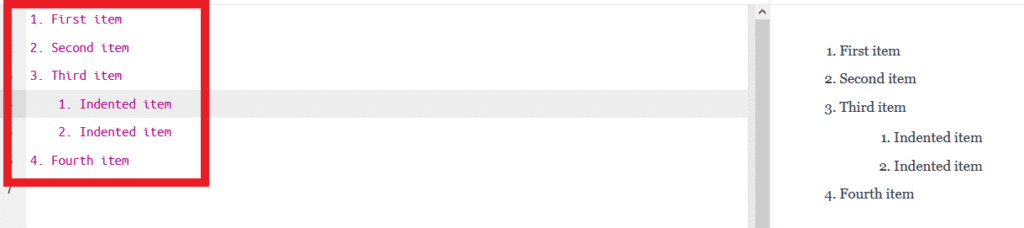
In an unordered list, we are able to nest items by indenting them four spaces or one tab.
Adding Elements in Lists
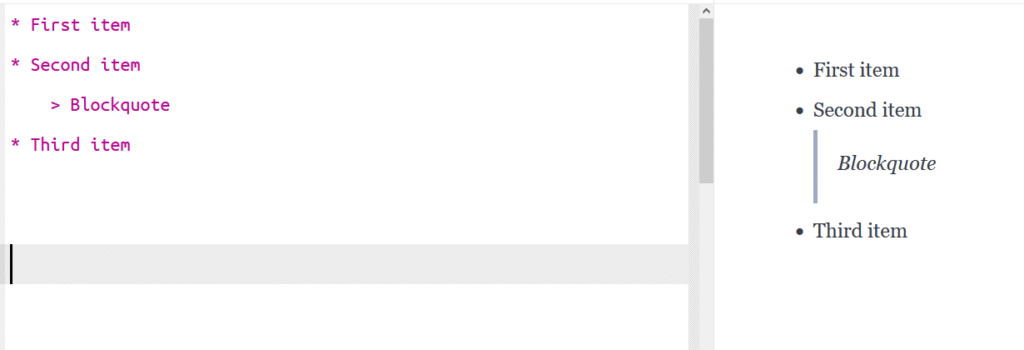
To maintain list continuity when adding items, indent the new element four spaces or one tab, as illustrated below.
Code Blocks
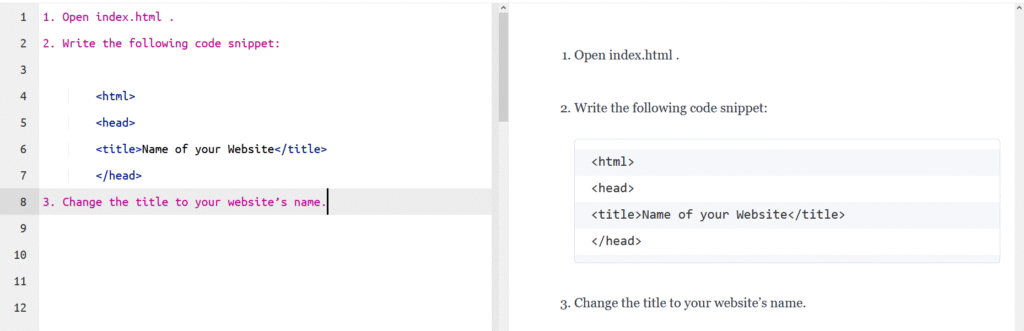
Standard indentation for code blocks is four spaces or one tab, but when in a list, we must indent them eight spaces or two tabs
To-do lists
We can also create todo lists with tick boxes. To make this list, begin each item with – [ ].
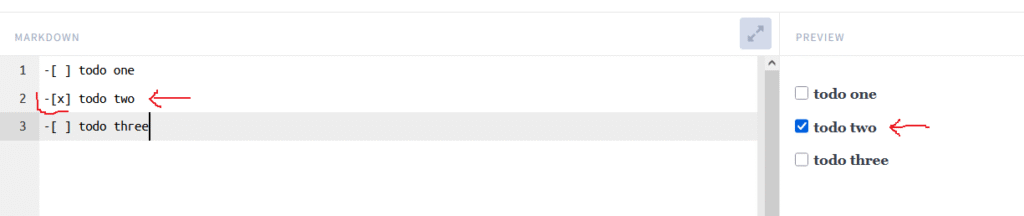
Notice that you need a space to separate the square brackets. To create a checked box, put an x inside square brackets: [x].
The boxes in your editor are untickable. However, you can usually check boxes in display or editing mode with editors like HackMD, Dillinger, or GitHub.
Next we are going to be talking about how markdown uses syntax to indicate links, images, rules, and code blockes.